Installing the VLINX ESP Software
20 Chapter 3 Manual Documentation Number: ESP901-902_5012m
B&B Electronics Mfg Co Inc – 707 Dayton Rd - PO Box 1040 - Ottawa IL 61350 - Ph 815-433-5100 - Fax 815-433-5104 – www.bb-elec.com
B&B Electronics Ltd – Westlink Commercial Pk – Oranmore, Galway, Ireland – Ph +353 91-792444 – Fax +353 91-792445 – www.bb-europe.com
The recommended procedure is to Remove all installed components
first. Once the software has been removed, Install the new software.
Opening the ESP Manager
Step 5: If the Serial Server is not already connected to the network or
to the Ethernet port on the computer, connect it. Set all the
DIP switches to the OFF position. Apply power.
The Power indicator should light red, the Link light should
indicate which type of Ethernet connection has been made and
the Ready LED will flash indicating configuration can begin.
Step 6: Start the ESP Manager software. In Windows Desktop, click:
Start Programs B&B Electronics VLINX ESP
Servers VLINX ESP Manager.
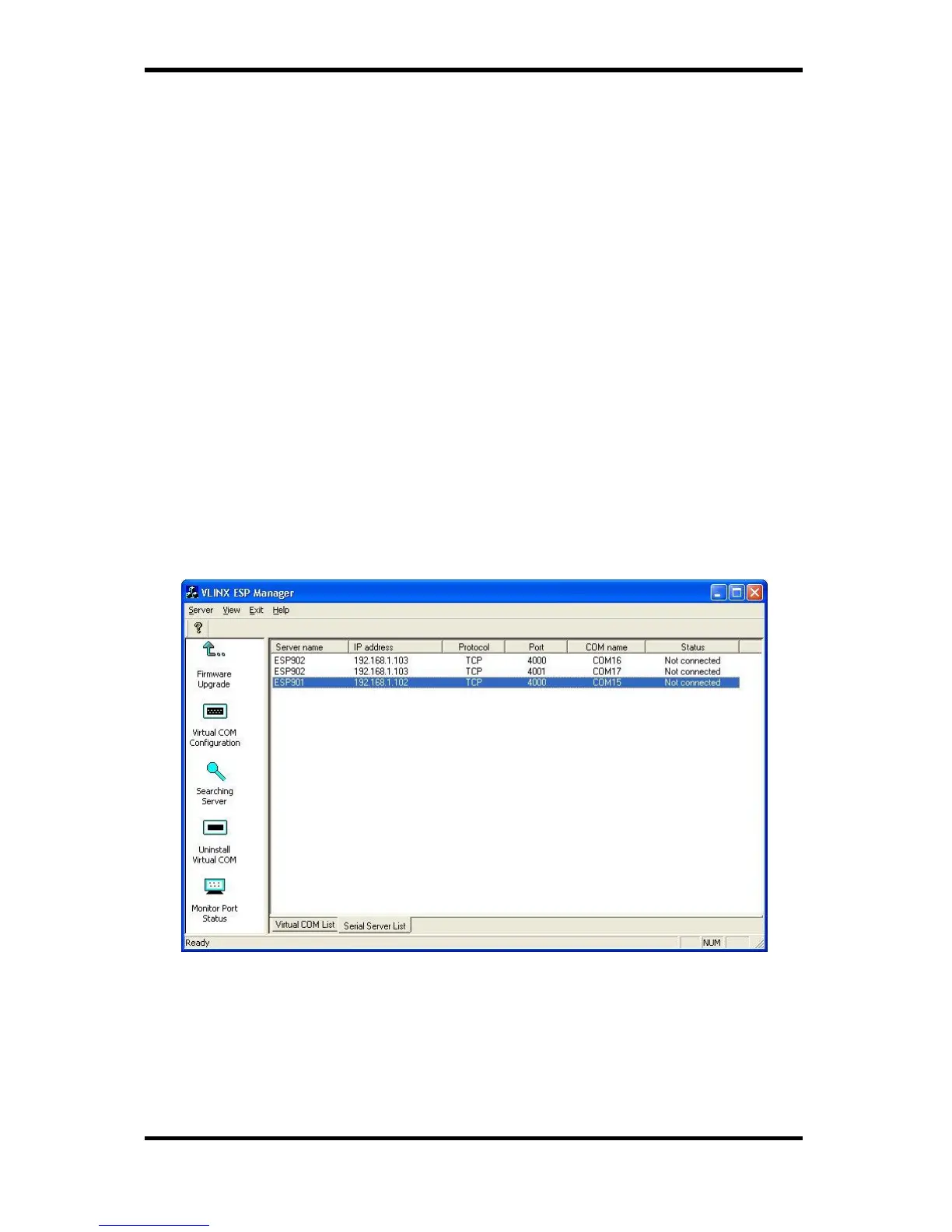
As soon as the ESP Manager opens it will initiate Searching
Server and after a few seconds the Serial Server List will
display all (ESP90x) Serial Servers on the network.
Figure 18. ESP Manager Displaying all ESP90x Serial Servers


 To Next Page