Using the Web Server
Manual Documentation Number: ESP901-902_5012m Chapter 10 59
B&B Electronics Mfg Co Inc – 707 Dayton Rd - PO Box 1040 - Ottawa IL 61350 - Ph 815-433-5100 - Fax 815-433-5104 – www.bb-elec.com
B&B Electronics Ltd – Westlink Commercial Pk – Oranmore, Galway, Ireland – Ph +353 91-792444 – Fax +353 91-792445 – www.bb-europe.com
C
C
h
h
a
a
p
p
t
t
e
e
r
r
1
1
0
0
:
:
U
U
S
S
I
I
N
N
G
G
T
T
H
H
E
E
W
W
E
E
B
B
S
S
E
E
R
R
V
V
E
E
R
R
The Web Server can be used to configure the Serial Server from any
web browser software (such as Internet Explorer). Server properties can
be set up using three browser pages.
See Chapter 5 for details on Server Properties.
Setting Server Properties
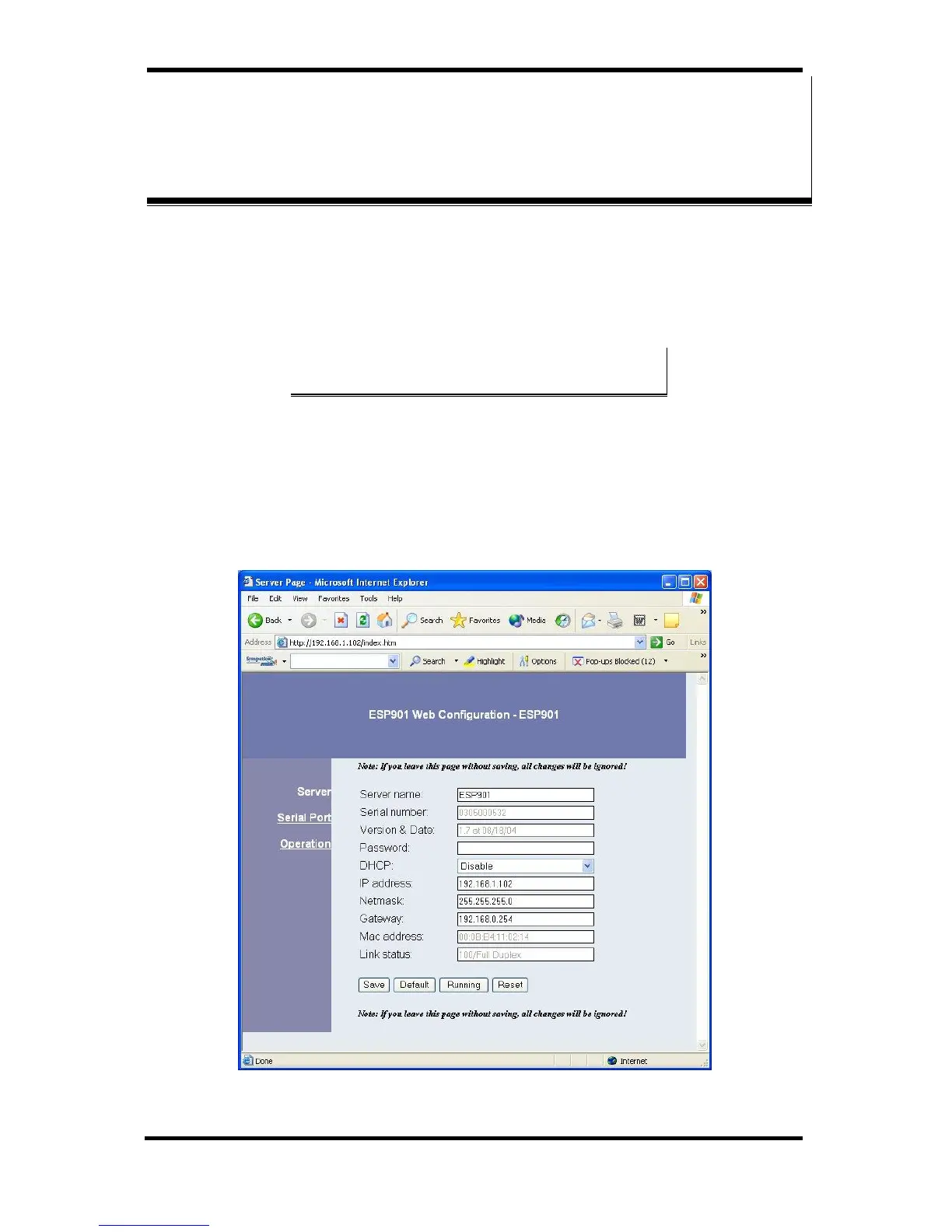
In Internet Explorer type the IP Address of the Serial Server into the
address field near the top of the window and press the Enter key. The
following window will appear:
Figure 52. The Web Server Page


 To Next Page