Using ESP Manager
Manual Documentation Number: ESP901-902_5012m Chapter 4 21
B&B Electronics Mfg Co Inc – 707 Dayton Rd - PO Box 1040 - Ottawa IL 61350 - Ph 815-433-5100 - Fax 815-433-5104 – www.bb-elec.com
B&B Electronics Ltd – Westlink Commercial Pk – Oranmore, Galway, Ireland – Ph +353 91-792444 – Fax +353 91-792445 – www.bb-europe.com
The ESP Manager software allows:
Searching for servers connected to the network
Displaying and changing the configuration of those servers
Installing virtual COM ports on a computer
Displaying and configuring virtual COM ports
Uninstalling virtual COM ports on a computer
Upgrading the Serial Server firmware
Monitoring Port Status
Saving and Loading Configuration Files
Hardware Setup
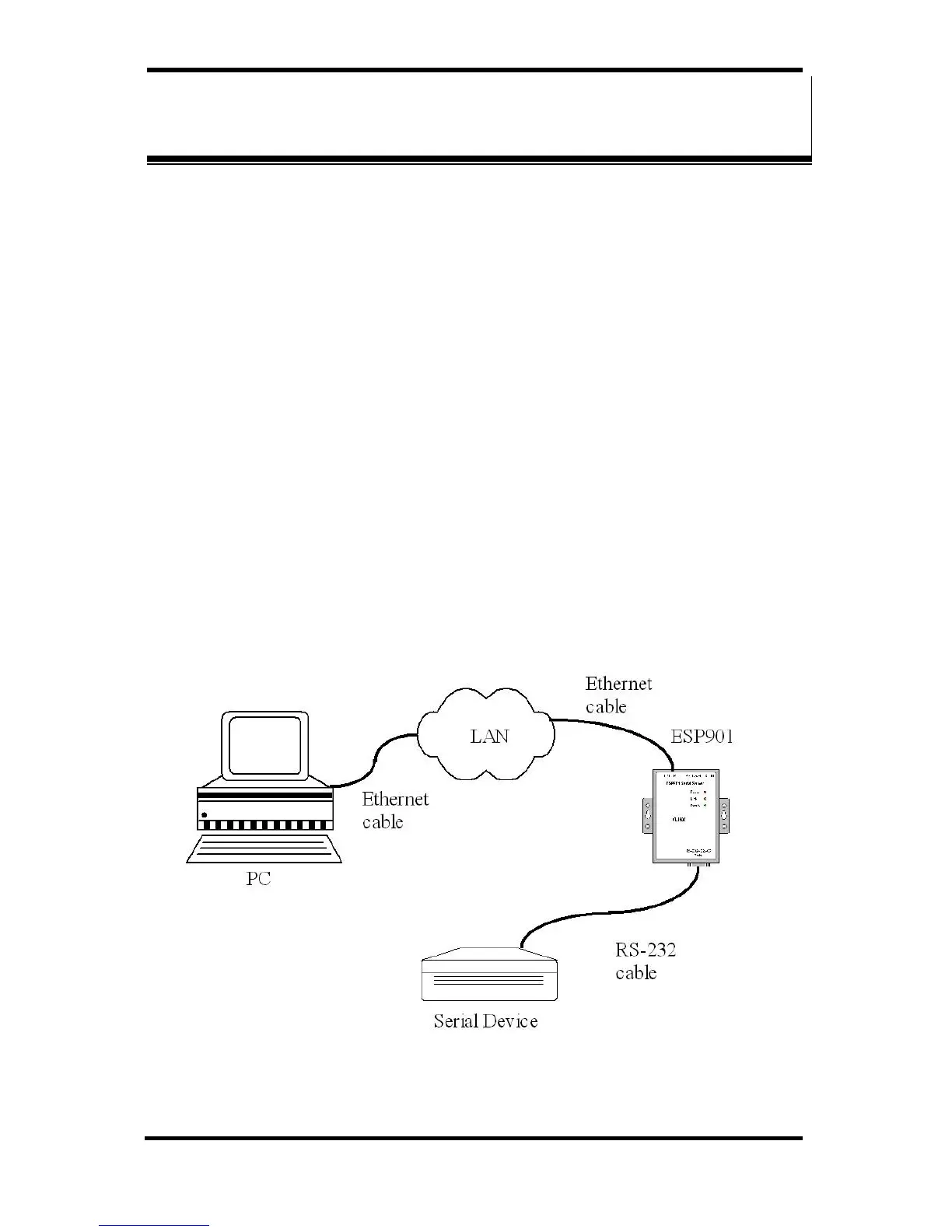
Step 1: Connect the Serial Server to the LAN or to a computer
Ethernet port. Set all the DIP switches on the Serial Server to
the OFF position
Figure 19. Ethernet Connection via a LAN


 To Next Page