Installing Virtual COM Port
Manual Documentation Number: ESP901-902_5012m Chapter 6 45
B&B Electronics Mfg Co Inc – 707 Dayton Rd - PO Box 1040 - Ottawa IL 61350 - Ph 815-433-5100 - Fax 815-433-5104 – www.bb-elec.com
B&B Electronics Ltd – Westlink Commercial Pk – Oranmore, Galway, Ireland – Ph +353 91-792444 – Fax +353 91-792445 – www.bb-europe.com
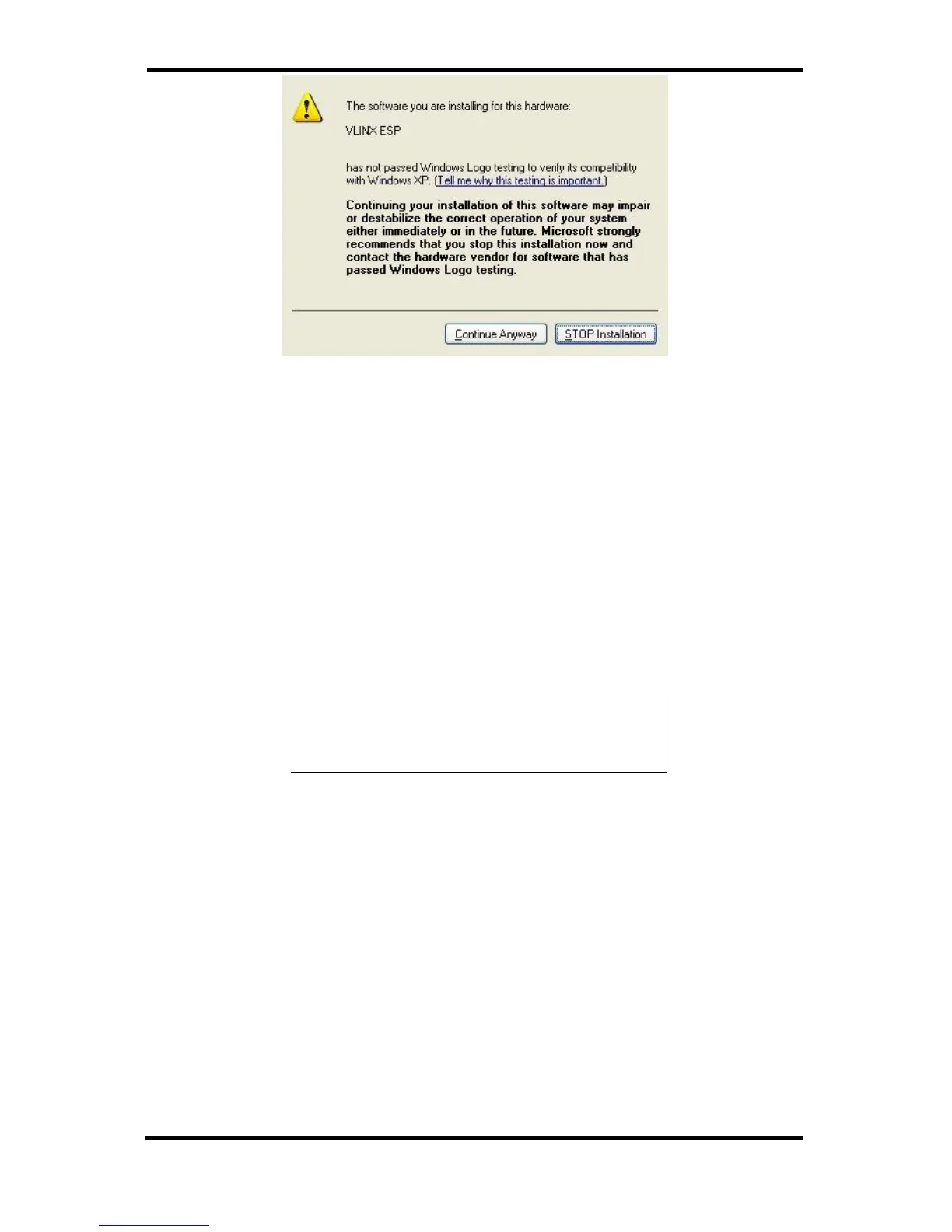
Figure 41. The Windows Logo Testing Window
This simply indicates that these drivers have not yet undergone the
Microsoft testing procedures required to use the Windows Logo on the
packaging. Driver compatibility is not affected.
Step 4: Click Continue Anyway to proceed with the installation.
The Protocol TCP/UDP, IP Address, and Port Number will mirror the
settings of the selected serial server.
Step 5: After setting all Serial Server serial ports as virtual COM
ports, click Cancel on the Found Server form.
PCs may have hardware COM ports and devices such as Modems, IR
ports or USB based COM ports that are not currently connected Try
selecting a COM number above COM4 if problems occur.
The default Flow Control setting is None. RTS/CTS can be selected if
used by the application program and serial hardware. The Serial Server
must be set to match.


 To Next Page