Installing Virtual COM Port
Manual Documentation Number: ESP901-902_5012m Chapter 6 47
B&B Electronics Mfg Co Inc – 707 Dayton Rd - PO Box 1040 - Ottawa IL 61350 - Ph 815-433-5100 - Fax 815-433-5104 – www.bb-elec.com
B&B Electronics Ltd – Westlink Commercial Pk – Oranmore, Galway, Ireland – Ph +353 91-792444 – Fax +353 91-792445 – www.bb-europe.com
.
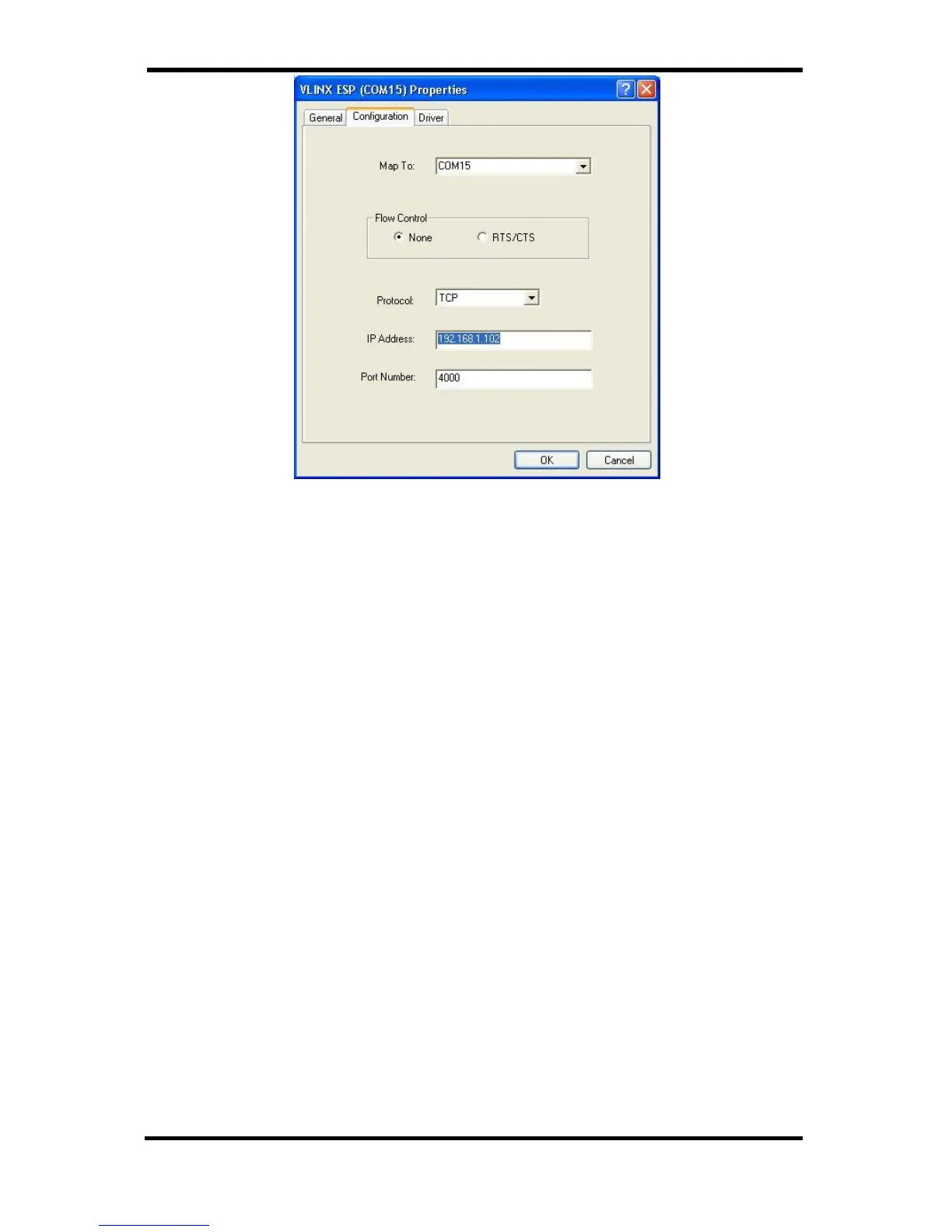
Figure 43. The VLINX ESP (COM3) Properties Window
Step 4: Click the Configuration or Port Settings tab. This screen
allows the settings to be changed if necessary. Click Cancel to
keep the existing settings.
Step 5: Click OK to change the settings. Use Refresh in the Device
Manager if Windows does not auto refresh.


 To Next Page