Section 4 - Configuring the Serial Server Vlinx VESR4x4 Serial Server
Page 28 of 67 www.bb-elec.com/
www.bb-europe.com/
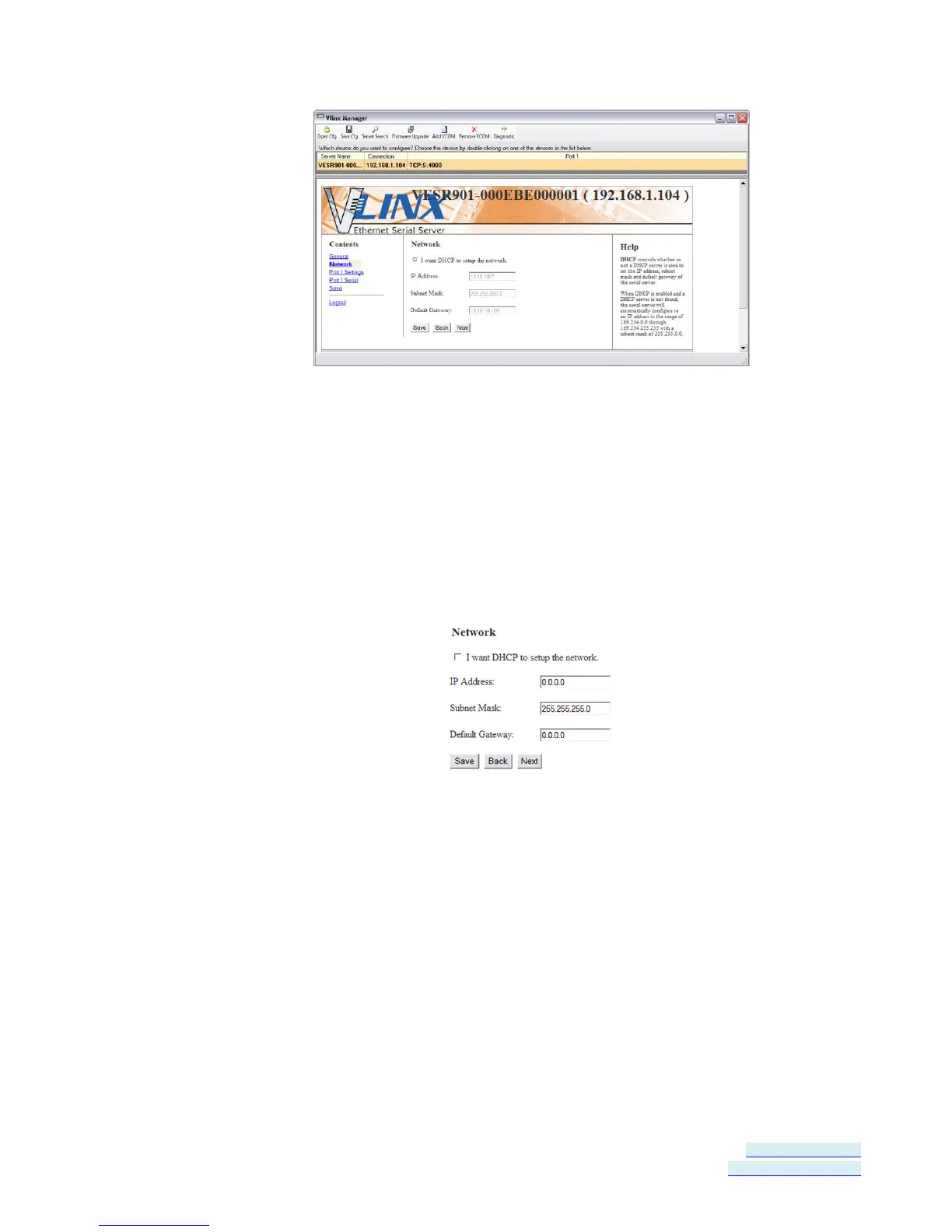
Figure 23. Network Configuration Page
Setting up Dynamic IP Addressing
1. Select the I want to use DHCP to setup the network check box.
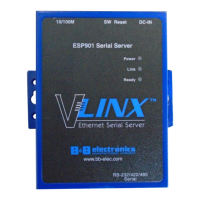
Setting up Static IP Addressing
1. Ensure the I want to use DHCP to setup the network box is un-checked.
Figure 24. IP Address Settings
2. Type the IP Address, Subnet Mask and Default Gateway addresses in the
appropriate boxes.
Setting up Serial Ports
On the Serial Port Configuration page you can configure the communications
parameters of the current serial port. Parameters include port mode, baud
rate, data bits, parity, stop bits and type of flow control.


 To Next Page