Section 4 - Configuring the Serial Server Vlinx VESR4x4 Serial Server
Page 41 of 67 www.bb-elec.com/
www.bb-europe.com/
Saving/Restoring the Configuration Settings
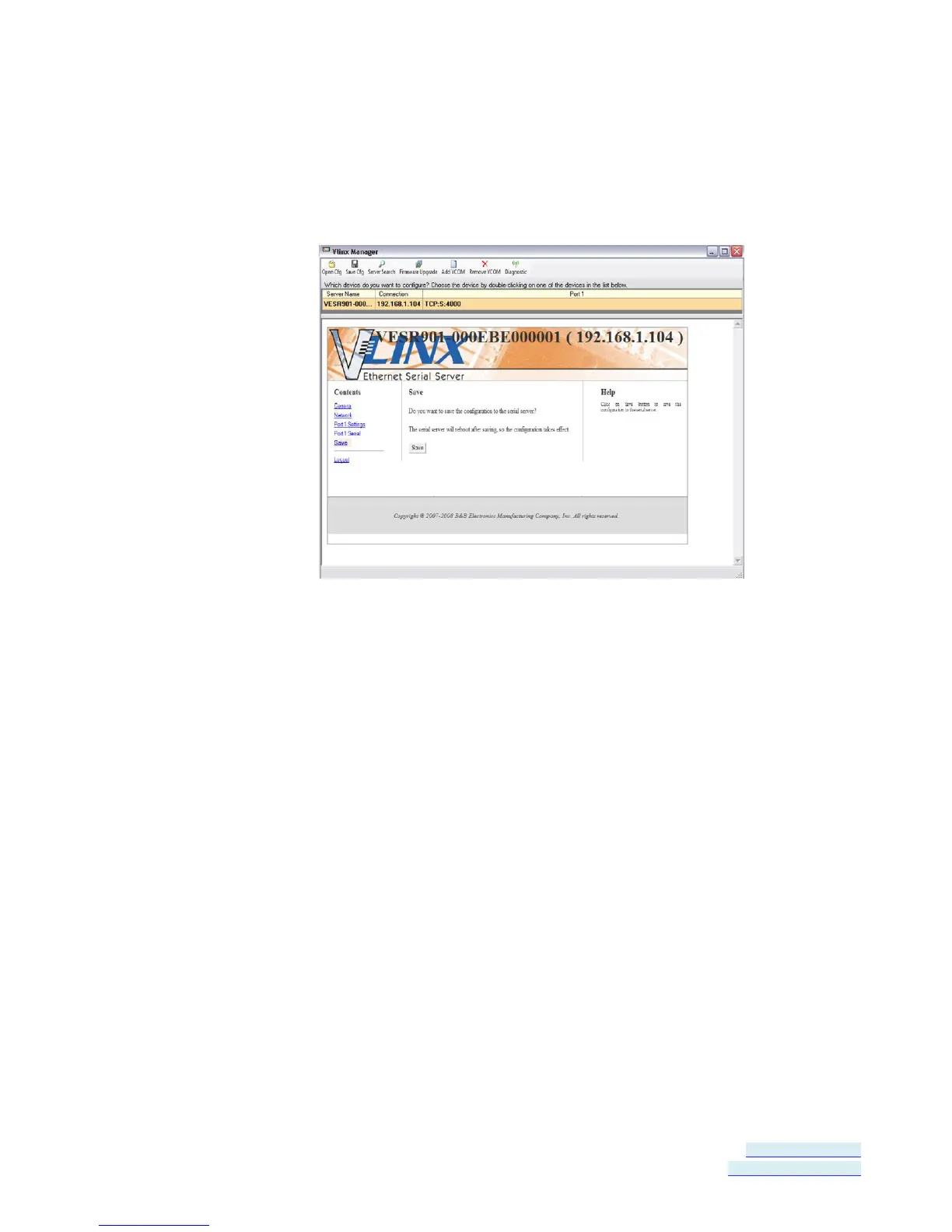
When all configuration windows are complete the Save Configuration page
appears.
Figure 37. Save Configuration Page
To save the configuration to the serial server, and re-boot it so that the
configuration settings will take effect
1. Click Save.
To restore the configuration settings that existed before beginning
configuration
1. Click Restore Defaults.
Adding Virtual COM Ports
Clicking the Add VCOM icon (located at the top of the Vlinx Manager
Configuration window) opens the Add Virtual COM Port dialog box.


 To Next Page