Section 7 - Diagnostics Vlinx VESR4x4 Serial Server
Page 47 of 67 www.bb-elec.com/
www.bb-europe.com/
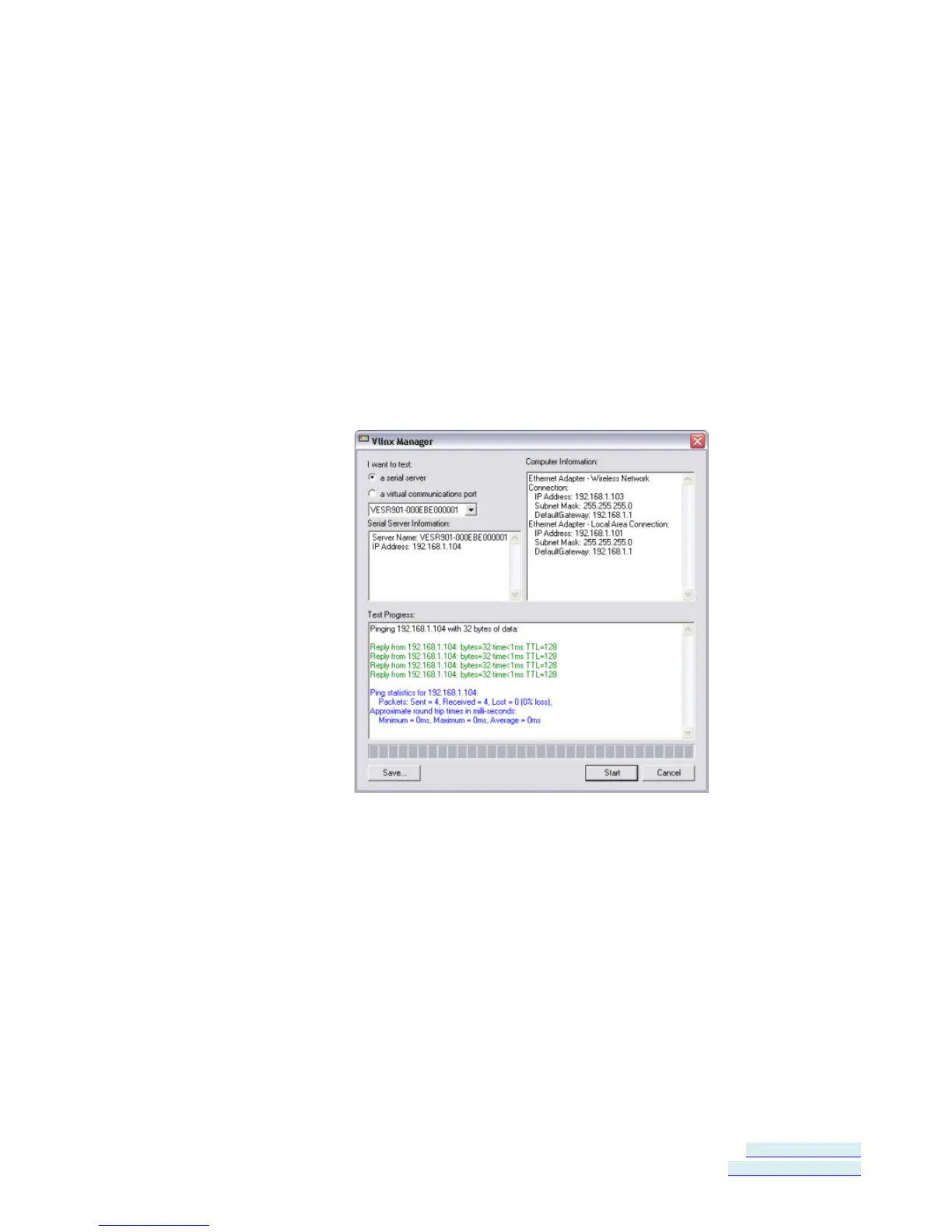
Testing a Serial Server Connection
1. Click the Diagnostic icon.
The Diagnostics dialog box appears.
2. Select the option: a serial server
3. In the drop down box select the specific serial server you want to check.
4. Click the Start button
Information about the progress of the pinging process is displayed in the
Test Progress box.
Figure 42. Testing a Serial Server Connection


 To Next Page