Section 8 - Description of Serial Server Properties Vlinx VESR4x4 Serial Server
Page 52 of 67 www.bb-elec.com/
www.bb-europe.com/
1. Method One: Change your PC Network to Match the Serial Server
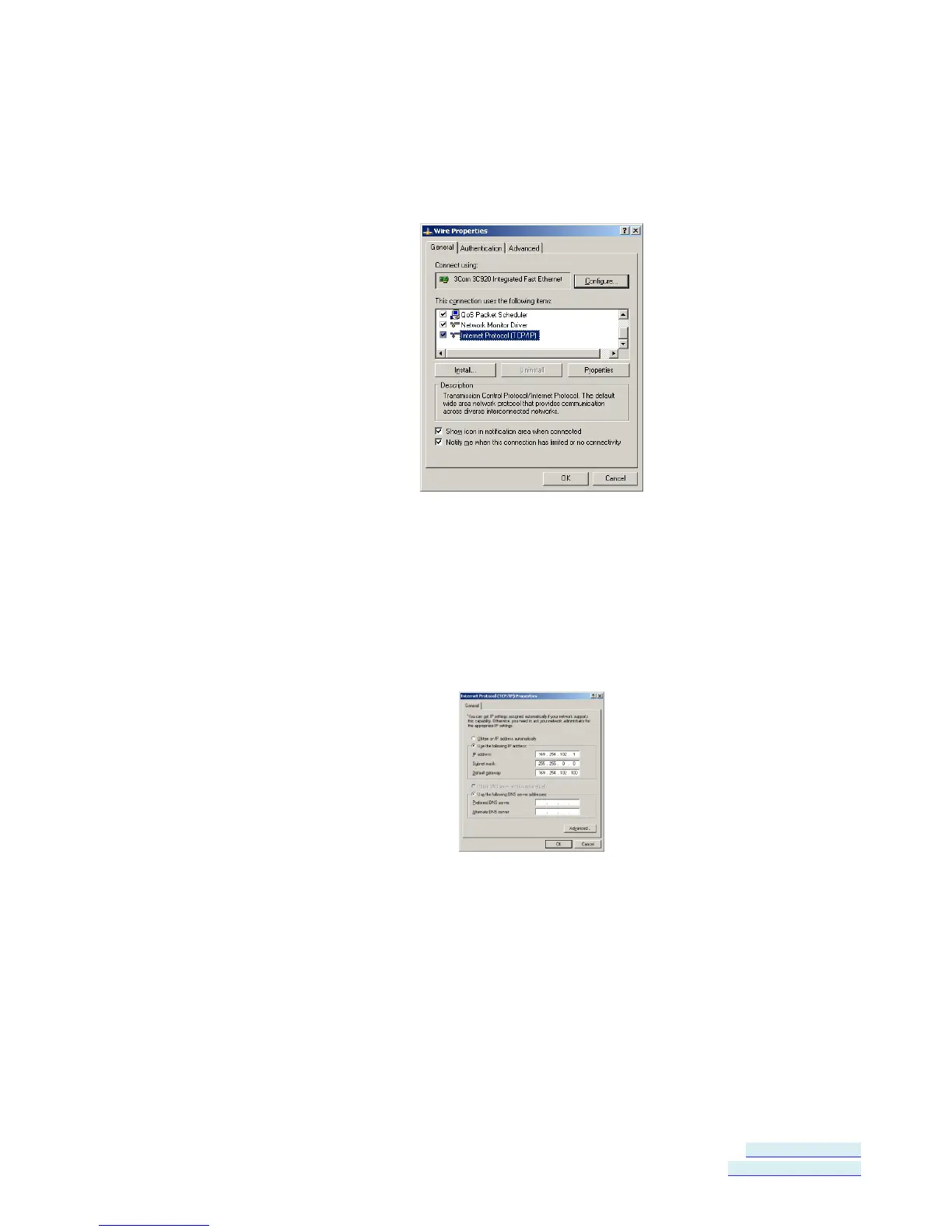
a. Open the network connection on your PC
Figure 44. Network IP Properties
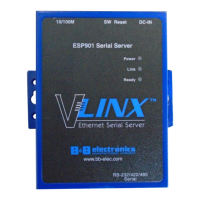
b. Click Internet Protocol (TCP/IP) and then click Properties. Change
the parameters to the following:
IP Address = 169.254.102.1
Subnet Mask = 255.255.255.0
Default Gateway = 169.254.102.100
Figure 45. TCP/IP Properties
c. Use the Vlinx Manager software to search for, discover, and configure
the unit.
2. Method Two: Change the serial server’s network setting to match your PC
using Console Mode
a. Connect a null modem serial cable (crossover cable) from Port 1 on
the serial server to an available COM port on your PC.
b. Open Hyper Terminal or similar serial emulation software and connect
to the COM port used in the step above. Ensure the port is configured
to 115,200 baud, 8 data bits, and 1 stop bit.


 To Next Page