16
19. Door Status Indicators
Door Status Indicators OPEN LED (green) CLOSE LED (red) Beeper
Open On
Close On
Opening Flashing
Closing Flashing
Door travel stopped Flashing Flashing
Door obstructed when opening Flashing Beeps while door is moving
Door obstructed when closing Flashing Beeps while door is moving
Opener overloaded Alternating flashes Alternating flashes
Mains power interrupted Rapid flashes
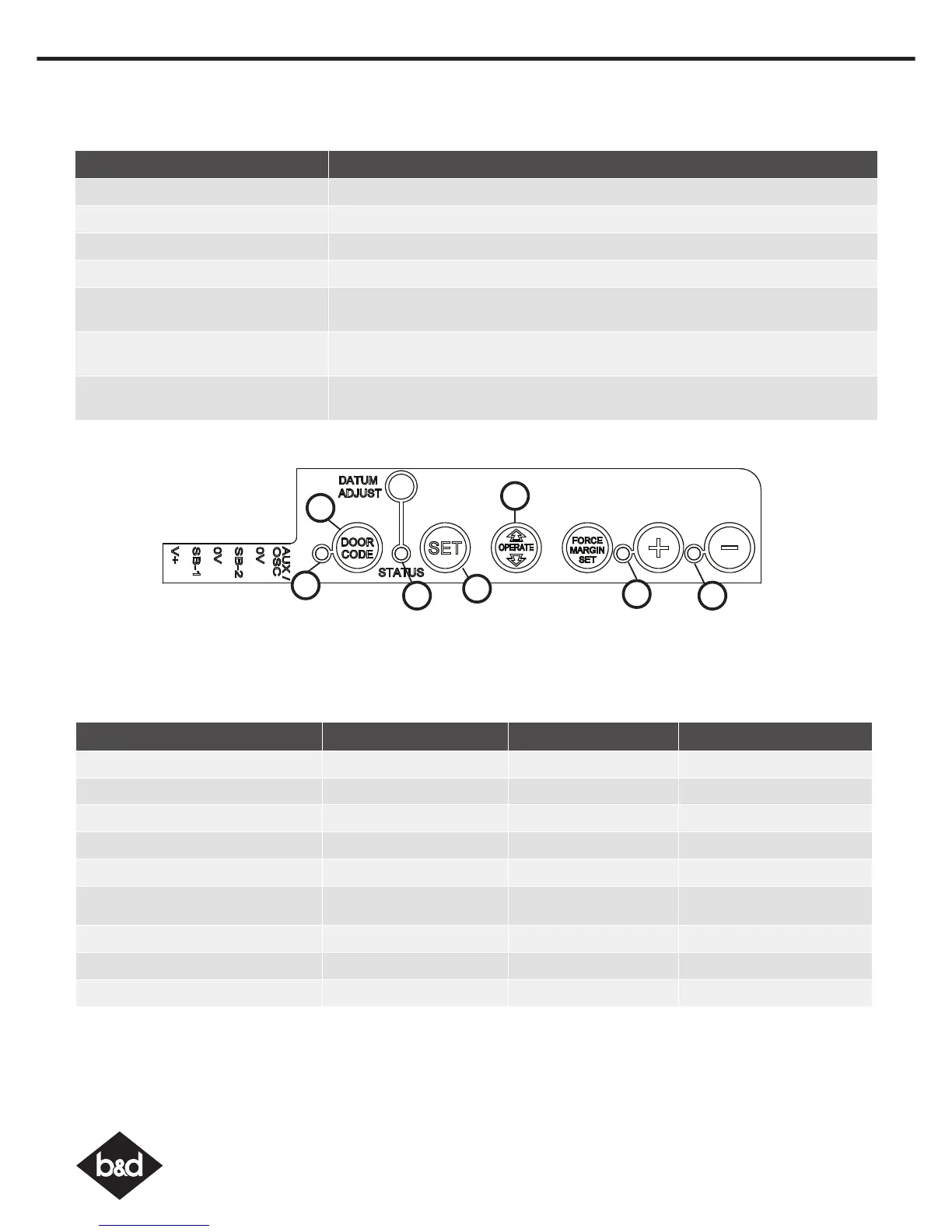
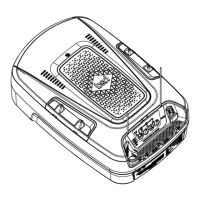
18. User Operating Controls
Button Function
1. OPERATE Opens/stops/closes the door
2. CODING LED (Red) Flashes when a code is being stored or when the transmitter button is pressed
3. DOOR CODE (Blue) Is used for storing or erasing transmitter buttons for door operation
4. DOOR STATUS LED (Yellow) Illuminates when Service is due.
5. OPEN LED (Green) Illuminates and flashes as the door opens and remains on when the open limit
position has been reached.
6. CLOSE LED (Red) Illuminates and flashes as the door opens closes, and remains on when the close
limit position has been reached.
7. SET (Orange) Is used during installation. The SET button is also used to program the PET (Pedestrian)
position and to re-initialise the opener.
05
06
01
02
03
04
07




 To Next Page