EasyManua.ls Logo

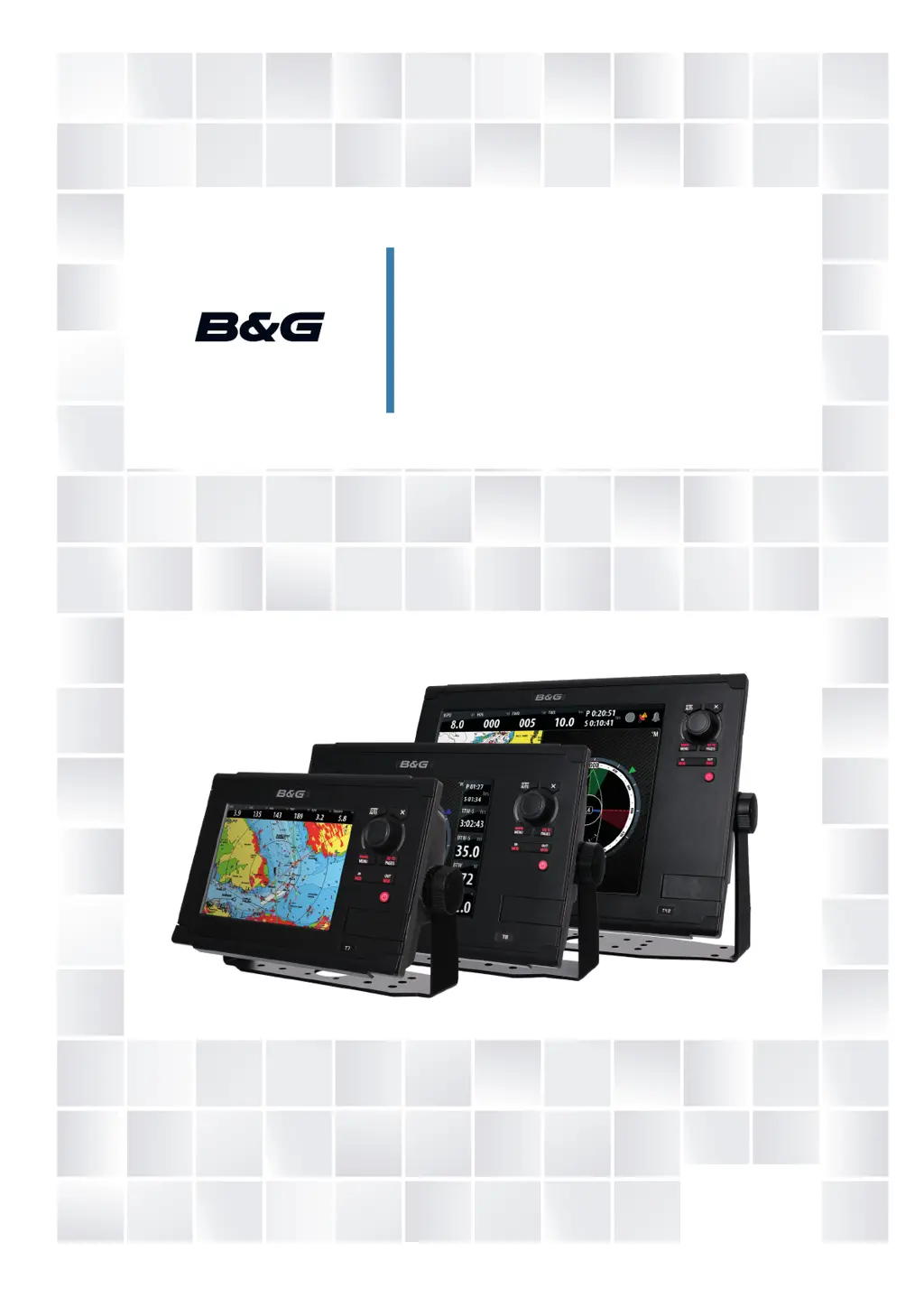
B&G Zeus Touch - User Manual

B&G Zeus Touch
115 pages
Print Icon
To Next Page IconTo Next Page
Loading...
ENGLISH
ZEUS Touch
Operator Manual
www.bandg.com

Table of Contents

Other manuals for B&G Zeus Touch

Questions and Answers

Summary

Introduction

The Zeus Touch front panel and keys

Details of the physical buttons and controls on the Zeus Touch unit.

Basic Operation

The power key

Explains the functions of the power key, including turn on/off and standby mode.

Charts

The chart panel

Overview of the chart panel elements, including grid lines and vessel symbol.

Waypoints, Routes & Tracks

Waypoints

Information on creating, editing, and positioning waypoints on the chart.

Navigating with the Zeus Touch

The Goto menu

How to initiate navigation to a cursor position, waypoint, or route.

Using the Autopilot

Activating the Autopilot

Steps to activate the Autopilot from any panel on the Zeus Touch.

Using the Radar

The radar panel

Description of the radar display, its controls, and operational modes.

The Echosounder

Setting up the echosounder panel

Configuration of the echosounder panel, including range and zoom options.

StructureScan

Setting up the StructureScan image

Details on configuring the StructureScan panel view, including DownScan and SideScan.

StructureMap

Activating Structure overlay

Steps to turn on and select the source for Structure overlay on charts.

The Instruments Panels

The dashboards

Overview of predefined dashboard layouts for vessel, navigation, and angler data.

Using AIS

Target symbols

Explanation of AIS target symbols and their meanings on the display.

Audio

Enabling audio

Steps to enable audio control on the Zeus Touch unit.

Weather

GRIB Weather

Instructions for importing and displaying GRIB weather files.

Using Video

The video panel

Overview of the video panel and its display capabilities.

The Alarm System

Type of messages

Classification of alarm messages by color and importance.

The Tools Page

GoFree Wireless

Customizing Your System

Using the Simulator

Maintenance

Menu and Dialog Overview

Summary

Introduction

The Zeus Touch front panel and keys

Details of the physical buttons and controls on the Zeus Touch unit.

Basic Operation

The power key

Explains the functions of the power key, including turn on/off and standby mode.

Charts

The chart panel

Overview of the chart panel elements, including grid lines and vessel symbol.

Waypoints, Routes & Tracks

Waypoints

Information on creating, editing, and positioning waypoints on the chart.

Navigating with the Zeus Touch

The Goto menu

How to initiate navigation to a cursor position, waypoint, or route.

Using the Autopilot

Activating the Autopilot

Steps to activate the Autopilot from any panel on the Zeus Touch.

Using the Radar

The radar panel

Description of the radar display, its controls, and operational modes.

The Echosounder

Setting up the echosounder panel

Configuration of the echosounder panel, including range and zoom options.

StructureScan

Setting up the StructureScan image

Details on configuring the StructureScan panel view, including DownScan and SideScan.

StructureMap

Activating Structure overlay

Steps to turn on and select the source for Structure overlay on charts.

The Instruments Panels

The dashboards

Overview of predefined dashboard layouts for vessel, navigation, and angler data.

Using AIS

Target symbols

Explanation of AIS target symbols and their meanings on the display.

Audio

Enabling audio

Steps to enable audio control on the Zeus Touch unit.

Weather

GRIB Weather

Instructions for importing and displaying GRIB weather files.

Using Video

The video panel

Overview of the video panel and its display capabilities.

The Alarm System

Type of messages

Classification of alarm messages by color and importance.

The Tools Page

GoFree Wireless

Customizing Your System

Using the Simulator

Maintenance

Menu and Dialog Overview

B&G Zeus Touch Specifications

General IconGeneral
Waterproof RatingIPX7
GPSYes
Wi-FiYes
BluetoothYes
Operating Voltage10-32V DC
NMEA 2000Yes
NMEA 0183Yes
EthernetYes
Video InputYes
TouchscreenYes
RAM1 GB
Display Size12"
Display TypeLCD
Resolution1280 x 800

Related product manuals