External interface
This is for external earphones; Or external write frequency
line, can use PC write frequency software to write
frequency operation and program upgrade.
DTMF
After the DTMF is turned on, press
the PTT + Side 2 will send DTMFcode.
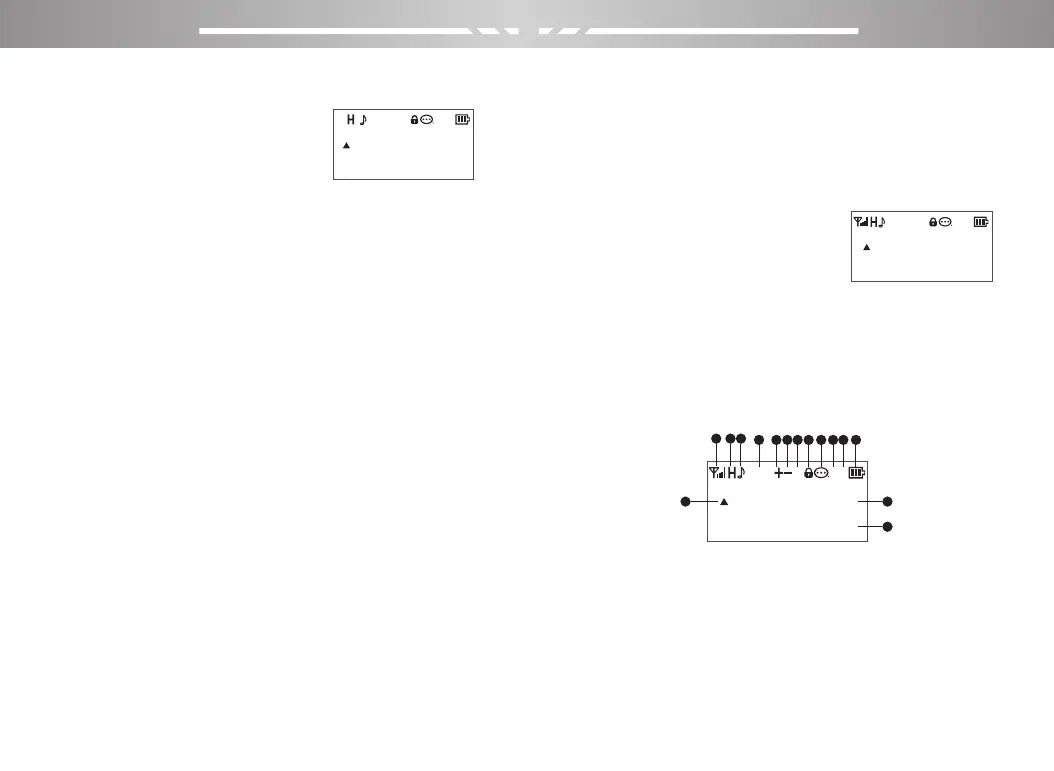
LCD Icons
The LCD screen is used to display all the working status of
the two-way radio. The corresponding function icons are
displayed on the screen during operation. The screen
allows you to know the meaning of the icons and how to
set the functions more quickly.
[*] Key
Press this key to invert the receiving and transmitting
frequencies;
Press for more than 2 seconds
to lock or unlock the keyboard.
[#] Key
Press for more than 2 seconds to turn on frequency or
channel scanning
In the FM radio Mode, press the button to search FM
station automatically.
[0]Key
Press for more than 2 seconds to display the current
battery voltage in standby mode.
Power / Volume Knob
To turn on the power, turn the [Power Switch / Volume
Control] knob clockwise until you hear a "click" sound and a
short beep sounds. To turn off the radio, turn the knob
counterclockwise until you hear a click. (English version
supports channel number broadcast); Turn clockwise to
increase volume and vice versa.
Led indicator lamp
Transmit ---- Red light / Receive-----Green light
PORTABLE TWO-WAY RADIO PORTABLE TWO-WAY RADIO
400.12500
136.17500
400.12500
136.17500
400.12500
136.17500
DCS
D
1
2
RN
DCS
D
1
2
RN
DCS
D
1
2
RN
1
13 14
15
2 3
4 5 6 7 8 9 10 11 12
05 06



 To Next Page