Note:Depending on dealer setting, different functions can be
achieved by pressing and pressing and holding the same button.
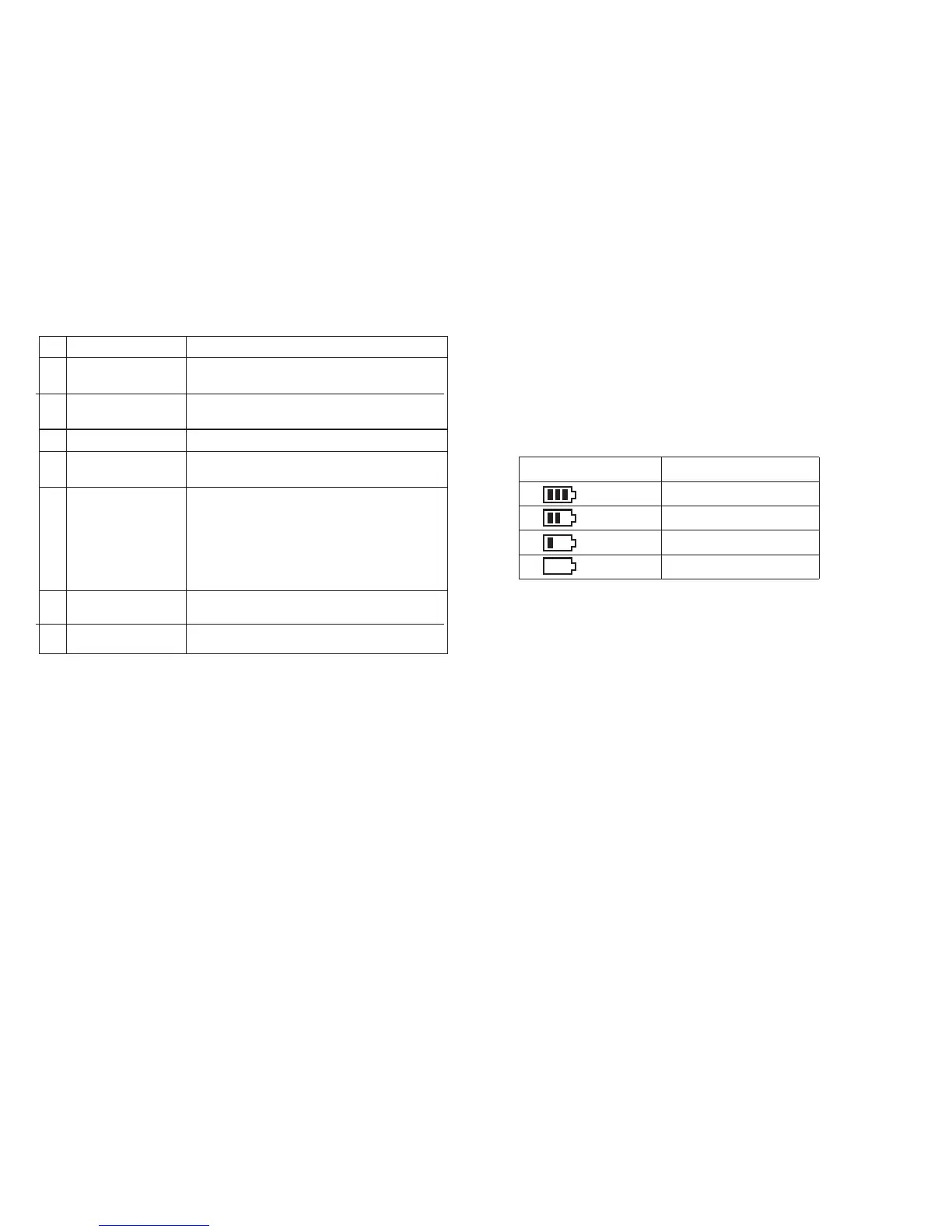
This function allows you to check the current voltage and
available power of the battery.
Press the [0] button to display the current voltage.
The upper right of the screen shows the current power; the
power icons are as follows:
Battery Voltage & Power Indication
No.
11
12
13
14
15
16
17
Shortcut name
Strict/normal squelch
Encryption on/off
Voice control on/off
Area switching
Battery power
indication
Individual operation
switch
End call
Purpose
Quickly switch between strict squelch and
normal squelch (only for analog mode).
Quickly turn on/off encryption for channel (only
for digital mode).
Quickly turn on or off the voice control function.
Quickly select the area, allowing the user to
switch between two areas.
Quickly access to battery power. The user can
check the battery status by LED. The battery
power is sufficient if the LED is constantly in
green, the battery power is still available if the
LED is constantly in yellow, and the battery
power is low if the LED is in red.
Quickly turn on or off individual operation function.
Quickly end the phone call (only for digital mode).
Battery icon Battery power
High
Medium
Low
Insufficient



 To Next Page