Initiate a Call to Default Contact
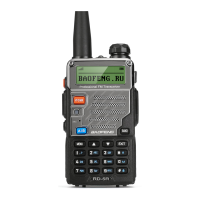
On a digital channel, press and hold the [PTT] button to initiate
a single call on the contact preset to that channel.
Note: You can ask the dealer to preset a contact for each digital
channel. The contact can be a single call contact, or a group call
or all call contact.
Initiate a Call through the "Contact list" or "Call log"
1. Select "Contacts -> Contact List" or select "Call log" to enter
the list of dialed / answered / missed calls.
2. Use the [A] / [v] buttons to select the single call contact you
want to call.
3. Press and hold the [PTT] button to initiate a single call.
Initiate a Call by Manual Dialing
1. Select "Contact -> Manual Dial" to enter the dialing interface.
2. Enter the single call number you want to call.
3. Press and hold the [PTT] button to initiate a single call.
Note: When the product allows entry through numeric keypad,
you can directly press the [*] button in the standby interface to
enter the manual dialing interface, enter the single call number,
and then press the [PTT] button to initiate a single call.
Receive and Reply to a Call
After receiving a single call, the LCD screen displays
first line shows Single Call, the second line shows the contact
alias and the third line shows the caller ID and the incoming call
icon
Press and hold the [PTT] button in the present time to send a
callback. If a callback is not made, a missed call prompt is
displayed to alert you.
Note:
• Select "Call log" to enter the dialed / answered / missed call list
to view the call log.
•While viewing the call log, press and hold the [PTT] button to
call back.
Group call
To initiate a call to a user group, the two-way radio must be
configured with the call group talkgroup number.
Initiate a Call
You can initiate a group call in the following ways. When the
group call starts, the LCD screen displays contactI
: The first line
shows Group Call, the second line shows the contact alias, and
the third line shows the group call number and the call icon
Initiate a Call by Channel Switching
In the standby interface, press [VFO/MR] to switch to channel
mode, use the [ A ] / [V ] buttons to select the channel, press
the [ PTT ]button to initiate group call associated with the
displayed channel.


 To Next Page