16
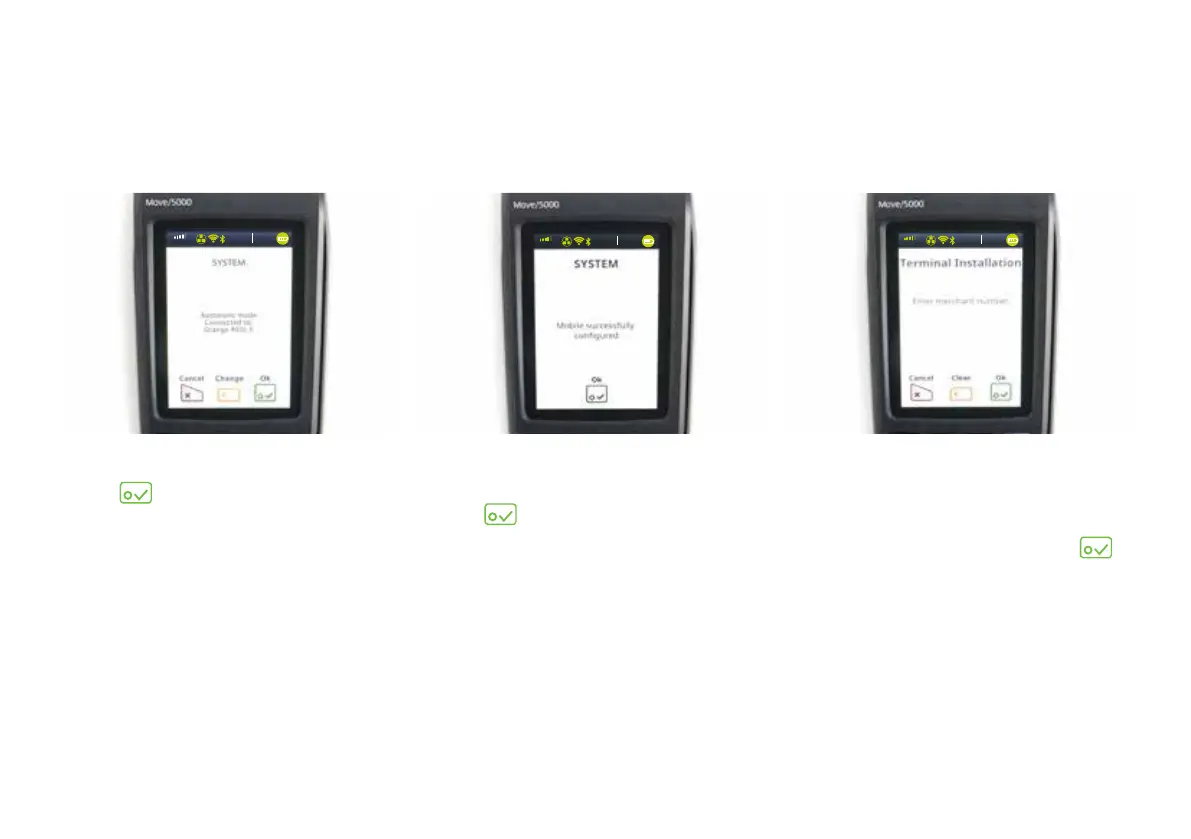
15) You’ll be prompted to enter your
merchant number.
It’s on the sticker on the side of
your terminal. Tap it in and tap
.
The terminal will now go through
some configuration downloads.
Once the connection is made, the
terminal will say it’s disconnecting.
You don’t need to do anything,
it’s just disconnecting from our
internal systems.
14) When the terminal says that it
has been successfully configured,
tap
.
You’ll then see a ‘Connecting to
GEMS’ message. This is nothing to
worry about – the terminal is just
connecting to our internal system.
13) When a GPRS signal is found,
tap
.
3G
vodafone UK
13:3 7
03/10/2018
3G
vodafone UK
13:3 7
03/10/2018
3G
vodafone UK
13:3 7
03/10/2018


 To Next Page