41
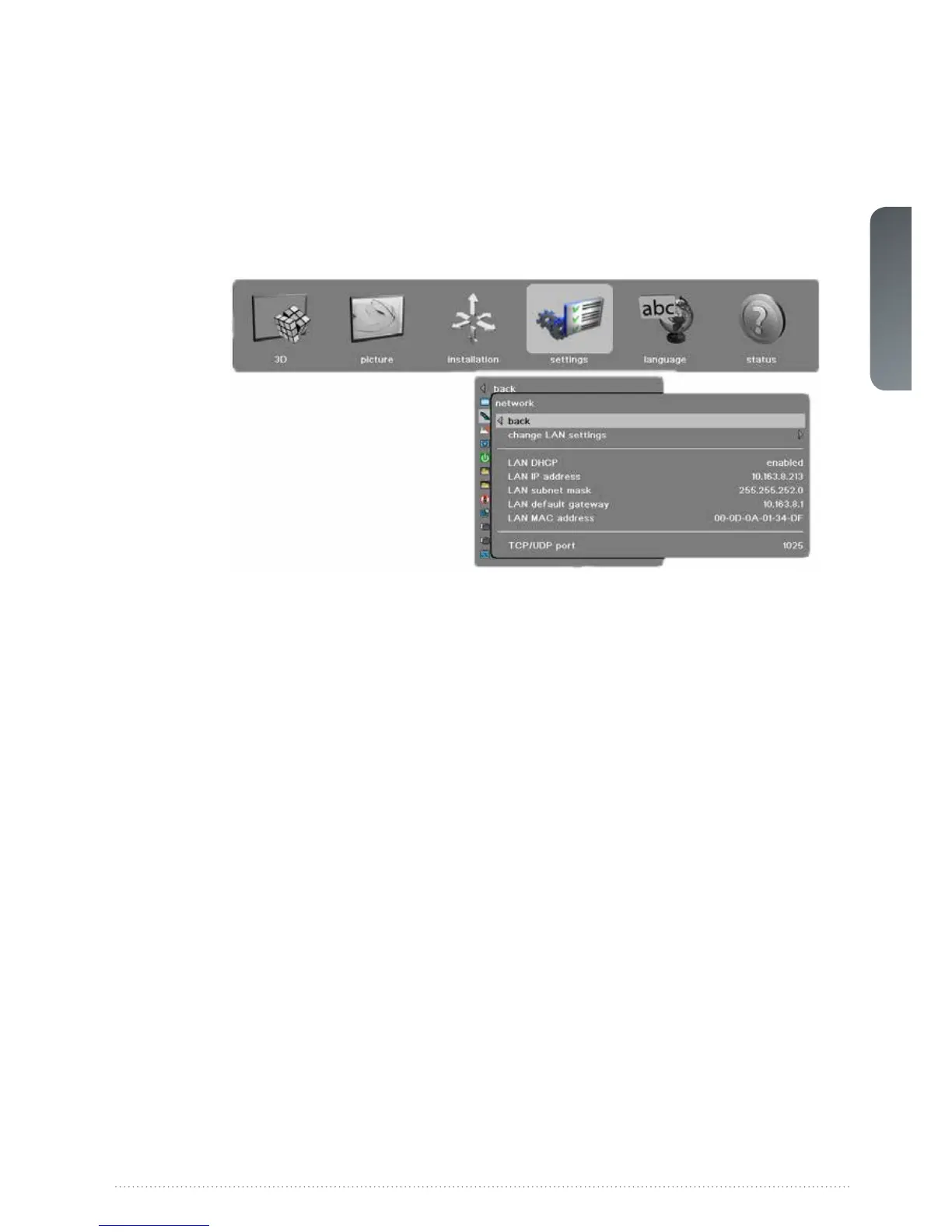
5.8.2 Settings > Network sub menu
change LAN settings: In this sub-menu you can switch the DHCP enabled function on or off.
If off you can set a fixed IP-address.
LAN DHCP: DHCP is supported and is enabled by default, but can be disabled under change
LAN settings
LAN IP address:
Info field stating the current LAN IP address.
LAN subnet mask: Info field stating the current LAN subnet mask.
LAN default gateway: Info field stating the current LAN default gateway.



 To Next Page