K5902108-04 Coronis Fusion 4MP / 6MP14
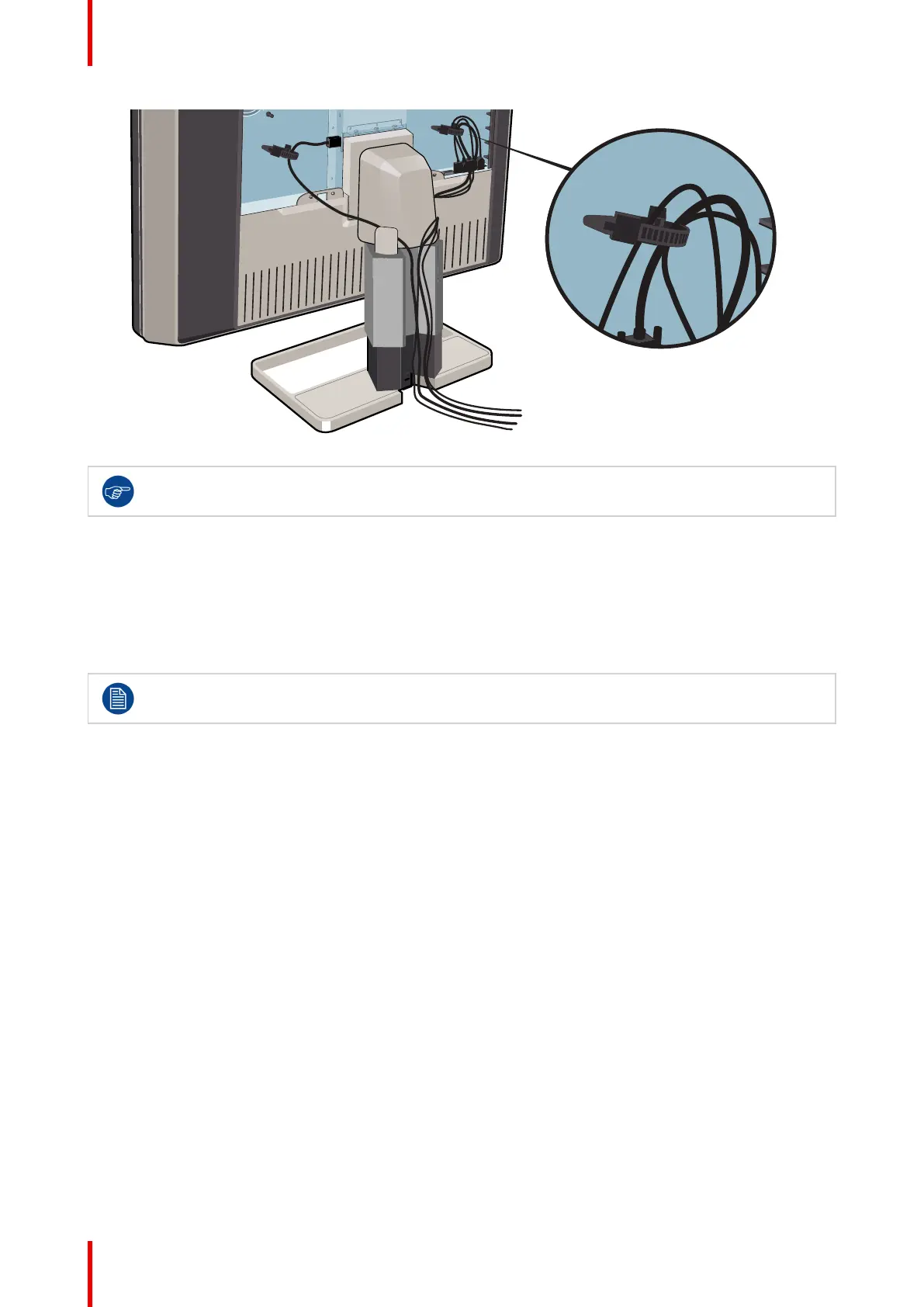
For better strain-relief and shielding of the cables, fix the cables with the cable straps at the inside of
the connector compartment.
2.7 Re-attaching the covers
To re-attach the display stand cover
1. Slide the display stand cover downward. You’ll hear a “click” sound of the cover’s clips when the display stand
cover is in position.
Pay attention that all cables stay in the cable channel while re-attaching the cover.
To re-attach the connector compartment cover
1. Slide the cover’s top in position and then push the cover’s bottom. You’ll hear a “click” sound of the cover’s
clips when the connector compartment cover is in position.
Display installation


 To Next Page