page 39page 39
page 39page 39
page 39
240 Harvester Feller/
Buncher
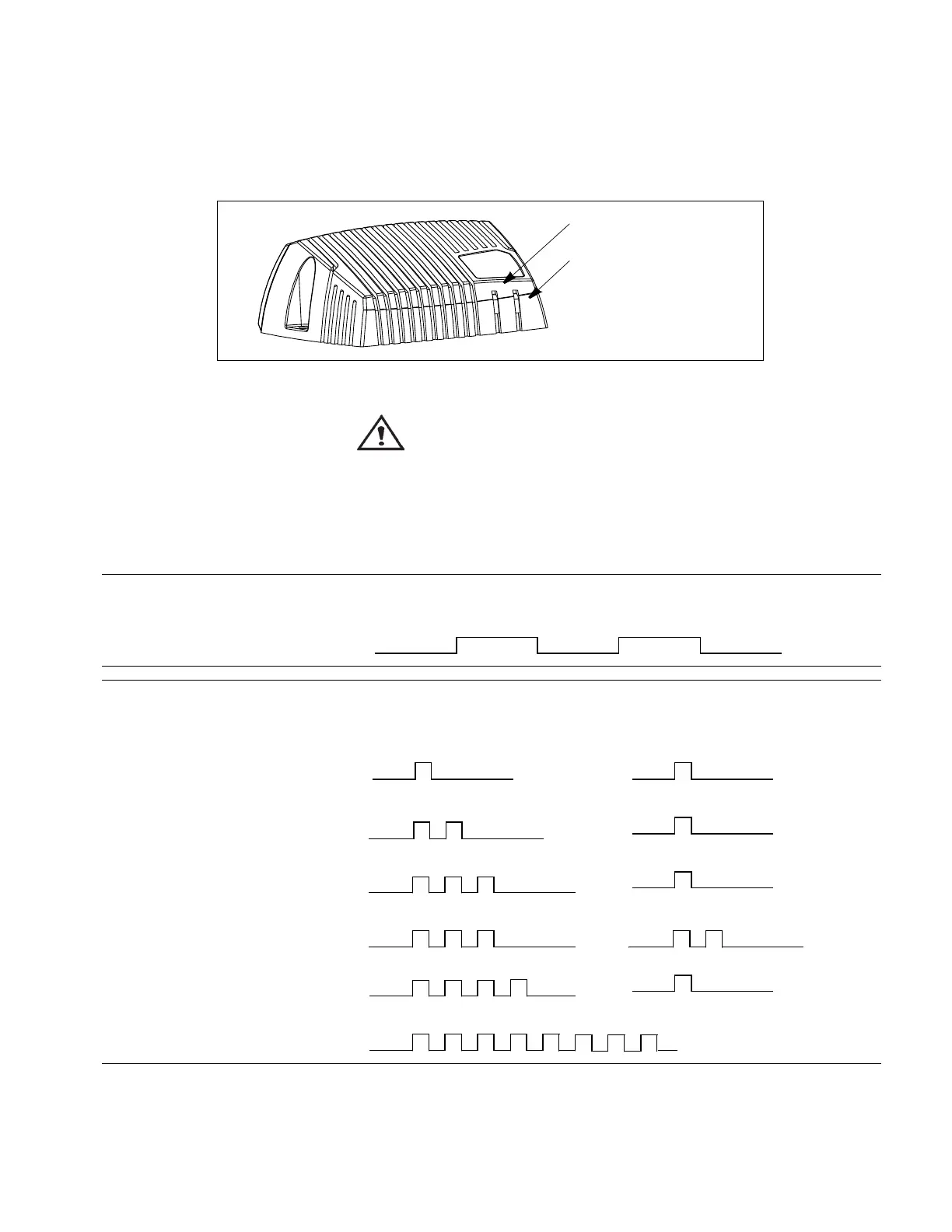
LED indicator showing different XS2 modes
Status Flash
Normal operation (yel.)
Error
code
Error Primary Flash (red)
Error category
Secondary Flash (yellow)
Error description
1:n
See note
a
a. Error groups 1:n and 2:n are controlled by the master.
2:n
See note
a
3:1 CAN error
3:2 Address error
4:1
Memory error
b
b. FRAM memory error.
FE Fatal error
Green, power on
Yellow/ red, status LED
If one of the following error is detected, a message will be presented on the display together with an error code on the
module. In some cases, the module will turn off or at least shut down the outputs, to increase safety.
IQAN XS2IQAN XS2
IQAN XS2IQAN XS2
IQAN XS2
BLINK CODESBLINK CODES
BLINK CODESBLINK CODES
BLINK CODES
WARNING WARNING
WARNING WARNING
WARNING
Don’t use the machine if an error message or error code is activated.
The following sections will present what measures to take for different error situations put into
appropriate context.
The location of the LED indicators on the IQAN-XS2 module.



 To Next Page