Barn Owl Tech, Inc 14
8MP (3264*2448), 12MP (4032*3024), 24MP (5632*4224)
a) Min. Blur: Short exposure time to minimize motion blur for
better image quality; shortened IR flash range;
b) Max. Range: Longer exposure time to extend IR flash range
for better night vision; lower image quality;
c) Balanced: combination of above 2 options;
Takes 1~5 photos per trigger, 2sec delay between each photo.
FHL-1080P (1920*1080), HD-720P (1280*720), WVGA
(848x480)
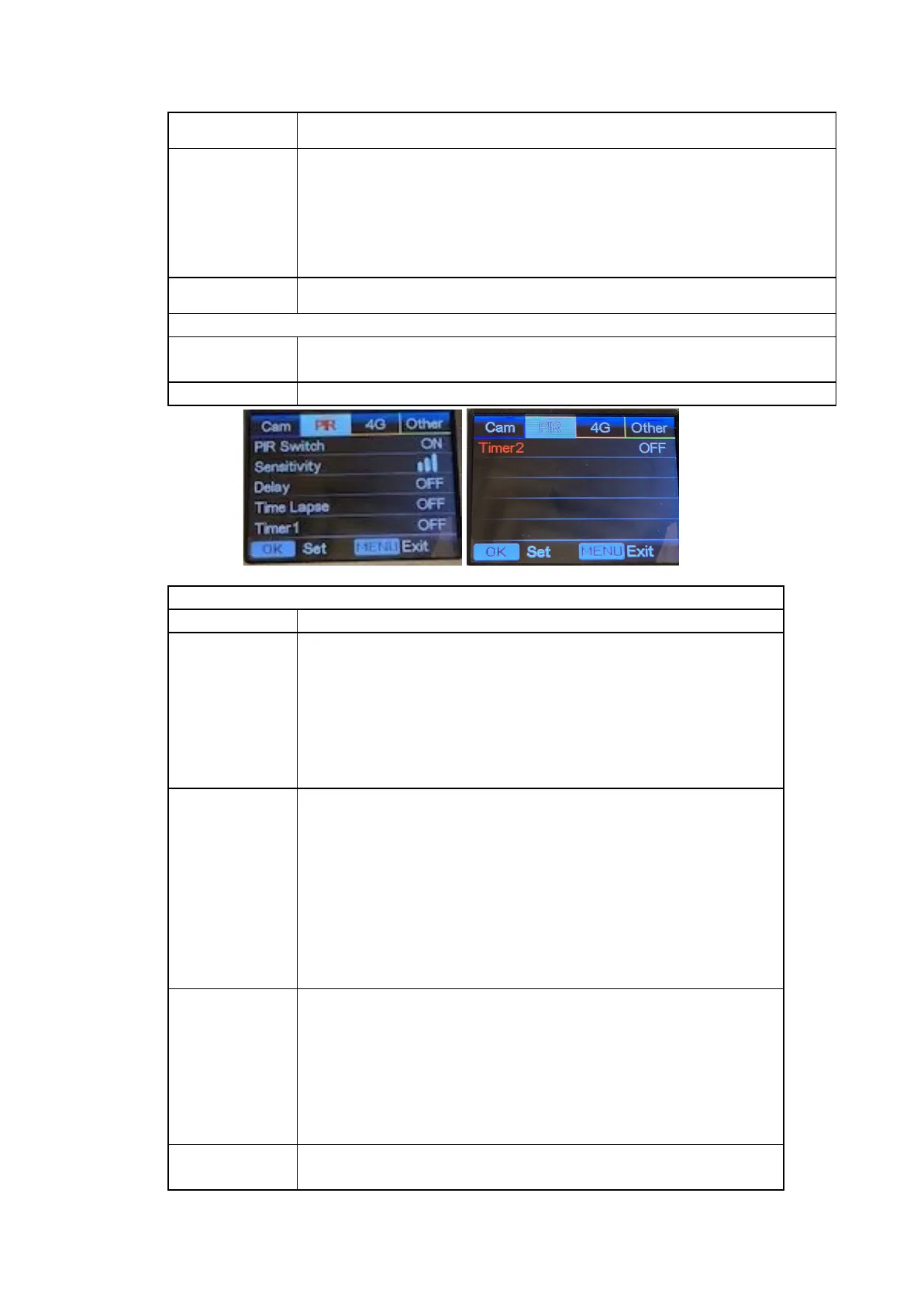
OFF/ON
Note:
a) with PIR switch off, the camera will not trigger on
motion detection
b) with PIR switch on, the camera will trigger on
motion even when Time Lapse is ON.
High, Middle, Low
Higher sensitivity is 1) more sensitive to
movements by smaller subjects; 2) longer
detection distance; 3) easier for sensor to detect
difference between body heat and outdoor
temperature. In a high temperature environment,
body heat of subjects and environment
temperature is harder to measure, so we suggest
setting to High.
Select “ON”, press “OK”, to set a time interval
between motion triggers. This option can prevent
the camera from taking too many photos or
videos.
Example: Camera will wait 1 minute between
motion triggers if Delay is set to 00:01:00
Configurable delay time: 00:00:05~23:59:59.
Select “ON”, press “OK”, to set the interval where
the camera will trigger automatically upon the


 To Next Page