Barn Owl Tech, Inc 15
interval set. Motion will still trigger the camera if
PIR Switch is ON.
Configurable interval: 00:00:05~23:59:59.
Select “ON”, press “OK”, to set start and end times
(hour/minute); the camera will only work during
the time period set.
i.e.: 15:00 – 18:00; camera only works during
15:00 – 18:00
Select “ON”, press “OK”, to set start and end times
(hour/minute); the camera will only work during
the time period set.
i.e.: 15:00 – 18:00; camera only works during
15:00 – 18:00
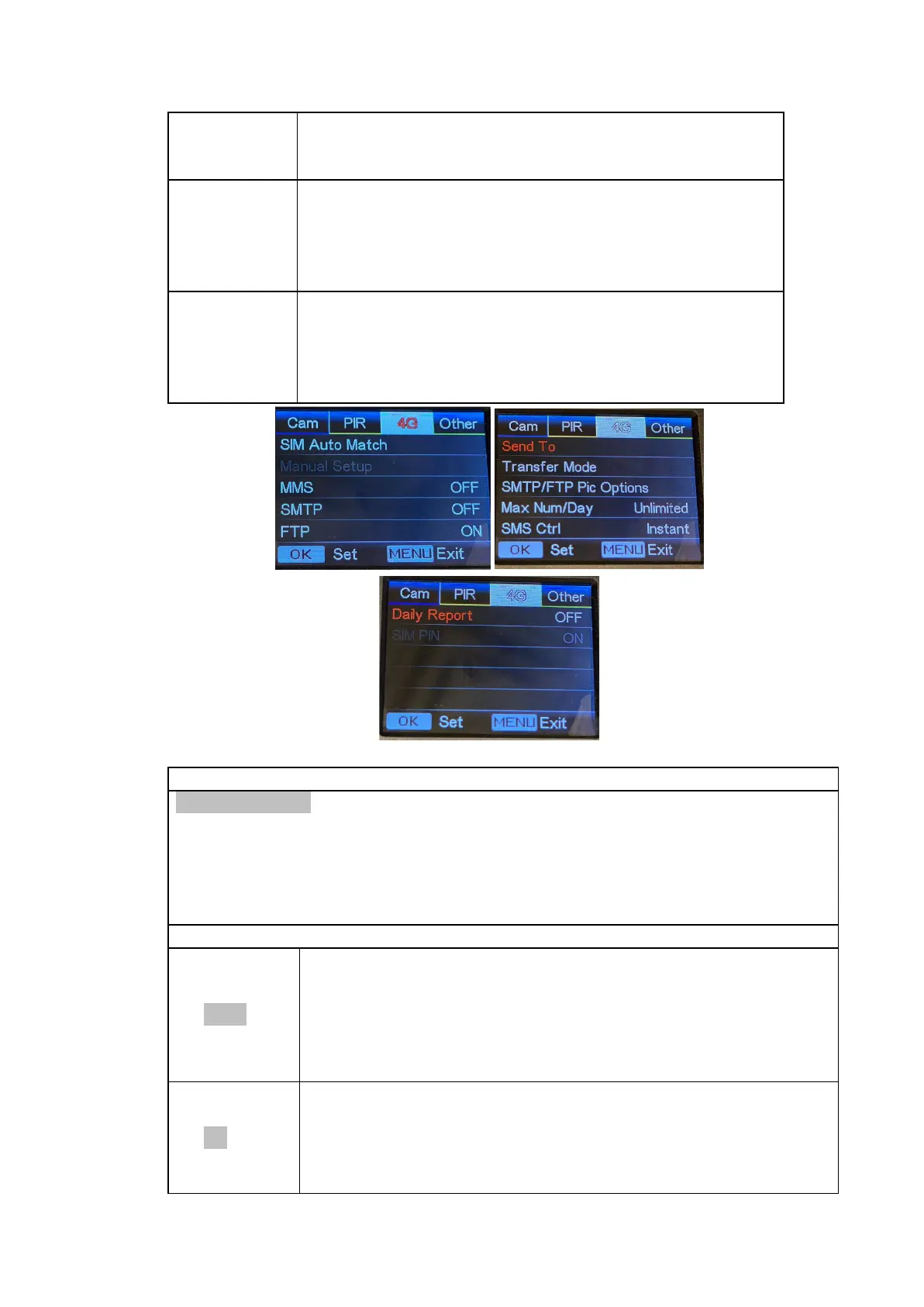
SIM Auto Match
1) While set to “Auto”, the camera automatically programs itself based on the
SIM card provided by Barn Owl.
2) While set to “Manual”, the “Manual Setup” option below will become
available, allowing you to manually configure SIM info to work with your
personal SIM card.
Manual Setup (Not Recommended)
Here you can enter the MMSC/APN/Proxy/Port
(Username & Password if required) manually to use
your own MMS-enabled SIM card.
1. With MMS enabled, the camera will send all photos
and videos via SMS to each phone number entered in
the “Send To” menu.
Enter your local operator’s 4G APN, and corresponding
Username and Password.
Note: Only with 4G setups added, can SMTP and FTP
functions work.
Note: it’s not a must to enter Username and Password


 To Next Page