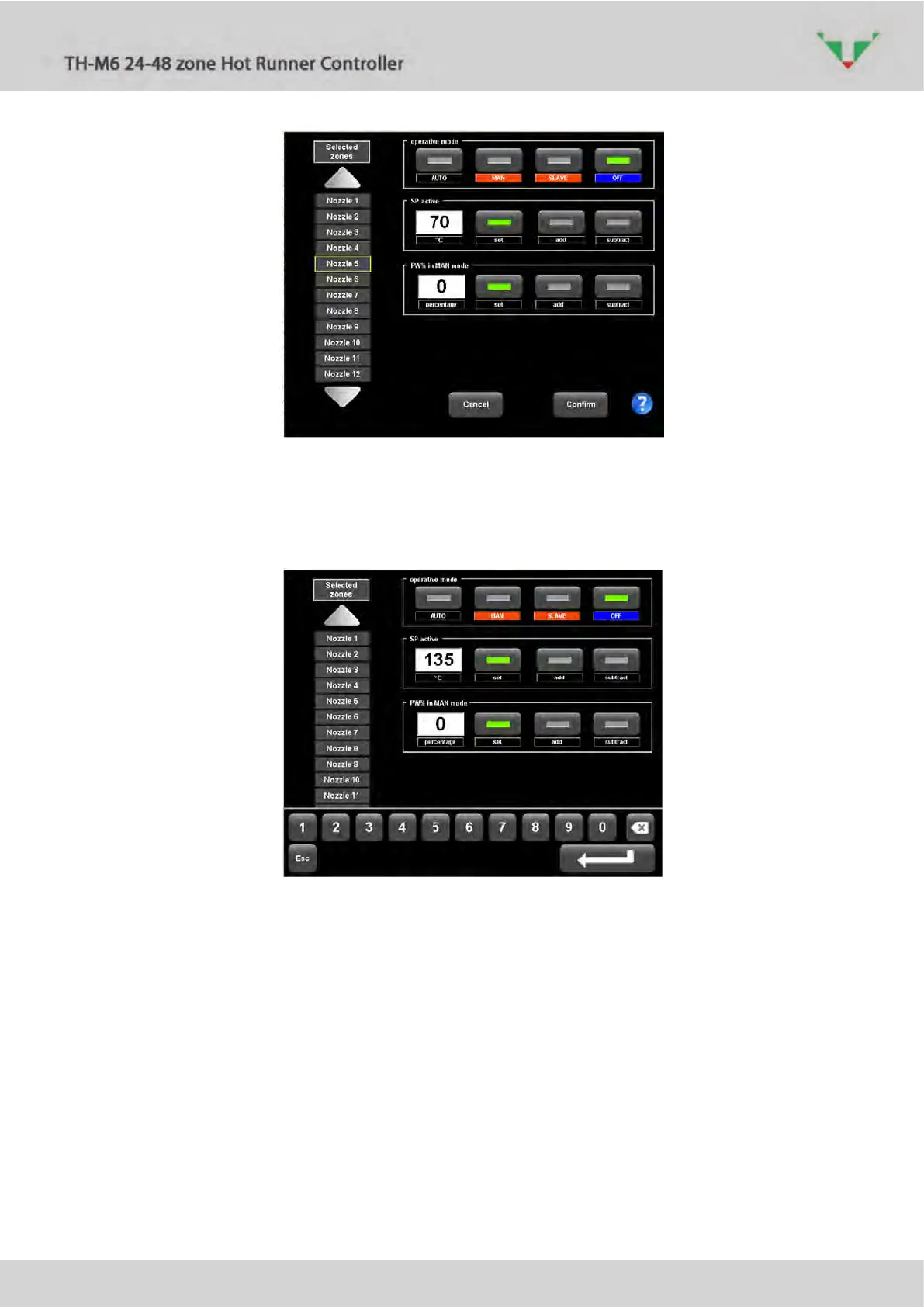
Figure 24: zone “Nozzle 5” is selected
It’ possible to change “operative mode” (status), Set Point and the heating percentage power
that is active if the zone is in manual mode. If one of the two blanks is selected, a touch screen
keyboard will appear. Press the enter button to make active the typed value.
Figure 25
Press the confirmation button (Figure 24): new settings will applied to all the zones of
the active selection.
If only one zone was selected, it’s possible to set the “MASTER zone” (Figure 26):



 To Next Page