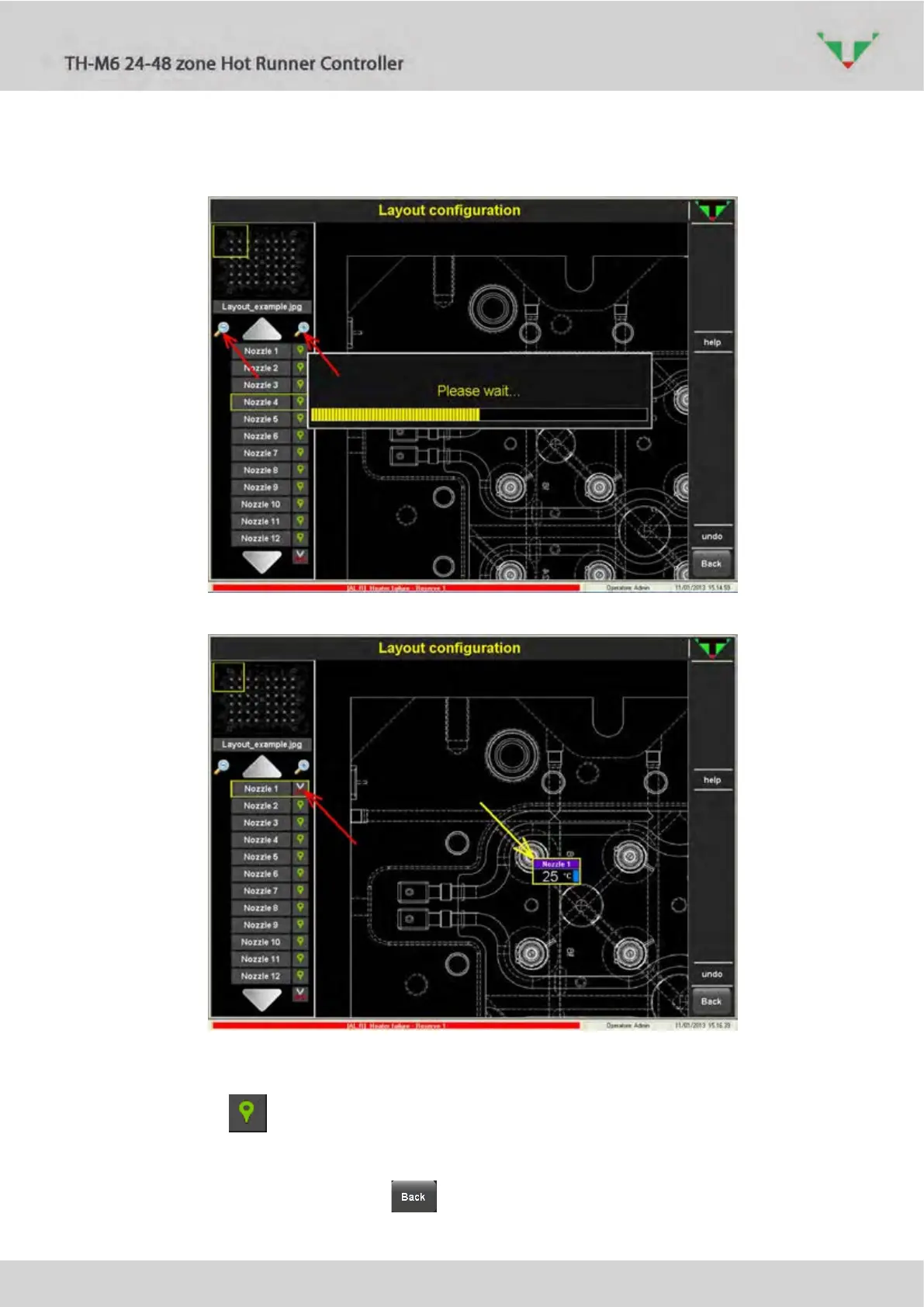
Referring to Figure 45, the zoom buttons (red arrows) allows to zoom in and out the
background picture.
Figure 45: zoom in and out of the selected background picture
Figure 46: how to place an instrument
Referring to Figure 46, e.g. you can easily place the virtual instrument of zone “Nozzle 1”.
Press the button specified by the red arrow. Then click where indicated by the yellow
arrow. The virtual instrument will placed as shown in the above figure.
Repeat this operation for all the zones of the controller.
End the synoptic configuration with button.



 To Next Page