www.barska.com www.barska.com
2 3
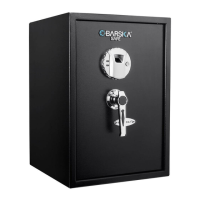
Biometric Safe Biometric Safe
WARNING
- New Safe is in Factory Default mode; ANY ngerprint can open the safe.
Only a successfully registered Fingerprint(s) can terminate Factory
Default mode.
- Register at least two different ngerprints and test a few times before
closing the safe door.
- Test with a non-registered ngerprint. If the safe opens, the safe is still in
Factory Default mode.
- Avoid leaving safe door open and unattended; it will allow unauthorized
individuals to add their ngerprints and/or reprogram the safe, gaining full
access to the safe and the contents.
- Test the Emergency Keys and store them in a secure place, NOT inside
of the safe.
- To maximize the security and performance of the safe, test registered
ngerprints every 6 months.
- If user resets the safe to Factory Default mode: ANY ngerprint can
open the safe.
- Test and make sure the safe works properly before mounting.
Once tested, mount safe before use.
- Keep out of reach of children.
- Failure to follow these warnings could result in serious injury or death.
NOTE: BARSKA is not responsible for any damage or lost contents in the
safe due to moisture.
NOTE: BARSKA is not responsible if the safe is stolen or contents in
the safe.
Read all instructions before using this safe
Table Of Contents
Parts Of The Safe 4
Getting Started 5
Install Batteries 5
Fingerprint Registration 5
Test Non Registered Fingerprints 6
Interior Light 6
Close/Open Safe Door 6
Close/Open Interior Compartment 6
Beep Sound Options 7
Open Safe With Emergency Key 7
Delete All Stored Fingerprints / Reset to Factory Default Mode 7
Low Battery Warning 8
Care And Maintenance 8
Mounting Instructions 9
Warranty 10


 To Next Page