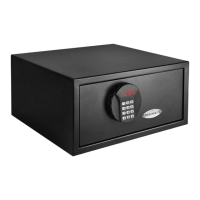
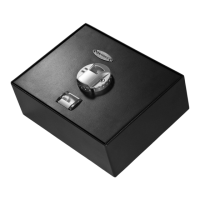
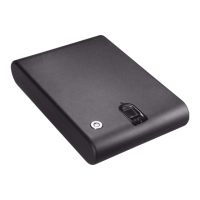
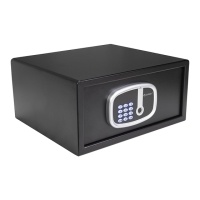
Need help?
Do you have a question about the Barska Biometric Safe and is the answer not in the manual?
Covers defects in material/workmanship, excludes misuse, accidents, and unauthorized service.
Process for obtaining an RMA number and returning products for service.
Lists necessary documents and fees for product service or replacement.
Important precautions regarding fingerprints, unattended doors, and children.
Explains the initial state and how to terminate it by registering fingerprints.
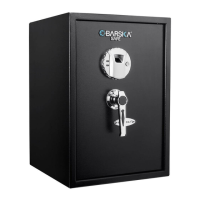
Identifies various external and internal components of the safe.
Steps for initial setup, including accessing keys and installing batteries.
Detailed guide for registering fingerprints for safe access.
Verifies successful registration of fingerprints and tests default mode.
Guides on operating the interior light and opening/closing safe doors.
Instructions for managing beep sounds and using the emergency key.
How to delete fingerprints and reset the safe to its original state.
Identifies low battery signals and replacement procedure.
Recommendations for keeping the fingerprint scanner clean and maintaining the safe.
Detailed steps for securely mounting the safe to a wall.
This document provides a comprehensive guide for the BARSKA Biometric Safe, outlining its functions, usage, maintenance, and warranty information. The safe is designed to offer secure storage with the convenience of biometric access, primarily through fingerprint recognition.
The BARSKA Biometric Safe utilizes fingerprint scanning technology for secure access. It operates in a "Factory Default mode" initially, where any fingerprint can open the safe until at least one fingerprint is successfully registered. This feature is crucial for initial setup and highlights the importance of prompt fingerprint registration to activate full security. The safe is equipped with an initialization button for fingerprint registration and a fingerprint scanner for access. Indicator lights provide visual feedback on the safe's status, such as successful registration (green light) or errors (red light).
In addition to biometric access, the safe includes an emergency key system. This allows users to open the safe manually in case of battery failure or issues with fingerprint recognition. The emergency key access is concealed behind a logo plate, requiring the removal of screws to expose it. This dual-access system ensures that users can always retrieve their belongings, even if biometric access is temporarily unavailable.
The safe features an interior light, which can be activated by adjusting a fold-down shelf. This light helps illuminate the contents of the safe, making it easier to locate items in low-light conditions. The interior compartment itself can be locked separately using a traditional key, providing an additional layer of security for specific items within the safe.
A low battery warning system is integrated into the safe. When the batteries are running low, the safe will emit three repetitive beeps and the indicator lights will flash red when the door is closed. This alerts the user to replace the batteries promptly to ensure continuous operation and prevent being locked out due to power loss.
The safe also includes a "Beep Sound Options" feature, allowing users to toggle the sound on or off. This can be useful for discreet operation or for users who prefer audible feedback.
Upon receiving the safe, the first step is to remove the emergency keys from the accessory package and store them in a secure location, not inside the safe. To open the safe for the first time, the logo plate screws must be removed to expose the emergency key access. After inserting and turning the correct emergency key, the handle can be turned clockwise to open the safe.
The safe requires 4 AA batteries for its main operation and 2 AA batteries for the interior light. The main battery compartment is located inside the safe. Once the batteries are installed, the safe is ready for fingerprint registration.
This is a critical step to secure the safe. With the safe door open, the user presses and releases the initialization button. Immediately after, a finger is placed on the fingerprint scanner and held still. A successful registration is confirmed by one beep followed by two consecutive beeps. If two short beeps are heard, the registration was unsuccessful and needs to be repeated. It is recommended to register multiple fingerprints (at least two different ones) and test them thoroughly before closing the safe door. The safe remains in Factory Default mode (openable by any fingerprint) until a fingerprint is successfully registered.
After registration, it's important to test both registered and non-registered fingerprints. To test a non-registered fingerprint, the user places it on the scanner; the red indicator lights should flash and beep three times, and the bolts should not retract. If the safe opens with a non-registered fingerprint, it indicates that the safe is still in Factory Default mode, and further registration is needed. For a registered fingerprint, the indicator should turn green, a beep should be heard, and the bolts should retract, allowing the handle to open the safe.
To close the safe, the door is shut, and the handle is turned counter-clockwise to lock the bolts. To open, the wake-up button is pressed and released, a registered finger is placed on the scanner, and if successful (green light and beep), the handle is turned clockwise.
The interior compartment has its own lock, operated by a key. Turning the interior lock counter-clockwise opens it, and clockwise closes it.
In situations where biometric access is not possible, the emergency key can be used. This involves removing the logo plate to access the keyhole, inserting the correct key, pushing and turning it counter-clockwise, and then turning the handle clockwise.
To delete all stored fingerprints and reset the safe to Factory Default mode, the user must open the safe, remove all batteries from the main compartment, and press the wake-up button a few times until no beeps are heard. Then, the initialization button is pressed and held while re-inserting the batteries. Upon inserting the fourth battery, one beep followed by two consecutive beeps will indicate that the safe is in Factory Default mode, and all fingerprints have been deleted. It's crucial to then proceed with new fingerprint registration.
The safe is designed to be mounted to a wall. Users should select a discreet location, avoiding exterior walls and areas with electrical wires, plumbing, or heating ducts. The process involves locating two adjacent wall studs, measuring and cutting out a section of drywall to fit the safe, and then securing the safe into the studs using screws. Shims may be required to ensure a snug fit. Proper mounting is essential for the safe's security and stability.
To ensure optimal security and performance, the fingerprint scanner should be kept clean. A dry cloth should be used to remove any smudges or prints after each use. Regular testing of registered fingerprints, ideally every six months, is recommended to confirm the system's functionality.
When the low battery warning activates (three repetitive beeps and flashing red indicator lights), the batteries should be replaced immediately. This involves opening the safe, removing the battery compartment cover, replacing all four AA batteries, and then restoring the cover. All registered fingerprints remain stored during battery replacement.
Users are advised to keep liquids away from the control panel to prevent damage and potential electric shock. The safe should be placed in an area where it is protected from falling or other physical damage. Disassembling the product is not recommended; for all repairs, BARSKA Customer Service should be contacted. Harsh chemicals or cleaning agents should not be used to clean the safe.
The BARSKA Biometric Safe comes with a 1-year limited warranty, covering original defects in material and/or workmanship under normal use for twelve months from the date of purchase. The warranty explicitly excludes damage from improper installation, maintenance, misuse, abuse, accidents (such as dropping), fire, flood, acts of nature, or repairs performed by unauthorized personnel. Labor, cost, and shipping charges for defective parts beyond the initial twelve-month period are not covered. Removing or altering the product seal voids the warranty.
To claim warranty service, purchasers must obtain a Return Merchandise Number (RMA#) by emailing info@barska.com or calling 1.888.666.6769. The RMA# must be visible on the outside of the shipping package. The product must be securely packed in its original packaging and returned freight pre-paid to BARSKA OPTICS Repair Department. The return package must include complete contact details, a purchase receipt or proof of purchase, a brief explanation of the defect, and a check/money order for $50.00 to cover inspection, shipping, and handling. Delivery for warranty service typically takes 6-8 weeks.
BARSKA will repair or replace defective parts or units within the warranty period. If repairs are needed after the warranty expires, the purchaser will be charged for replacement parts and return shipping. BARSKA is not liable for consequential, incidental, or contingent damages, nor will it cover shipping, insurance, transportation charges, import fees, duties, or taxes. This warranty applies only to products purchased in the United States and supersedes all previous BARSKA warranties.
 General
| Material | Steel |
|---|---|
| Power Source | 4 AA batteries |
| Lock Type | Biometric |
| Included Components | Mounting Hardware, Backup Keys |
| Mounting Options | Pre-Drilled Mounting Holes |
| Weight | 28 pounds |
| Fingerprint Memory | 30 fingerprints |

 To Next Page