Registration for contactless cards via WEB-interface.
Enter in the “Master-card” number 0, and then click «Apply». Within 20 seconds,
bring the required fregistration master card to the area of the outdoor panel’s
reader – an alarm sounds “BEEP”, which means that the master-card has been
registered successfully. Now each user cards can be brought to the panel’s
reader. After each user card, a ”BEEP” will sound which indicates a successful
registration of the card.
The time between adding cards should not exceed 10 seconds.
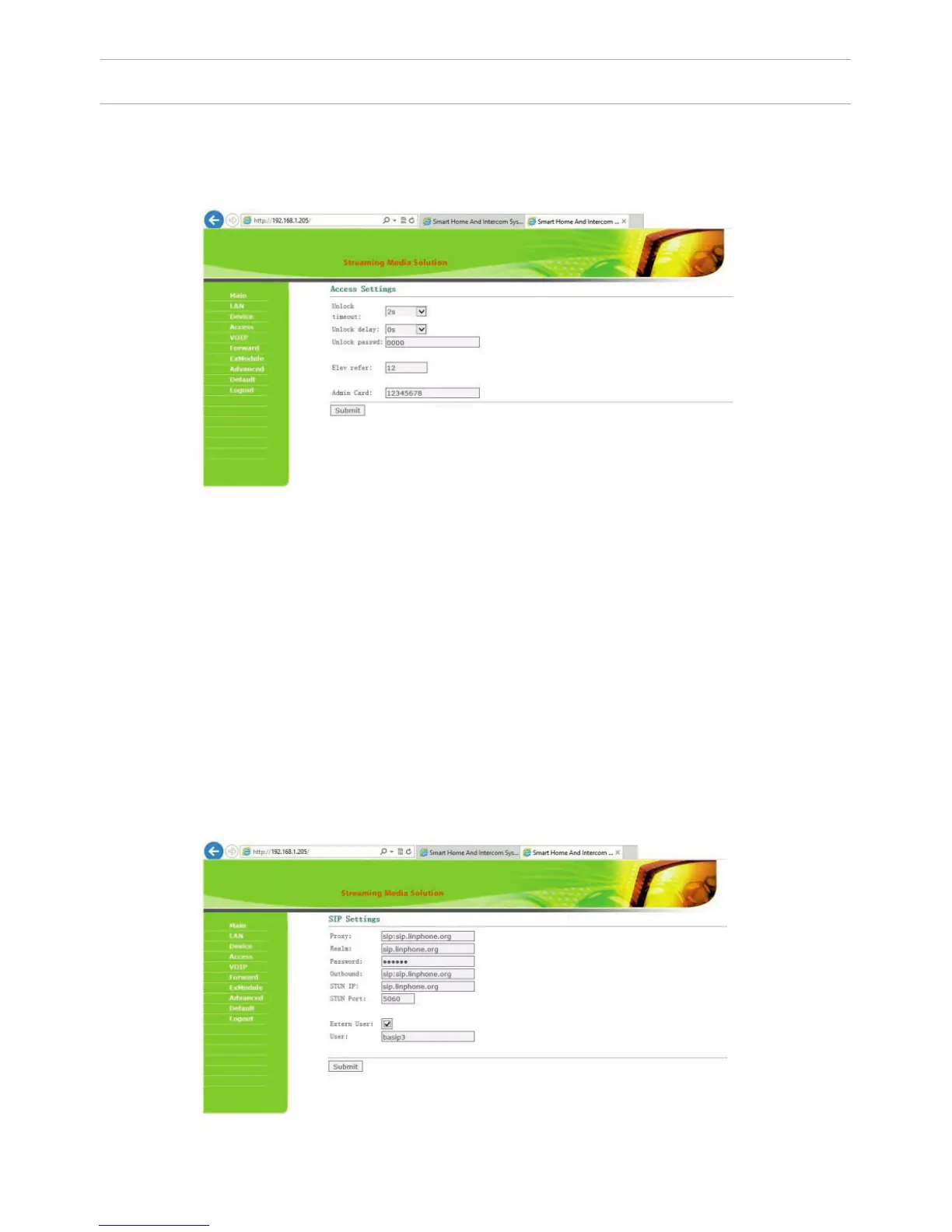
3. Access Settings.
Select «Access» to setting the opening time and the delay time of delay forthe
opening the door:
SETTING THROUGH WEB INTERFACE
4. SIP settings.
Select «VOIP» for the transition to SIP account settings:
20



 To Next Page