Registration for contactless cards via WEB-interface.
Enter in the “Master-card” number 0, and then click «Apply». Within 20 seconds,
bring the required registration master card to the area of the outdoor panel’s
reader – an alarm sounds and a “BEEP” means that the master-card has been
registered successfully. Next, the user cards can be brought to the panel’s reader.
After each user card , a ”BEEP” will sound which indicates a successful
registration of the card.
The time between adding of cards should not exceed 10 seconds.
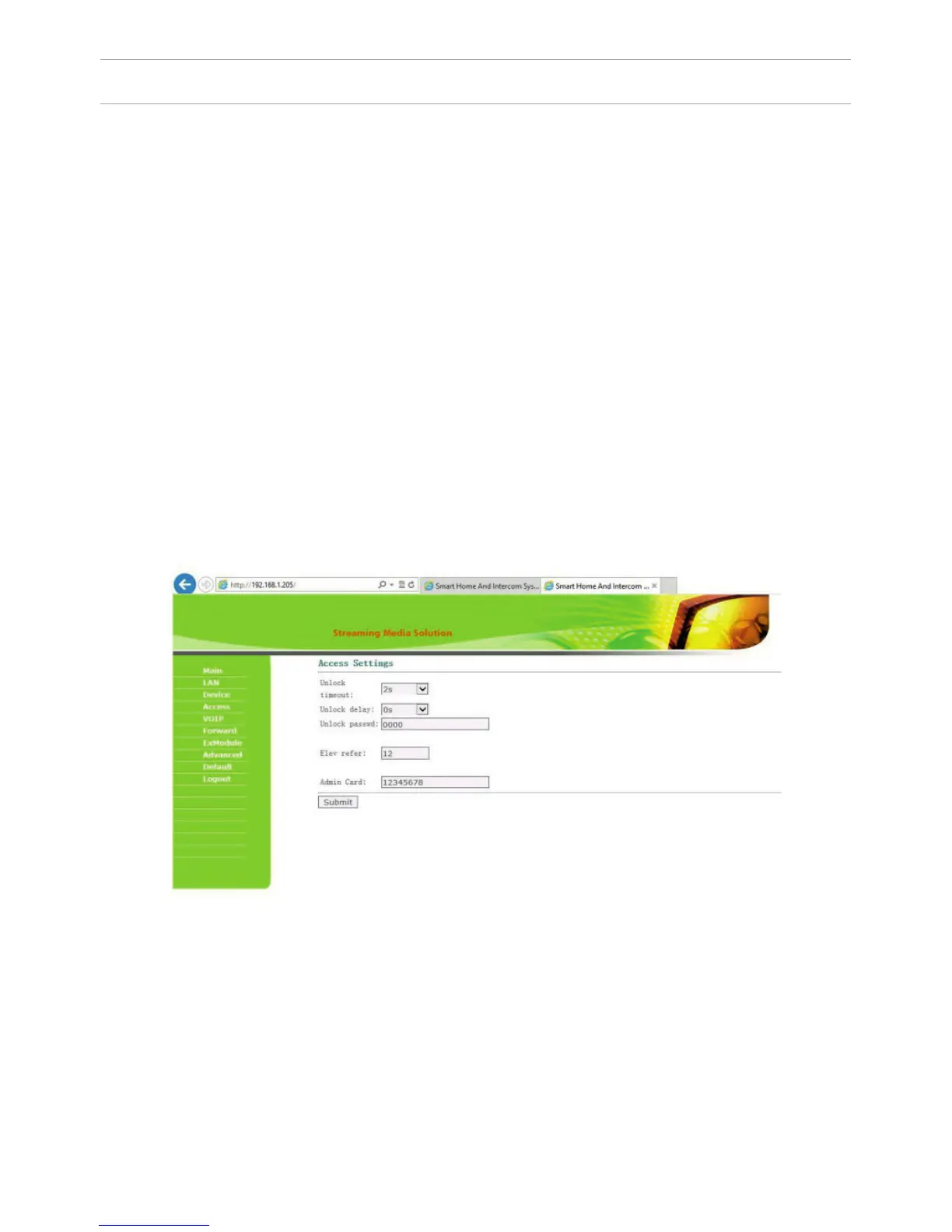
3. Access Settings.
Select «Access» for setting the opening time and the delay time for opening
the door:
SETTING THROUGH WEB INTERFACE
BuildNo: Specify the house number.
UnitNo: Specify the entrance number.
Floor: Specify the number of the oor.
RoomNo: Specify the number of the apartment.
No: Specify the outdoor panel serial number.
Panel mode: Set the operating mode «Unit Panel». The number of the building,
entrance, oor, and apartment must match the address of the internal monitor,
which will receive a call from this outdoor panel. If you have several outdoor
panels that have one Logical Adress , then enter a value of 2, 3, 4, 5 and so on,
until 9 in the “No” eld. If the logical adress of the outdoor panel corresponds to
the logical adress of the monitor, and the IP addresses of the devices are in the
same local network segment – the devices will nd each other, and the call will
occur correctly.
32



 To Next Page