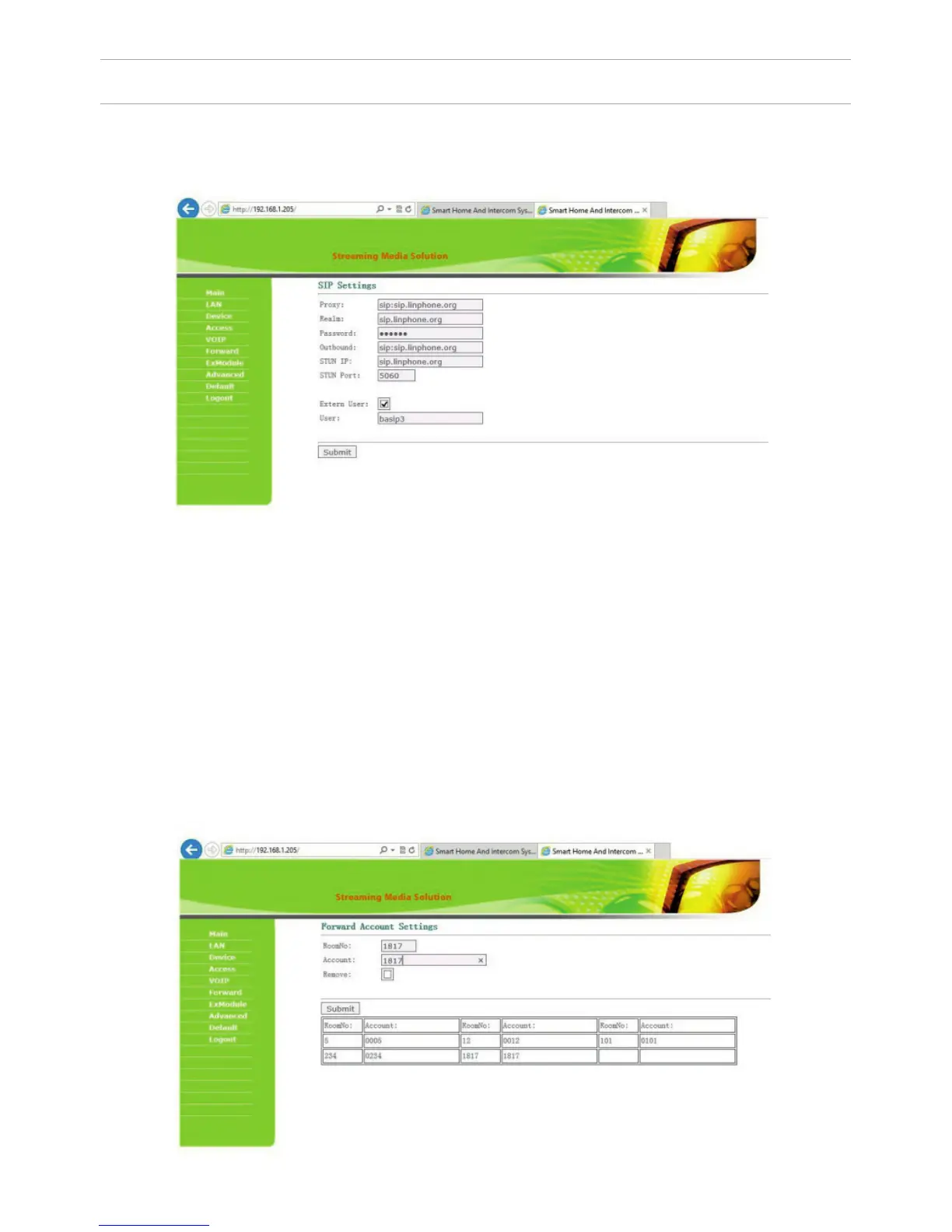
4. SIP settings.
Select «VOIP» for the transition to SIP account settings:
Proxy: SIP-server address can be specied as both the IP address and the do-
main name. For example: sip: 192.168.1.99, or sip: sip.linphone.org.
Domain: domain address of SIP-server is often the same as the IP address of the
SIP-server.
Password: Enter the password for the SIP-account (SIP-number).
Stun IP and Stun Port: indicates if this outdoor panel is mounted after NAT, for
example, a router.
Username: indicated directly SIP-account (SIP-number).
5. Making calls.
Select «Forward» to go to the next interface.
SETTING THROUGH WEB INTERFACE
33



 To Next Page