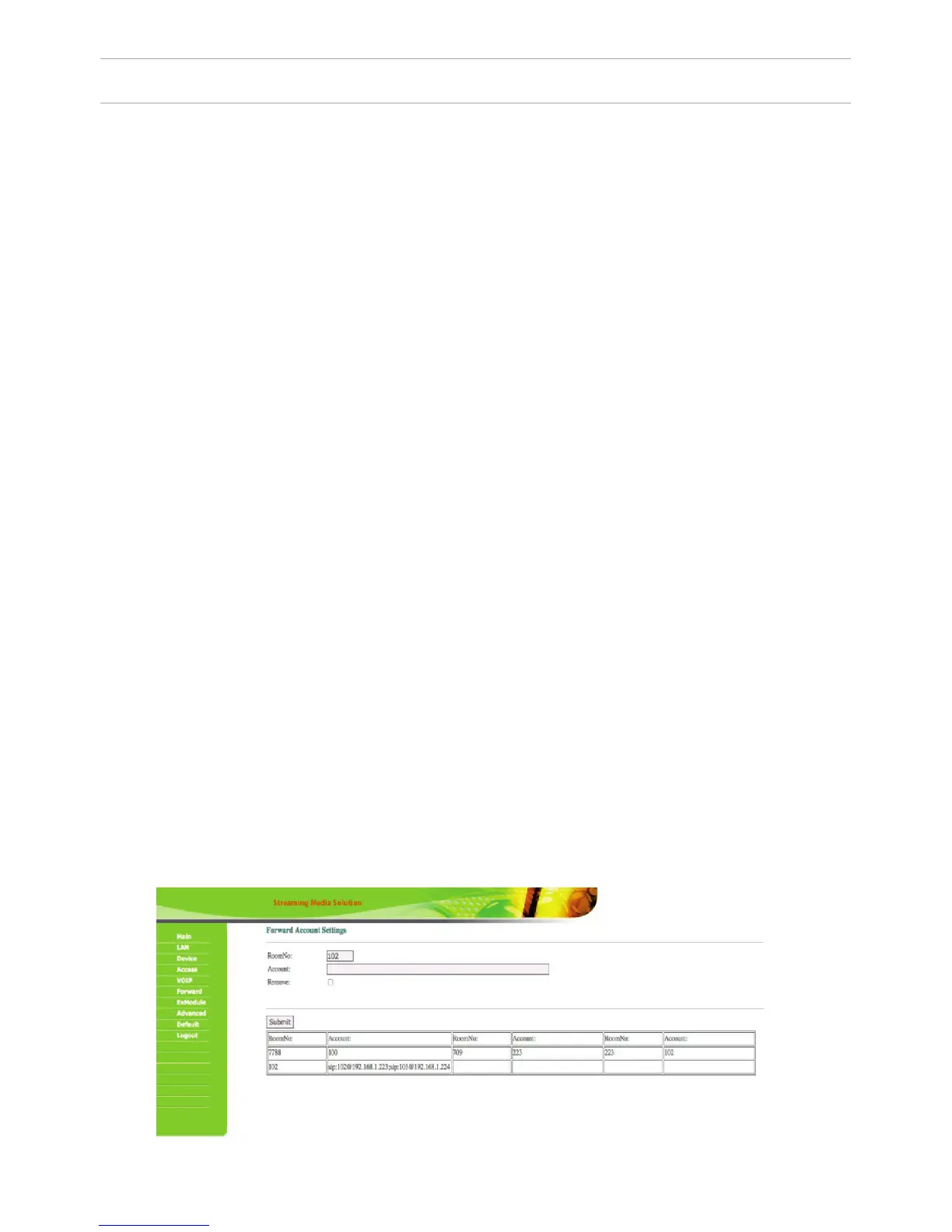
This section is used to forward calls received at the internal monitors when the
monitor is not available or it has been disabled on any given SIP-account (SIP-num
-
ber).
Apartment: enter the number of the apartment after calling on which the call for
-
warding will occur. The apartment number consists of 2 digits (number of the oor)
plus 2 digits (number of the apartments) in the settings of the internal monitor.
SIP-account: enter the required SIP-number that the call will come to from the
outdoor panel when dialing the appropriate apartment. For example: If number 5
was entered into the “Apartment” eld, and number 0005 in the “SIP-account” eld
when you type apartment #5 on the outdoor panel , the panel will make a call to
the SIP-account of “0005”. If number 101 was entered into the “Apartment” eld ,
and №12340575 was entered into the «SIP-account”, when you typed apartment
#101 on the outdoor panel, the panel will make a call to the SIP-account “12340575”.
Delete: Enter the check mark to remove forwarding to the SIP-number in the for
-
warding table, when dialing a certain apartment. For example: if number 234 was
entered into the “Apartment” eld, and there is a check mark in front of the “Delete”
eld, when you click «Conrm» the call forwarding to the specied SIP-number
when dialing the apartment #234 will be deleted. The corresponding line in the
forwarding table will also be deleted.
Note: the outdoor panel will forward a call to the specied SIP-account only if there
is no internal monitor corresponding to the number of this apartment. If there is an
internal monitor in this apartment, then it will be able to forward the call to speci
-
ed SIP-account by itself.
Since 2015, the functionality of P2P SIP calls, which allows you to make calls to
SIP-clients within the local network without SIP PBX was added to the software of
outdoor panels. So that outdoor panel can make a call to SIP-client for P2P net
-
works, you must enter the number of apartments (oor + room) in the “RoomNo”
eld, after calling on which the call forwarding will occur, and in the “Account” eld
the numbers like «sip:0001@192.168.1.223 », where 0001 – is the desired number to
display, 192.168.1.223 – IP address SIP client (if using softphone – IP address of the
device on which the softphone is installed). The device on which the call is forward
-
ing must have a static IP address on the network.
SETTING THROUGH WEB INTERFACE
34



 To Next Page