3.2.2 Intercom.
The system supports the function of the video intercom, through cameras that
are built into the internal monitors. In order to transmit your image to another
person, it is necessaryyou need to turn on a built-in camera.
Answering machine: When the outdoor panel’s call button is pressed, the
monitor, in addition to automatic recording of images, can also record audio and
video. For this, you must turn on the appropriate buttons in the given settings.
Recording audio and video les is made only on a removable SD-card.
To access additional internal monitors or call the main monitor, select from the
list (primary, Add.1 - Add.9) and press the call button.
3.2.3 Calls to SIP-numbers and mobile phone numbers.
To make VoIP calls, simply you dial the SIP-address to which you want to make a
call. To make a call on a cell phone is necessary to dial a mobile number in inter-
national format with “+” digit in the front of the number.
3.2.4 To answer the incoming call.
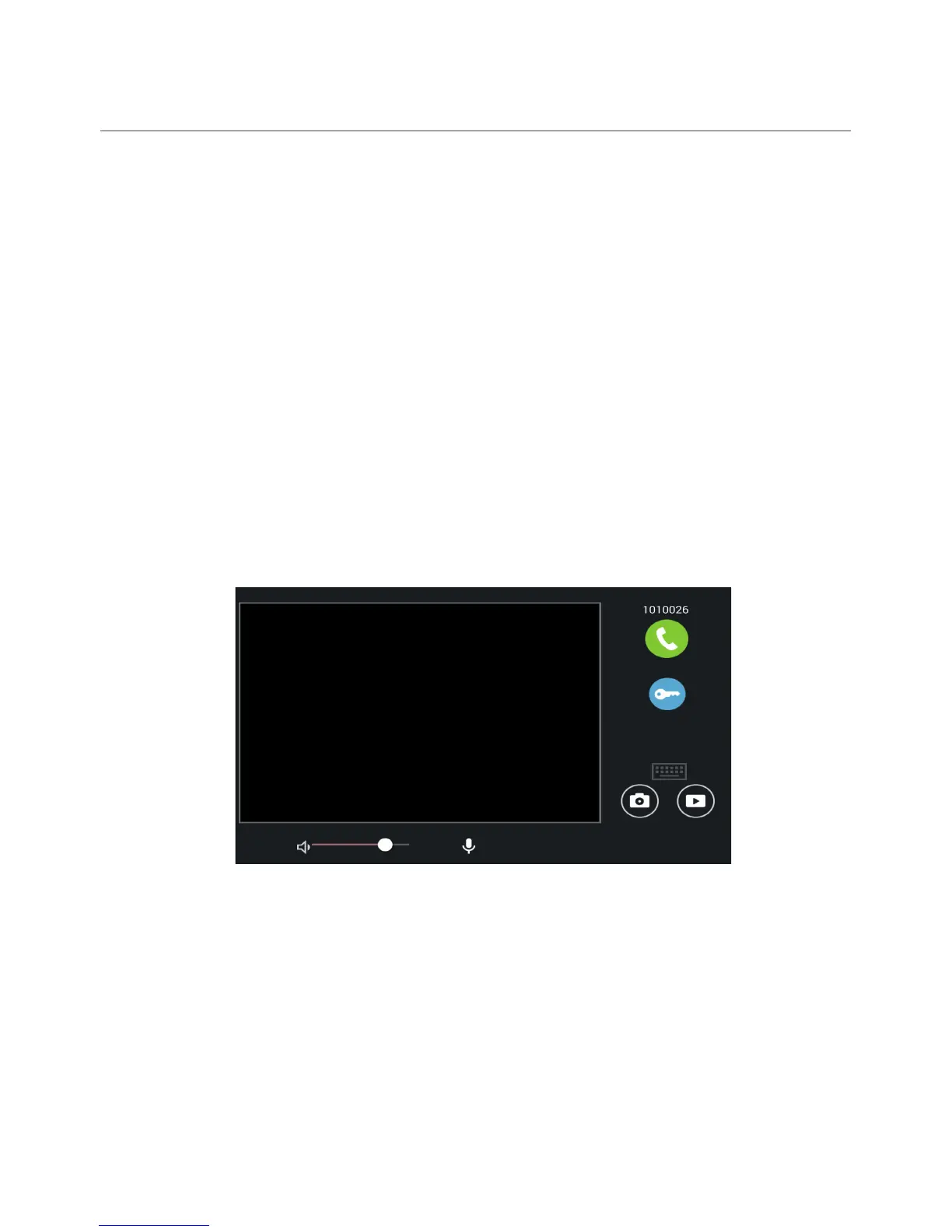
During an incoming call the following interface will appear:
Press the “Answer” button to answer the call, and press the “End” to end the call.
Press the “Open lock” button to open the door. W During a conversation with the
visitor, press the “Photo” button to save the current image in the internal mem-
ory of the monitor. To record a video, click the “Video” and press the “micro-
phone” button to disable the built-in microphone.
46
CONFIGURATION VIA THE MONITOR’S
GRAPHIC INTERFACE



 To Next Page