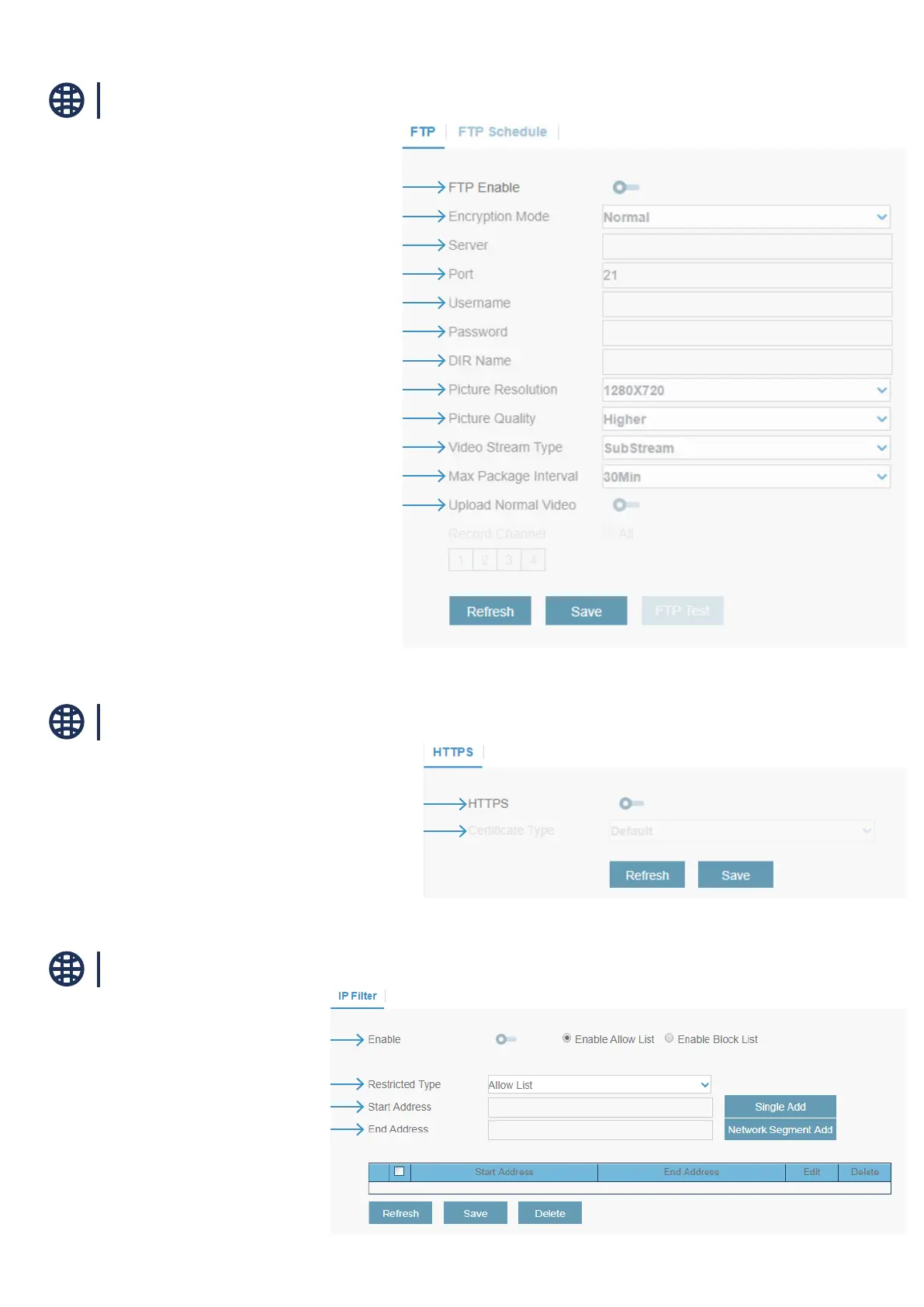
Network / FTP
Network / HTTPS
Network / IP Filter
Click to enable FTP function
Choose the encryptation mode
Enter your FTP server IP address or domain name
Enter the FTP port for le exchanges
Enter your FTP server username
Enter your FTP server user password
Enter the default directory name for the FTP le exchanges
Choose the resolution of the FTP upload
Choose the quality of the FTP upload
Choose the video stream type of the FTP upload
Choose the maximum package interval
Click to stream video continiously (not only by motion)
Click to enable HTTPS
Choose the certicate Type
Enable or disable IP lter
Choose between Allow List or Block List
Enter the start IP Address
Enter the End IP Address



 To Next Page