Search, Playback & Backup
The playback function gives you the ability to search for and play previously recorded videos as well
as snapshots. You have the choice of playing video that matches your recording schedule, manual
recordings or motion events only. The backup function gives you the ability to save important events
on your computer.
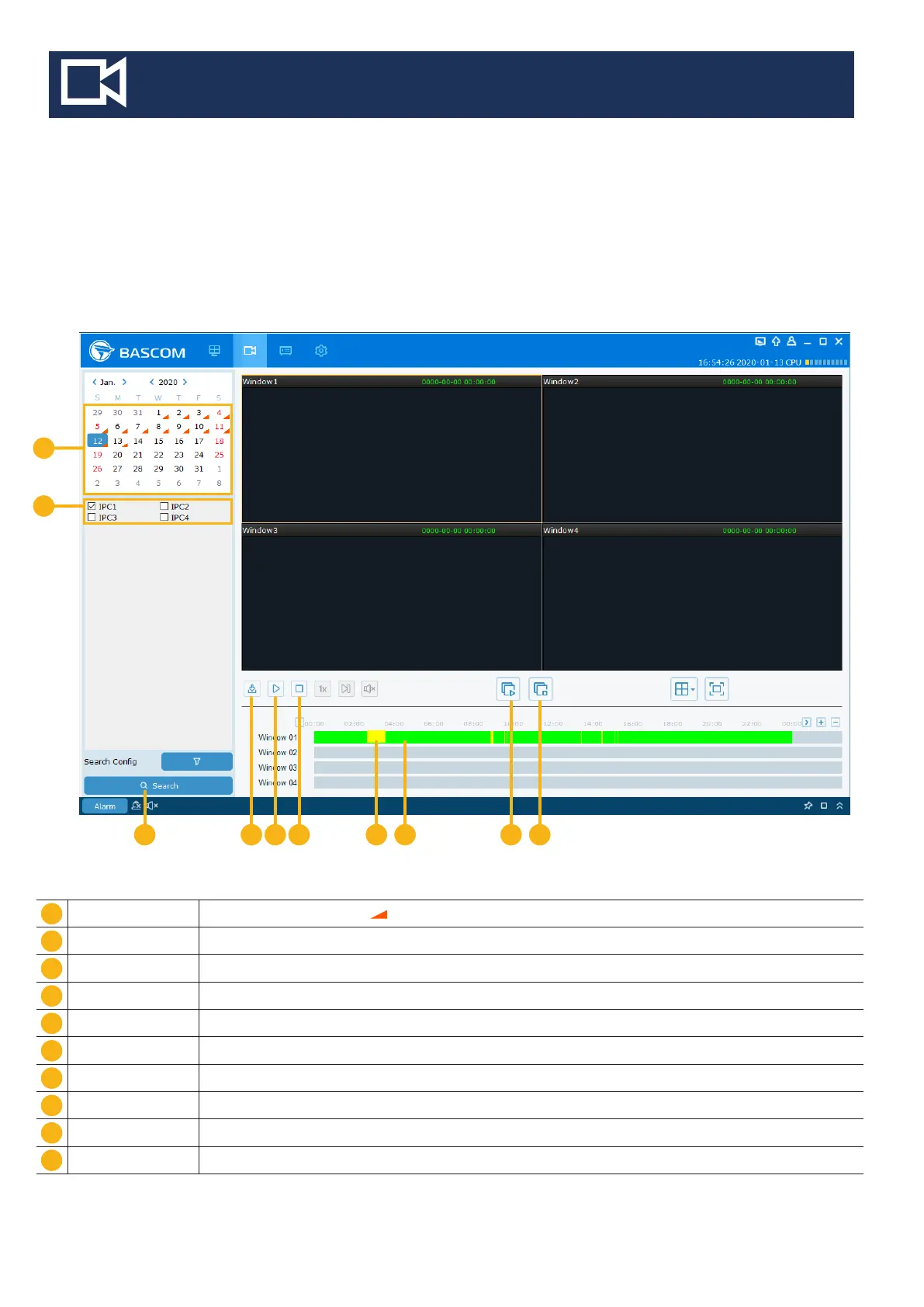
3. Remote Playback Menu
Search Date Search by a date to play back. Note : Days with recordings show an orange triangle
Camera Selection Choose the channels you want to search & play
Search Start the Search
Download Download the recordings
Play Start the playback
Stop Stop the playback
Motion Recording In yellow color
Continious Recording In green color
Start all channels Start the playback for all channels
Stop all channels Stop the playback for all channels
1
2
3
8
9
10
6
7
4
5
4 5 6
1
2
7 98
10
3



 To Next Page