Alarm / I/O
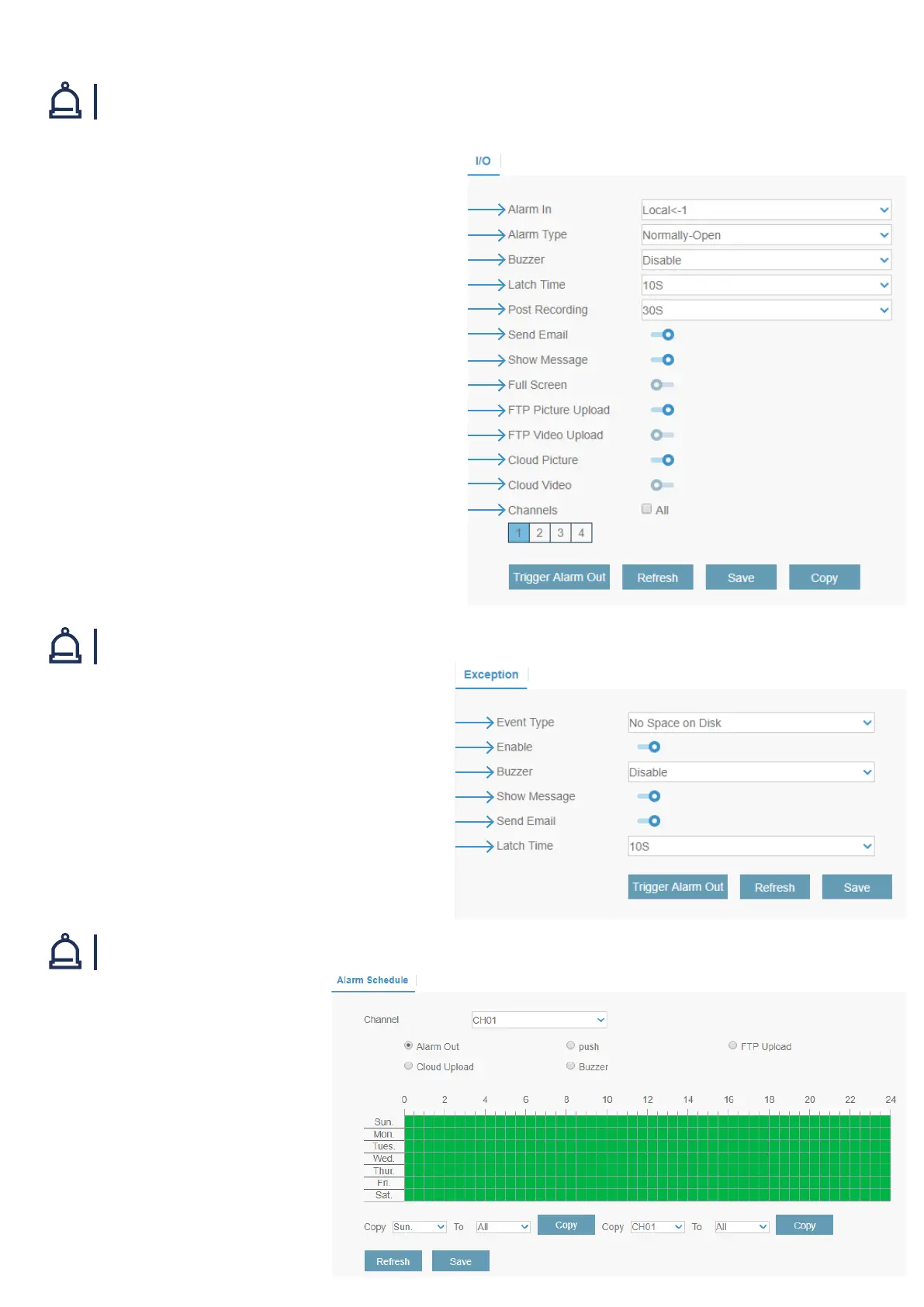
Select the event type
Check the box to enable the monitoring of the event
Set the buzzer duration when the event occurs. To disable buzzer, select Disable
Check the box to display a message on the screen when No Space on Disk, Disk
Error,or Video Loss events happen.
Receive an email when an event occurs
This is an optional function. Determine how long the external alarm device has to
make sound
Choose the I/O channel to congure
There are 3 alarm types: Normally-Open, Normally-Close, and OFF. Choose the one to match
your sensor type, or choose OFF to close the sensor trigger function
The system can use its internal buzzer to emit an alarm tone. You can set the buzzer
duration in seconds when a sensor is triggered
How many seconds the system starts recording before an alarm sensor is triggered
How many seconds the system stops recording after an alarm sensor is triggered
Receive an email when the sensor is triggered
Display the alarm icon on the screen when sensor is triggered
When sensor is triggered, the corresponding channel will be switched to the full screen mode
Upload alarm images to FTP server when I/O alarm is triggered
Upload alarm video to FTP server when I/O alarm is triggered
Upload alarm images to cloud server when I/O alarm is triggered
Upload alarm video to cloud server when I/O alarm is triggered
Choose which channel(s) you want to record when the I/O alarm is triggered
Alarm / Exception
Alarm / Alarm Schedule
You can connect external sensor I/O alarm devices to the system.
You can choose at what time you want to receive
the notications on your devices.
Select the option you want to set. Place all green
bars in the timeline by left-clicking and dragging
the mouse over the timeline.



 To Next Page