3 Mounting the device
3.1 Opening the device
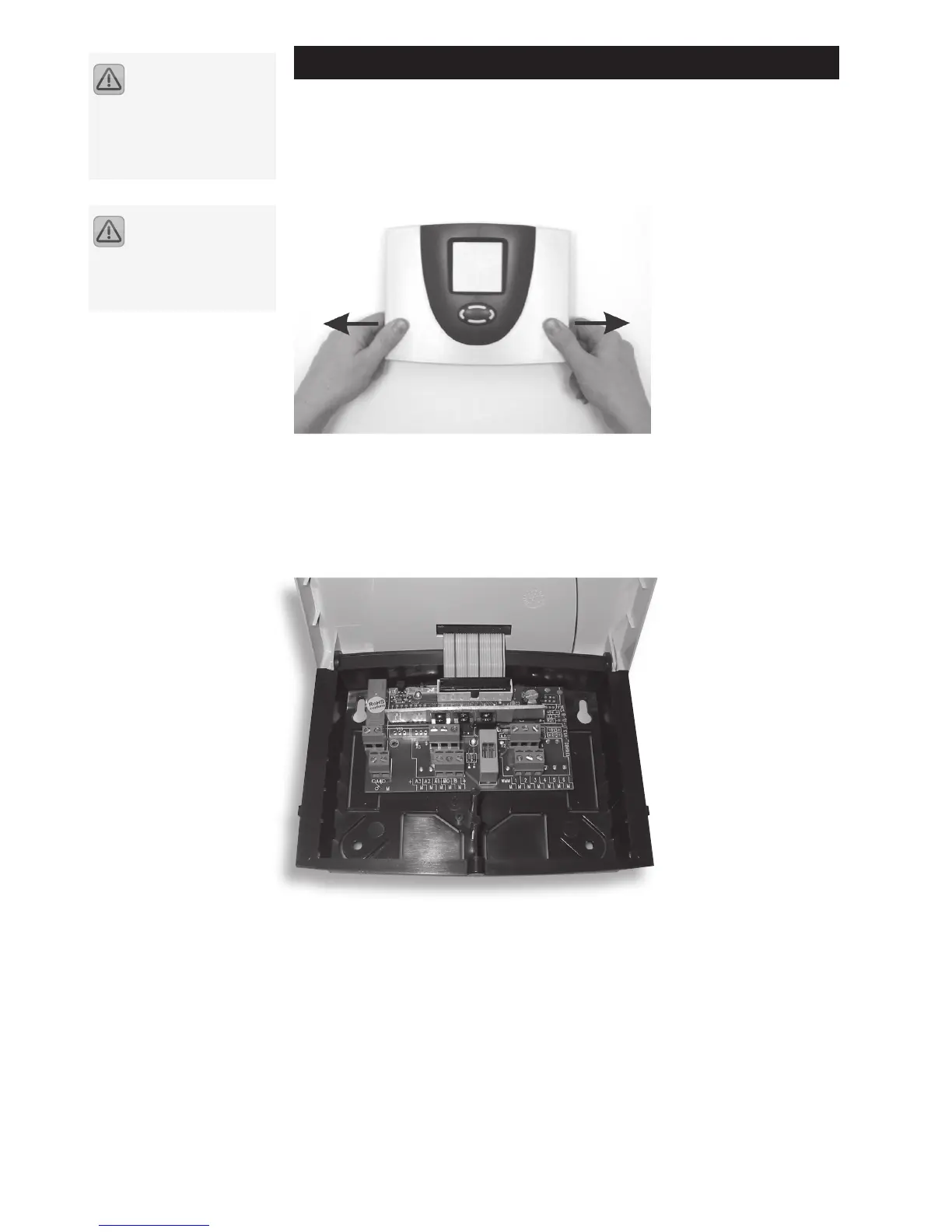
The upper part of the housing is locked to the lower part using two latches. Pull the
side pieces (cover plates) of the upper part of the housing outwards (see picture) to
unlatch it and upwards until the cover plate is opened.
3.2 Wall mounting
The device is mounted on the marked points. A drilling template is provided with
the device. Insert the "Quick Info" card provided with the device into the pocket
provided on the back of the device. The "Quick Info" card provides the user with an
overview of the functions to facilitate rapid device operation.
The controller must only
be installed in dry and
non-explosive areas. Mounting
the controller on an inflammable
surface is prohibited
Prior to switching on or
commissioning the device:
make sure to close the cover until
both sides securely lock into
place!


 To Next Page