9469200995 12-5
DGC-2020ES Generator Protection
Per Unit
Settings which are related to machine ratings can be set in either actual units of hertz or in per unit
values. Per unit settings are available for Pickup (81O/81U) and Inhibit Volts (81U). When a native unit is
edited, BESTCOMSPlus automatically recalculates the per unit value based on the native unit setting and
the rated data parameter (on the System Parameters, Rated Data screen) associated with it. When a per
unit value is edited, BESTCOMSPlus automatically recalculates the native value based on the per unit
setting and the rated data parameter associated with it.
Once all per unit values are assigned, if the rated data parameters are changed, BESTCOMSPlus
automatically recalculates all native unit settings based on the modified rated data parameters.
The following settings have native units of Frequency in Hz, and the rated data associated with them is
Rated Frequency (on the System Parameters, Rated Data screen).
• 81 U Pickup
• 81 O Pickup
The following setting has native units of Secondary Volts, and the rated data associated with it is Rated
Secondary Volts (on the System Parameters, Rated Data screen).
• 81 U Inhibit Voltage
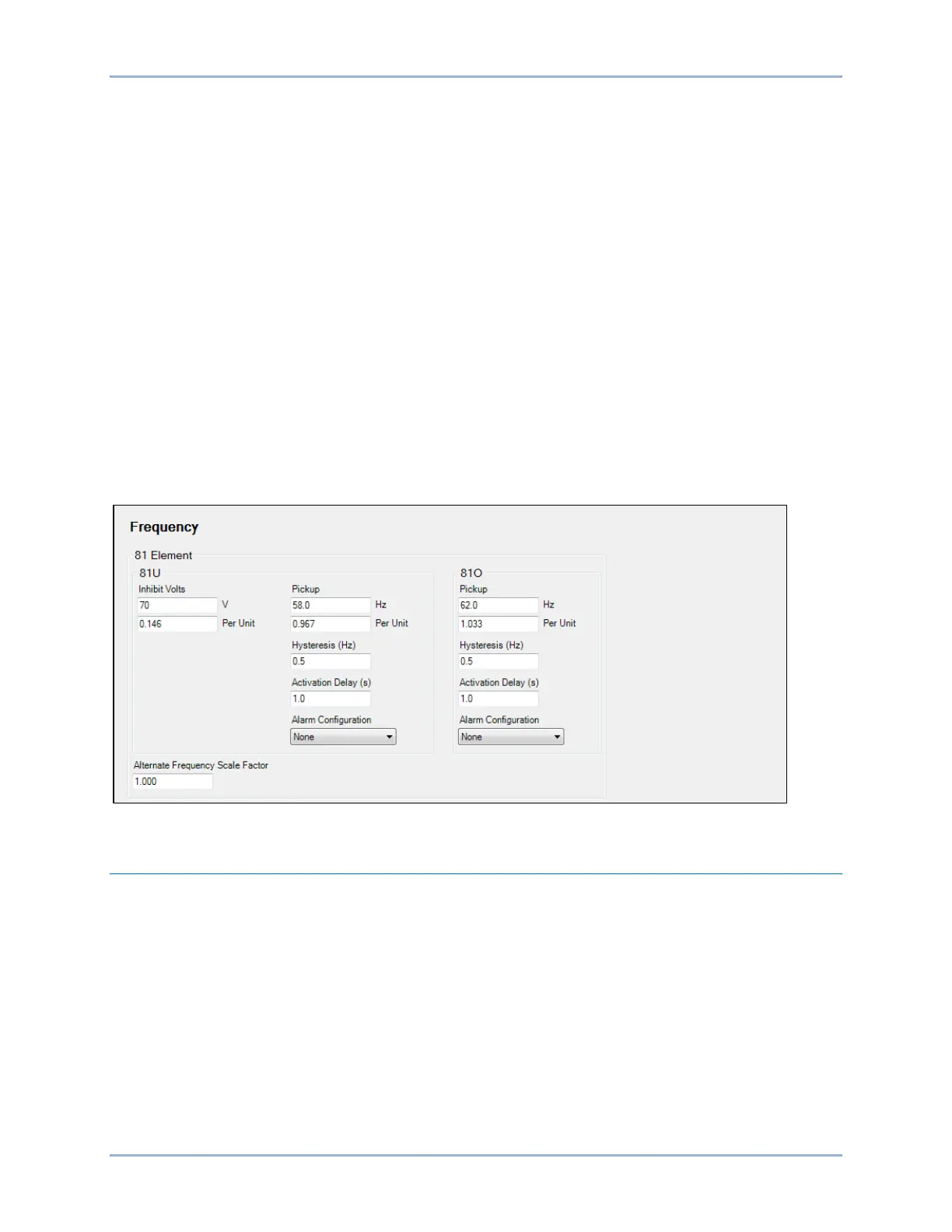
The Frequency screen is found in the BESTCOMSPlus Settings Explorer under the Generator Protection,
Frequency category. If using the front panel, navigate to Settings > Generator Protection > 81 O/U
Frequency. The BESTCOMSPlus Frequency screen is illustrated in Figure 12-4.
Figure 12-4. Settings Explorer, Generator Protection, Frequency, Frequency (81) Screen
Overcurrent
Two sets of overcurrent settings are provided for this element: one for three-phase generator connections
and one for single-phase generator connections. The pickup setting entered is based on the CT
secondary side. When a single-phase override contact input is received by the DGC-2020ES, the
overcurrent protection settings automatically switch from the three-phase settings to the single-phase
overcurrent protection settings.
When any of the phase currents increase above the pickup setting for the duration of the overcurrent time
delay, an overcurrent condition is annunciated. An overcurrent annunciation can be user-selected to
trigger a pre-alarm (warning) or alarm (shutdown). An overcurrent annunciation can also be user-
configured to close a programmable output.
A low-line scale factor setting is used for automatic adjustment of the overcurrent pickup settings in
applications that may utilize more than one type of genset connection. The scale factor setting is
implemented when the DGC-2020ES senses a contact closure at a contact input programmed to activate
low-line override. This triggers scaling of the protection settings. The value of the scale factor setting



 To Next Page