EasyManua.ls Logo

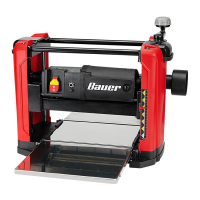
Bauer 1621e-b - User Manual

Bauer 1621e-b
16 pages
Print Icon
To Next Page IconTo Next Page
Loading...
!"#"$%&'(%)*+#"$*%,$-%.$$/-00)))1.,(+&(2(*"3.$14&5
%65,"7%&'(%$*4.8"4,7%#'//&($%,$-%/(&9'4$#'//&($:.,(+&(2(*"3.$14&5
Owners Manual & Safety Instructions
Save This Manual%Keep this manual for the safety warnings and precautions, assembly,
operating, inspection, maintenance and cleaning procedures. Write the product’s serial number in the
back of the manual near the assembly diagram (or month and year of purchase if product has no number).
Keep this manual and the receipt in a safe and dry place for future reference.
When unpacking, make sure that the product is intact
and undamaged. If any parts are missing or broken,
please call 1-888-866-5797 as soon as possible.
Copyright
©
2016 by Harbor Freight Tools
®
. All rights reserved.
No portion of this manual or any artwork contained herein may be reproduced in
any shape or form without the express written consent of Harbor Freight Tools.
Diagrams within this manual may not be drawn proportionally. Due to continuing
improvements, actual product may differ slightly from the product described herein.
Tools required for assembly and s er vi ce m ay n ot be i nc lu de d.
;*,9%$."#%5,$*(",7%+*2&(*%'#"83%$."#%/(&9'4$1%
<,"7'(*%$&%9&%#&%4,8%(*#'7$%"8%#*("&'#%"8='(>1%
?@!6%ABC?%D@EF@G1
;6!%HIJ

Questions and Answers

  • A
    ahallJul 31, 2025
    How to prevent deeper cuts at the ends of the board (snipe) with my Bauer 1621e-b?
    • S
      Savannah HuntJul 31, 2025
      If your Bauer Planer is leaving a deeper cut at the ends of the board (snipe), it may be due to insufficient support for long boards, so provide better support. It also may be due to uneven force on the cutter head, so level the tables.
  • J
    John KimAug 4, 2025
    What to do if my Bauer Planer will not start?
    • M
      Mrs. Stacey SwansonAug 5, 2025
      If your Bauer Planer won't start, first ensure the power cord is securely plugged in and the outlet has power. If the outlet isn't working, check the circuit breaker, ensuring the circuit's capacity matches the tool's requirements and isn't overloaded. If the problem persists, it could indicate internal damage or wear, such as with the carbon brushes or switch, which requires servicing by a qualified technician.
  • W
    William FischerAug 9, 2025
    Why does the performance of my Bauer Planer decrease over time?
    • B
      brownsusanAug 9, 2025
      If your Bauer Planer's performance decreases over time, it could be due to dull or damaged blades, which should be replaced. Alternatively, worn or damaged carbon brushes could be the cause, requiring replacement by a qualified technician.
  • T
    toddandersonAug 12, 2025
    What to do if my Bauer Planer is leaving torn or rough grain?
    • S
      Samantha ArnoldAug 12, 2025
      If your Bauer Planer is producing torn, ragged, rough, or raised grain, several factors could be at play. The blades may be dull or damaged, necessitating replacement. The cut might be too heavy, so reduce the depth of cut. Ensure you're cutting with the grain. Also, wood with high moisture content can cause this issue, so use dry wood.
  • W
    Wayne MartinAug 17, 2025
    Why is the belt slipping on my Bauer 1621e-b Planer?
    • M
      Melanie WeeksAug 17, 2025
      If your Bauer Planer belt is slipping, replace the belt. Alternatively check connections or replace collection bag. If the problem persists, have qualified technician service tool. It also could be that the blades are dull. In this case replace blades. If you are forcing boards through the planer, allow auto feed to work at its own rate. Another reason may be that the cut is too heavy, so reduce depth of cut. It is also possible that the motor is being strained by long or small diameter extension cord, so eliminate the use of the extension cord or use the proper diameter for its length and load.
  • I
    iwillisAug 21, 2025
    Why is the roller case adjustment difficult on my Bauer Planer?
    • J
      John RothAug 22, 2025
      If you're experiencing difficulty adjusting the roller case on your Bauer Planer, the sprockets and/or chain may be dirty, so clean and lubricate them. Alternatively, the elevating screws and/or columns might be dirty, requiring cleaning and lubrication. If the elevating screws are worn, replace them.
  • K
    Kristy YoungAug 26, 2025
    Why is the chain jumping on my Bauer 1621e-b?
    • R
      Robert SmithAug 26, 2025
      If the chain is jumping on your Bauer Planer, it could be that the sprockets are worn, so have them replaced. It could also be that the chain is worn, so have the chain replaced.

Summary

Warning Symbols and Definitions

Hazard Alert Symbols

Explains DANGER, WARNING, CAUTION, and NOTICE symbols for hazard identification.

Important Safety Information

General Tool Safety Warnings

Crucial safety rules for operating the planer and preventing injury.

Grounding Instructions

Tool Safety Warnings

Specific safety precautions related to grounding and tool operation.

Vibration Safety

Specifications

Setup - Before Use

Functions Overview

Identifies key components and controls of the planer.

Assembly and Mounting

Installing Dust Chute

Procedure for attaching the dust chute for dust collection.

Attaching Handle

Instructions for attaching the depth adjustment handle.

Mounting the Planer

Guidance on securely mounting the planer to a stable surface.

Operating Instructions

Tool Setup Procedures

Initial setup steps before using the planer.

Leveling Table Extensions

How to level the infeed and outfeed tables for accurate planing.

Workpiece and Work Area Setup

General Operating Instructions

Replacing Blades

Maintenance and Servicing

Cleaning, Maintenance, and Lubrication

Procedures for keeping the planer in optimal working condition.

Internal Maintenance

Lubrication Procedures

Guidance on lubricating elevation screws, columns, and roller chains.

Replacing V-Belt

Step-by-step instructions for replacing the V-belt.

Troubleshooting

Workpiece Troubleshooting

Solutions for issues like snipe and torn grain on workpieces.

Planer Troubleshooting

Solutions for planer operational problems like not starting or slow operation.

Parts List and Diagram

Parts List

Detailed enumeration of all components with part numbers and descriptions.

Assembly Diagram

Limited 90 Day Warranty

Bauer 1621e-b Specifications

General IconGeneral
BrandBauer
Model1621e-b
CategoryPlaner
LanguageEnglish