15
sing your microwave U
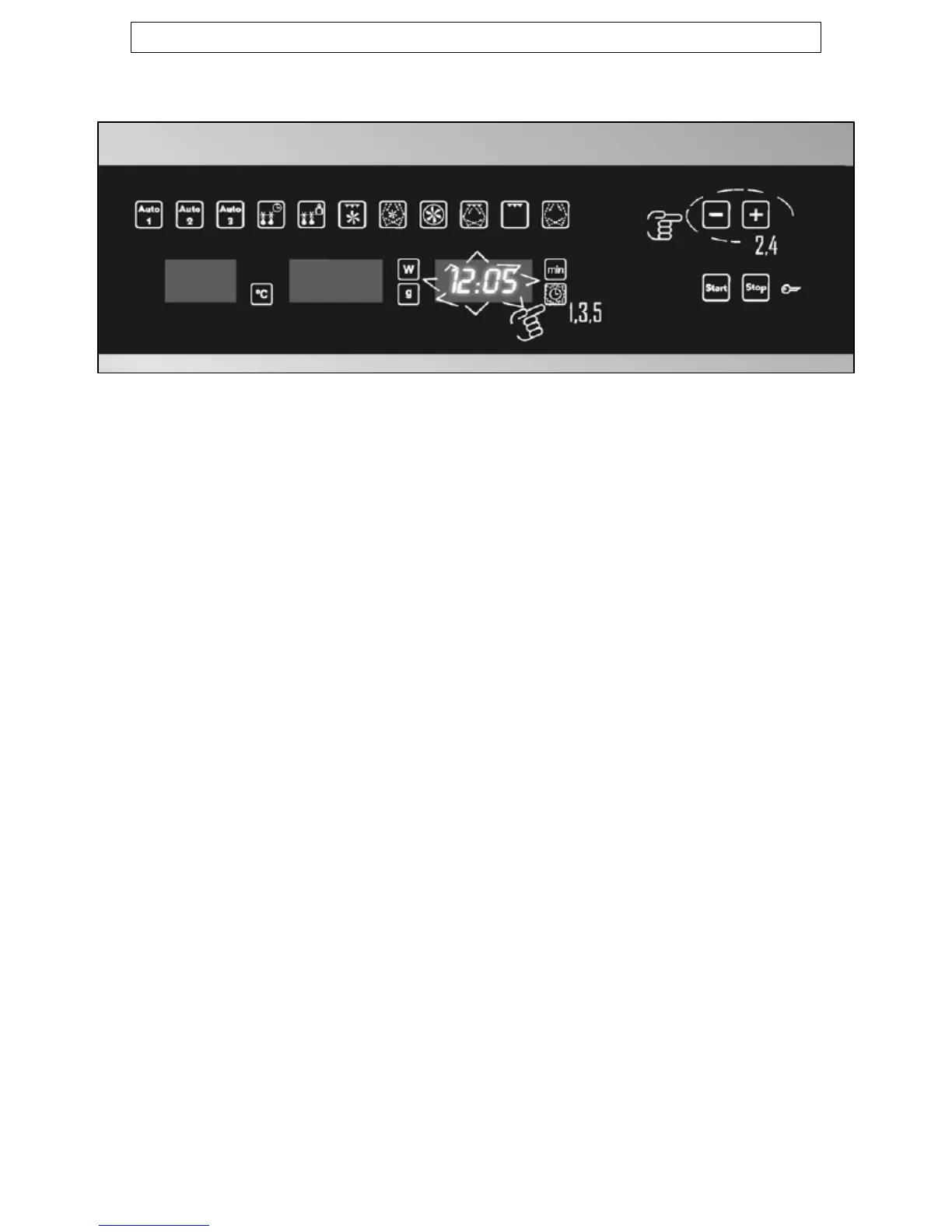
Setting the clock
Wo hen your microwave is connected to the power supply, it is
plus and minus buttons (B)
o flash, use the plus and minus buttons to set the minute
e time of day, press the clock button/display for a
e clock display,
y until it reappears.
hould place a cup that is
used. The appliance should be
thoroughly dried afterwards.
necessary to set the clock to the correct time of day.
o The hour numbers will flash and the
should be used to set the hour time.
o Press the clock button/display (G) and the minute numbers will
start t
time.
o To confirm th
second time.
o IMPORTANT: Once the time of day is set, if you press the clock
button/display for 3 seconds, then the time will disappear from
the clock display. To restore the time of day to th
press the clock button/displa
Before first use
o To remove any residue from the oven that may have been left
from the manufacturing process, you s
half filled with water in the microwave.
o Set the microwave on its highest power level for 2 minutes.
o The oven cavity and outside of the appliance should be cleaned
with warm soapy water, using either a sponge or soft cloth. No
abrasive cleaners should be






 To Next Page