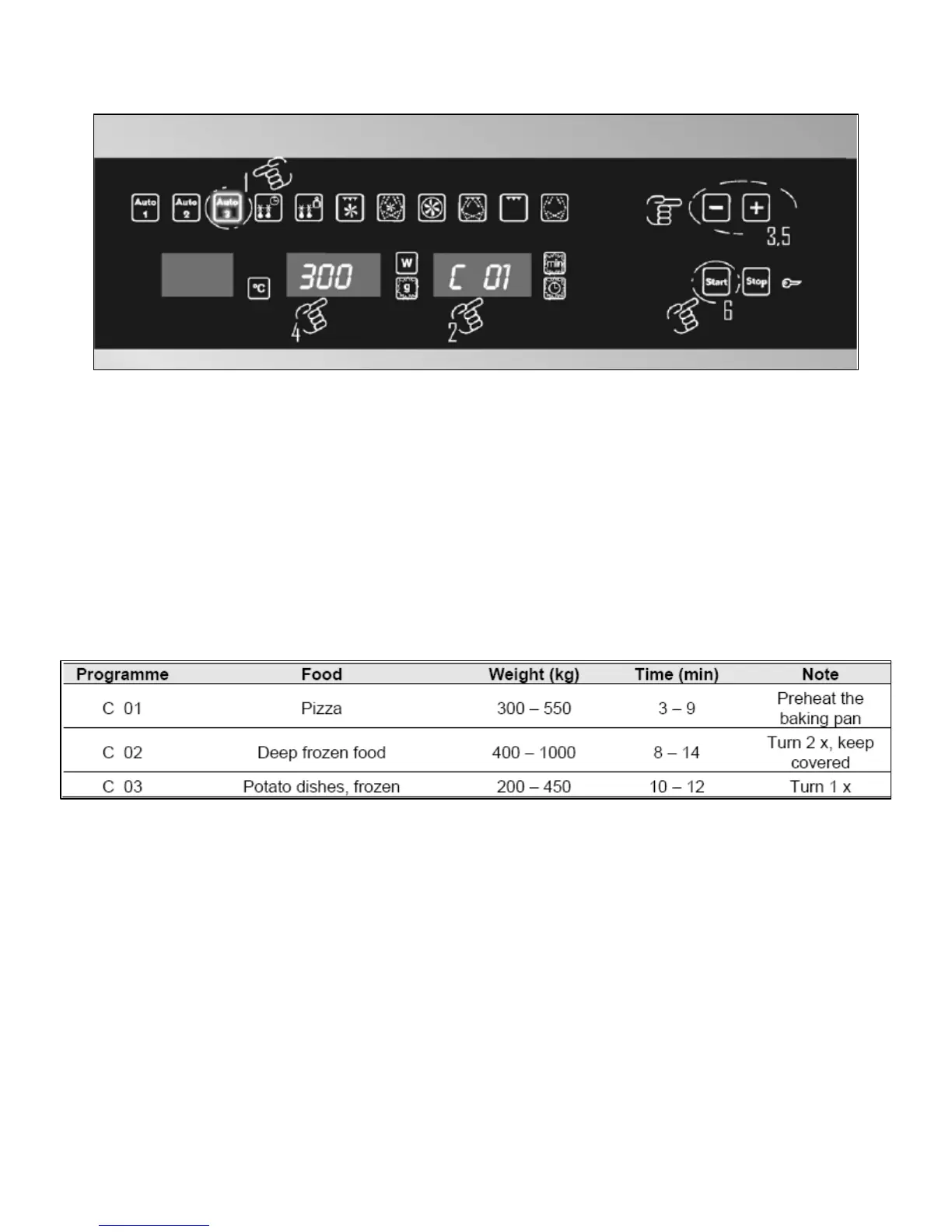
Auto cooking function 3
Use this function to cook and toast various types of food.
o Open the door of the appliance.
o Check that the rotating plate and rotating base are correctly
assembled in the cavity.
o Press the Auto 3 button, C 01 will appear on the cook time
button/display and 300 will appear on the weight button/display.
o There are three different food groups that have separate cooking
programmes, as shown in the table below:-
o To change the auto programme, press the cook time
button/display (G), the clock and cook time indicators will flash.
Use the plus and minus buttons to cycle through the cooking
programmes.
o To adjust the weight, press the weight button/display (E), the
grams indicator will flash. Use the plus and minus buttons to
adjust the cooking weight.
o Press the start button (I) and the oven will start to heat; the
cooking time is worked out automatically by the appliance.
28






 To Next Page