EasyManua.ls Logo

baxter OV500G1-EE - User Manual

baxter OV500G1-EE
32 pages
Print Icon
To Next Page IconTo Next Page
Loading...
Baxter Mfg, a Division of ITW FEG, LLC • 19220 State Route 162 East • Orting, WA 98360-9236
Phone: (360) 893-5554 • Fax: (360) 893-1337
www.baxtermfg.com
Model Number: ___________
Serial Number: ___________
Date of Installation: ___________
Operator
Manual
FORM 36806 Rev. C (April 2019)
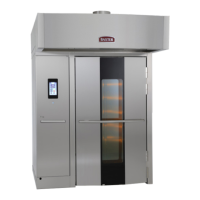
OV500 ROTATING RACK OVEN
WITH ADVANCED ELECTRONIC
OVEN CONTROL
OV500E1 ELECTRIC
OV500E2 ELECTRIC
OV500G1-EE GAS
OV500G2-EE GAS
OV500G1-EE
OV500G2-EE
OVENS BUILT AFTER 3/23/2017

Other manuals for baxter OV500G1-EE

Questions and Answers

  • C
    cristian35Aug 15, 2025
    Why can't STEAM TIME be set above 10 seconds on my baxter OV500G1-EE Oven?
    • E
      Erica HernandezAug 15, 2025
      If the STEAM TIME on your Baxter oven cannot be set above 10 seconds, and the time increments by 1-second, it means the oven is in Food Service or Pulse steam mode. Refer to the Food Service Mode instructions to switch the oven back to Bakery mode.
  • M
    monicawilliamsAug 18, 2025
    What does ‘SHdn’ mean on my Baxter oven display?
    • H
      Haley HodgesAug 18, 2025
      If your Baxter oven display shows ‘SHdn’, it indicates that the Safety Alarm has disabled the oven. Turn off all power and gas to the oven and contact your local Baxter authorized service office.
  • B
    Brandon EstradaAug 21, 2025
    What does ‘LOC OUT’ mean on my baxter OV500G1-EE Oven display?
    • P
      phillip96Aug 21, 2025
      If the display on your Baxter oven shows 'LOC OUT,' it means the oven is in Kosher Lock-Out Mode. Contact your local Baxter authorized service office.
  • D
    Danielle DominguezAug 25, 2025
    How to fix burners that will not light on a Baxter gas oven?
    • K
      Kevin CabreraAug 25, 2025
      If the burners on your Baxter gas oven won't light, try the following: Ensure the loading door is fully shut, making sure the door switch is activated. If that doesn't work, press the OFF button, wait 5 minutes, then ensure both the gas shutoff valve and the gas valve are in the ON position. Finally, press the ON button to restart the oven.
  • D
    douglasmedinaAug 27, 2025
    Why does my Baxter Oven temperature display change between a number and ‘COOL’?
    • J
      Jennifer CollinsAug 27, 2025
      The Baxter oven display alternates between a number and 'COOL' because the Cool Down mode is active. To return to normal mode, simply close the oven door or press any button.
  • J
    james17Aug 30, 2025
    What to do if my Baxter oven control beeps continuously?
    • T
      Teresa ReyesAug 30, 2025
      A continuous beep from the Baxter oven control indicates a Rack Rotation alert. First, check that the rack is indeed rotating. Next, inspect for any pans that might be protruding from the rack. If the beeping continues after these checks, contact your local Baxter authorized service office.
  • T
    trevor59Sep 2, 2025
    What does it mean when my baxter OV500G1-EE Oven display is flashing with no beeping, while in a timed bake cycle?
    • S
      Sabrina CortezSep 2, 2025
      The flashing display on your Baxter oven, without any beeping during a timed bake cycle, signifies a temperature recovery alert. To resolve this, open and then close the oven door to reset the heat control. If the unit still doesn't begin heating, contact your local Baxter authorized service office.
  • M
    Mike SmithSep 5, 2025
    Why does my baxter OV500G1-EE Oven circulation fan run when the oven is turned off?
    • T
      Teresa JohnsonSep 6, 2025
      If the circulation fan in your Baxter oven continues to run after the oven is turned off, it means the oven is in Cooling mode. To cancel this mode, close the oven door. If the door was not open and the fan continues to run, contact your local Baxter authorized service office.
  • G
    Gabrielle GreenSep 8, 2025
    What does it mean when my Baxter oven controls beeps rapidly?
    • A
      anitacooperSep 9, 2025
      Rapid beeping from the Baxter oven controls (faster than the Baker Timer) indicates a temperature alert for Kosher Mode. If the vent is on, turn it off. For gas ovens, check that the burner is firing; if it isn't, briefly open and close the door to reset the temperature control.
  • C
    Christine GardnerSep 12, 2025
    Why doesn't the rack lift and rotate in my baxter OV500G1-EE Oven?
    • C
      cohenmatthewSep 12, 2025
      If the rack in your Baxter oven isn't lifting and rotating, ensure that bake time has been entered into the timer and that the timer has been started. Enter the time in the TIMER and press START. If the problem continues, contact your local Baxter authorized service office.

Summary

IMPORTANT FOR YOUR SAFETY

OPERATION

OV500 DIGITAL CONTROLS

Details the functions and operation of the OV500 oven's digital control panel, including various buttons and displays.

OVEN PREHEAT

Guides users through the process of preheating the oven to the desired temperature before baking.

BASIC OPERATION

Provides step-by-step instructions for manually selecting baking settings and operating the oven for cooking.

BACK-UP CONTROL OPERATION (OPTIONAL)

Explains how to use the optional back-up controls if the main control panel fails, allowing continued baking.

SAFETY ALARM

Details the functionality of the safety alarm system, which triggers at high temperatures and its response actions.

PROGRAMMING THE OVEN

Guides on how to program recipes into the oven's memory for repeatable baking operations.

SINGLE STEP RECIPES

Instructions for creating and storing single-step recipes, defining temperature, time, and steam settings.

CUSTOMIZED OPERATION

Details how to customize oven settings via setup mode, including parameter configuration and energy saving features.

SETUP GUIDE

Details various setup parameters (P0-P16) for configuring oven functions, temperatures, and modes.

ADVANCED ENERGY SAVINGS MODE

Enables advanced energy saving features, including auto on/off time locking.

ENERGY SAVING MODE

Details features for reducing energy consumption, including set back and advanced energy saving modes.

TROUBLESHOOTING

BURNERS WILL NOT LIGHT ON GAS OVEN

Provides troubleshooting steps for gas ovens when the burners fail to ignite.

ALARMS AND DISPLAY MESSAGES

Explains common alarm messages and display indicators and their potential causes and actions.

MAINTENANCE

PREVENTIVE MAINTENANCE PROGRAM

Emphasizes the importance of a regular preventive maintenance schedule for oven longevity and safety.

OWNER PREVENTIVE MAINTENANCE PROCEDURE

baxter OV500G1-EE Specifications

General IconGeneral
Power TypeGas
Number of Decks1
MaterialStainless Steel
Control TypeDigital
Power SupplyNatural Gas
Temperature Range150°F to 500°F

Related product manuals