EasyManua.ls Logo

baxter ML-132577 - User Manual

baxter ML-132577
36 pages
Print Icon
To Next Page IconTo Next Page
Loading...
Baxter Mfg, a Division of ITW FEG, LLC • 19220 State Route 162 East • Orting, WA 98360-9236
Phone: (360) 893-5554 • Fax: (360) 893-1337
www.baxtermfg.com
Model Number: ___________
Serial Number: ___________
Date of Installation: ___________
Operator
Manual
FORM 36764 Rev. C (February 2022)
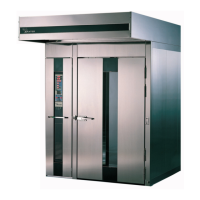
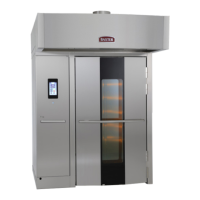
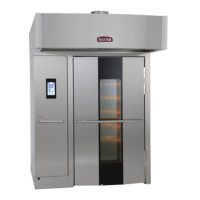
OV520 ROTATING RACK OVEN WITH
SMART TOUCH
TM
CONTROL
ML-132577 OV520G1
ML-132576 OV520G2

Questions and Answers

  • G
    gracemathisAug 13, 2025
    What to do if the burners will not light on my Baxter gas oven?
    • R
      Randall RichardsonAug 13, 2025
      If the burners on your Baxter gas oven won't light, first, ensure the loading door is completely shut and the door switch is activated. Then, press the OFF button to turn the oven off, wait 5 minutes, and press the ON button to turn it back on. Also, verify that both the gas shutoff valve and the gas valve are in the ON position.
  • K
    kimberly79Aug 16, 2025
    Why is the circulation fan running when my baxter ML-132577 Oven is turned off?
    • M
      Matthew PenaAug 16, 2025
      The circulation fan in your Baxter oven might be running even when the oven is off because it's in Cooling mode. To stop this, close the oven door. If the door was already closed, contact your local Baxter authorized service office.
  • Y
    yhurleyAug 21, 2025
    What to do if the rack does not lift and rotate in my Baxter oven?
    • C
      Connie JacksonAug 21, 2025
      If the rack in your Baxter oven isn't lifting and rotating, make sure you've entered the bake time into the timer and touched Start. If the problem continues, contact your local Baxter authorized service office.
  • J
    jason14Aug 25, 2025
    How to fix burners that will not light on my Baxter gas oven?
    • M
      Molly GriffinAug 25, 2025
      If the burners on your Baxter gas oven won't light, try the following: First, ensure the loading door is completely shut, activating the door switch. If that doesn't work, press the OFF button, wait 5 minutes, and then press the ON button again. Also, check that both the gas shutoff valve and the gas valve are in the ON position.
  • L
    landrycolinAug 28, 2025
    What to do if my Baxter Oven shows a Yellow Error Screen (E10)?
    • T
      Thomas HughesAug 28, 2025
      If your Baxter oven displays a Yellow Error Screen (E10), which indicates the oven is heating slowly, try opening and then closing the loading door. If the burner still isn't running after this, contact a Baxter authorized servicer to resolve the issue.
  • K
    Krystal BarnesSep 1, 2025
    What to do if my Baxter Oven shows a Yellow Error Screen (E35)?
    • D
      Diane CaldwellSep 1, 2025
      If your Baxter oven shows a Yellow Error Screen (E35), it means no rotation was detected. Open the loading door and check for any rack or pan jam. If there is no jam or the problem continues, contact a Baxter authorized servicer.
  • C
    ctownsendSep 4, 2025
    What to do if my baxter ML-132577 Oven shows a Green Error Screen (E85)?
    • A
      Ann AndersonSep 5, 2025
      If your Baxter oven is displaying a Green Error Screen (E85), the first step is to close the loading door. If the door is already closed, contact a Baxter authorized servicer.
  • L
    linda66Sep 8, 2025
    What to do if my baxter ML-132577 Oven shows a Red Error Screen (E9)?
    • W
      Wayne FrancoSep 8, 2025
      If your Baxter oven displays a Red Error Screen (E9), which indicates a high temperature has been detected, shut off the gas and/or breakers. Contact a Baxter authorized servicer to resolve issue.

baxter ML-132577 Specifications

General IconGeneral
Brandbaxter
ModelML-132577
CategoryOven
LanguageEnglish

Related product manuals