– 15 –
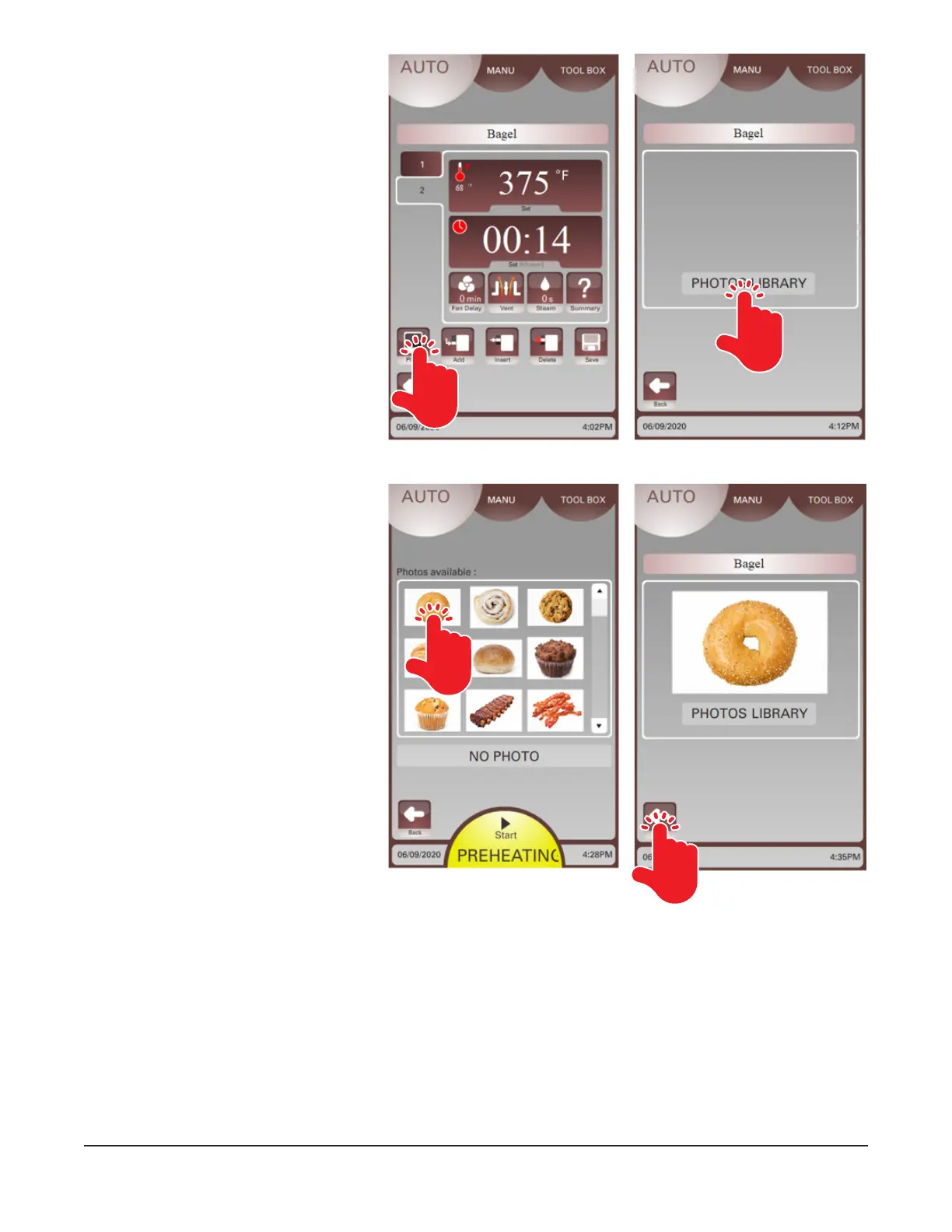
16. Touch the Photo button (Fig. 17)
to add an image from the Photos
Library to the recipe. The Photos
Library window should be
displayed.
17. Touch the Photos Library button
(Fig. 18). Available photos should
be displayed.
18. Use the up and down arrows to
view images. Touch the photo
(Fig. 19) when you have made a
selection.
19. The selected image will be
displayed. Touch the back arrow
(Fig. 20) to return to the recipe
window.
Fig. 17 Fig. 18
Fig. 20Fig. 19


 To Next Page