5. RS232 output
ThescalecanbeorderedwithanoptionalRS-232output.
Specications:
RS-232outputofweighingdata.
ASCII code.
8databits.
NoParity.
Connector:
9pintyped-subminisocket.
Pin2:Output(TXD).
Pin3:Input,notusedatthistime(RXD).
Pin7:SignalGround(GND).
(*)
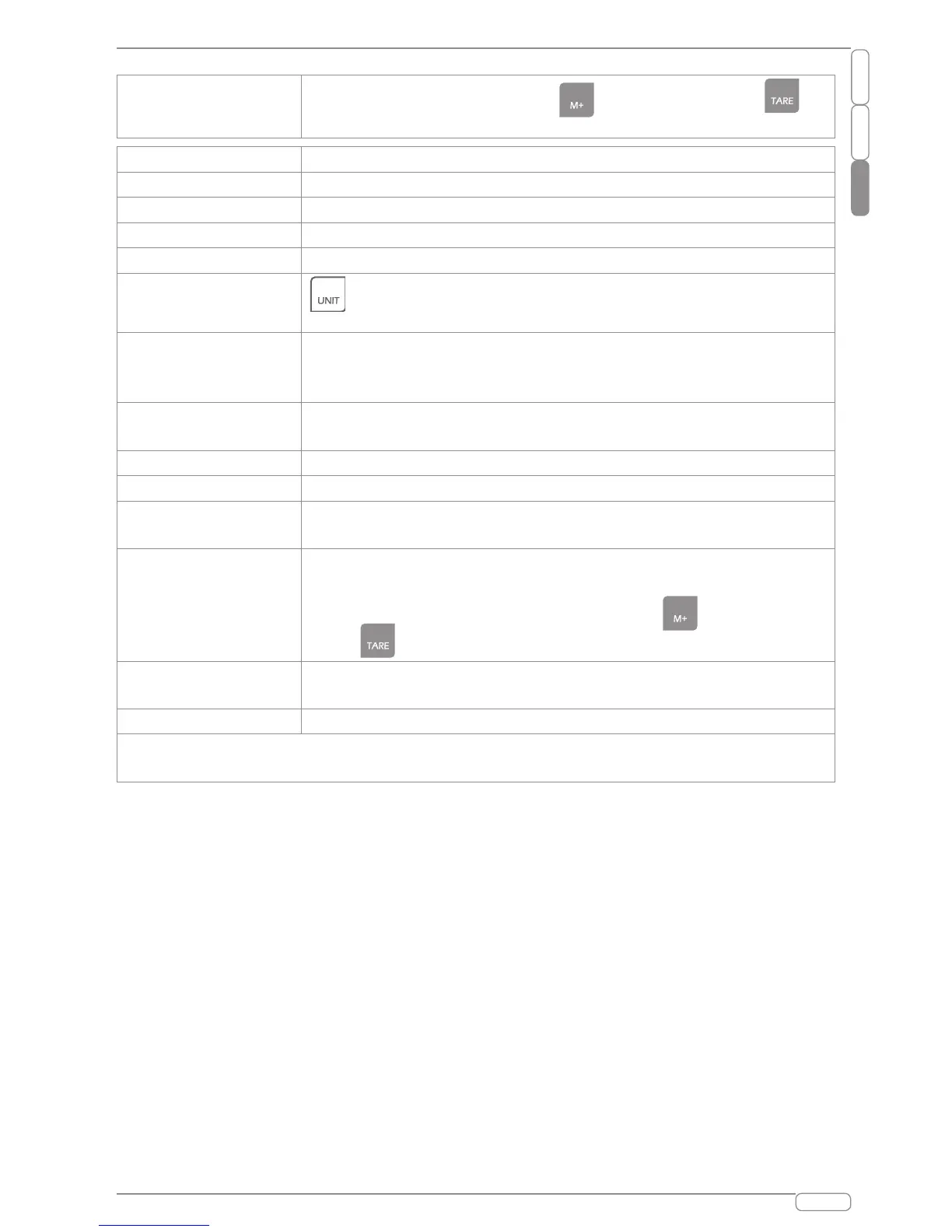
F5 Po int
Setpricedecimalpoint,press keytoselect,press
keytosure.
F6
Notavailable.
F7
Notavailable.
F8 CHANGE
Setthechangetoon/off.
F9 A-D COUNtS
DisplaystheA/Dcounts.
(*)
F10
Gravityparameter..
(*)
F11 HALF key
keyfunctionselection:Half/Quarter/100g/Unit(onor
oFF).oFFmustbealwaysselected.
F12 rs232
SettheRS232type(off/printer).WhenselectedRS232oFF,
acummulationfunctionisdisabled.Printermustbealways
selected.
F13 PRINTR TYPE
Settheprintertype(off/eltron/zebrl).“eltron”mustbealways
selected.
F14 BAUD RATE
Setthebaudrate(600/1200/2400/4800/9600).
F15 RS-232 MODE
SettheRS232mode(7e1/7o1/8n1).
(*)
F16 SCALE MODE
Setthescalemode(0/1/2/3).0or3mustbealwaysselected
only.
(*)
f17 PETCNT TARE
Setwhetheruseretarefunction,ifthisparameterison,you
candotareoperationcontinuously,ifthisparameterisoff,you
onlycandotareoperationonetime,press keytoselect,
press keytosure.
F18 LABEL FORMAT
Settheprinterformat(0:spanish/1:french/2:english/3:
portuguese).
F19 HEAD
Headers.(Head1/Head2/Head3)
Note:beforeprint,youcancustomizethecointype,press“unit”keywhenthescale
self-checktoenterthecointype.



 To Next Page