EasyManua.ls Logo

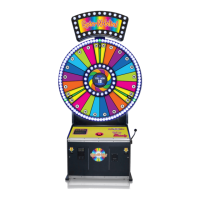
Bay-Tek Spin-N-Win! - User Manual

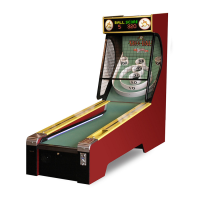
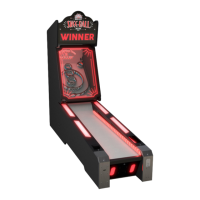
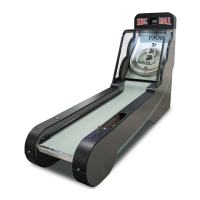
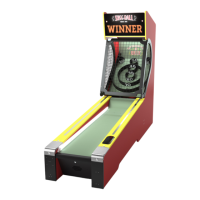
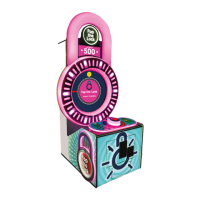
Bay-Tek Spin-N-Win!
50 pages
Print Icon
To Next Page IconTo Next Page
Loading...
1

Questions and Answers

  • S
    Susan SilvaAug 5, 2025
    What to do if Bay-Tek Spin-N-Win! have no power?
    • B
      Brian KimAug 5, 2025
      If your Bay-Tek Arcade Game Machine has no power and no lights are on, here's what you can check: * Ensure the game is plugged into a working wall outlet. * Check and reset the power strip breaker switch or the building circuit breaker. * Consider replacing the Line Filter (Part # A5FI9010). * Change the plug position or replace the plug if necessary. * Refer to the Power Supply diagnostic for further troubleshooting.
  • K
    Kimberly LarsonAug 13, 2025
    Why is the Bill Acceptor on but everything else off on my Bay-Tek Arcade Game Machines?
    • P
      Patrick WoodAug 13, 2025
      If the bill acceptor is on, but everything else is off on your Bay-Tek Arcade Game Machine, it could be due to several reasons. The power supply might be unplugged, so ensure it is plugged into the power strip. Also, check that the rocker switch is set to ON. The power supply might be shutting down because of a 12V overload or the power supply itself could be faulty. A 12 volt short could also be the cause. Refer to the power supply diagnostics to isolate the bad component.
  • B
    Bonnie YuAug 20, 2025
    What to do if dollar bill acceptor is not functioning in Bay-Tek Arcade Game Machines?
    • S
      stephanielawsonAug 20, 2025
      If the dollar bill acceptor isn't functioning on your Bay-Tek Arcade Game Machine, the acceptor should cycle the stacker at game power up. If it does not, check the cable connections and the wiring from the bill acceptor to the NewGen Board (AACE6918). Repair or replace the wiring harness, if needed. Also, inspect the J8 connector on the Newgen Board and ensure the wires are secure in the connectors. Consider cleaning the bill acceptor with a bill reader cleaning card (A5CC9000).
  • B
    Brittany WhiteheadAug 28, 2025
    How to fix meters that do not work on Bay-Tek Spin-N-Win! Arcade Game Machines?
    • C
      Christian MurrayAug 28, 2025
      To fix meters that are not working on your Bay-Tek Arcade Game Machine, check the connections and reseat J25 on the Newgen board. Also, inspect cables # AACE6913 and AACO3325. Disconnected, loose, or broken wires could be the cause. If necessary, replace the counter with part # AACO3325. Check ticket values in the menu.

Summary

WELCOME AND GAME INSPECTION

GAME INSPECTION

Inspect the game for any damaged, loose, or missing parts. Contact carrier/service if damage is found.

GAME SPECIFICATIONS AND SAFETY

SAFETY PRECAUTIONS

Important notices, dangers, warnings, cautions, and attention points for game operation.

HOW TO PLAY

SET UP GUIDE

GAME CONFIGURATION

DIP SWITCH SETTINGS

Configuration of DIP switches located on the mainboard for game settings.

MAIN MENU FUNCTIONS

Overview of the various functions accessible through the game's main menu.

GAME FEATURES

CUSTOM PAYOUT

Adjusting jackpot values and adjacent side ranges for custom game settings.

TICKET PATTERNS

Detailed descriptions of different ticket payout patterns available for the game.

TECHNICAL DETAILS

MAINBOARD PINOUTS

Detailed pinout information for the game's mainboard connectors.

CIRCUIT BOARD LAYOUT

Visual layout and identification of components on the main circuit board.

WIRING DIAGRAMS

Comprehensive diagrams detailing all game wiring connections.

DIAGNOSTICS AND TROUBLESHOOTING

POWER SUPPLY DIAGNOSTICS

Procedures for diagnosing issues with the game's power supply unit.

BILL ACCEPTOR DIAGNOSTICS

Troubleshooting steps and error codes for the bill acceptor unit.

TROUBLE SHOOTING GUIDE

A systematic guide to identify and resolve common game problems.

PARTS AND MAINTENANCE

PARTS LIST

A comprehensive list of all game parts with corresponding part numbers.

PARTS PICTURES

Visual identification of common game parts.

MAINTENANCE LOG

A template for recording game maintenance performed and parts ordered.

SUPPORT AND WARRANTY

TECHNICAL SUPPORT

Information on obtaining technical assistance and repair options from the manufacturer.

WARRANTY INFORMATION

Details on the game's warranty coverage, terms, and conditions.

Bay-Tek Spin-N-Win! Specifications

General IconGeneral
Players1
AgeAll Ages
Game TypeRedemption
ManufacturerBay Tek Games
DisplayLED

Related product manuals