EasyManua.ls Logo

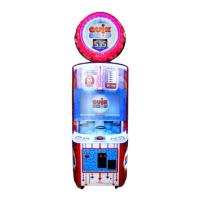
Bay-Tek quik drop - User Manual

Bay-Tek quik drop
56 pages
Print Icon
To Next Page IconTo Next Page
Loading...
SERVICE MANUAL

Questions and Answers

  • B
    Bryan HarmonAug 20, 2025
    How to troubleshoot no power and no lights on Bay-Tek quik drop Arcade Game Machines?
    • D
      djensenAug 20, 2025
      If your Bay-Tek Arcade Game Machine has no power and no lights are on, begin by checking the wall outlet. Then, reset the power strip breaker switch or the building circuit breaker. If the problem persists, replace the Line Filter (Part # A5FI9010). Try changing the plug position or replacing the power strip. Finally, check and reseat the connections from the line filter to the outlet strip using Cables # CE5802 & CE5811, referring to the wiring diagram.
  • K
    krystalgutierrezAug 22, 2025
    What to do if monitor is on but power supply is not on in Bay-Tek quik drop?
    • K
      Krista JonesAug 22, 2025
      If the monitor of your Bay-Tek Arcade Game Machine is on, but the power supply isn't, and the bill acceptor cycles with the AC light at the bottom on, ensure the power supply is plugged into the power strip and the rocker switch is set to ON. Check the power connections from the outlet strip to the power supply using A5CORD1, A5SP4100 & A5CORD5. For further diagnosis, refer to the power supply diagnostics to isolate a bad component. A faulty motor or a 12-volt short could be the cause.
  • G
    garysimsAug 25, 2025
    How to fix dollar bill acceptor not functioning in Bay-Tek quik drop?
    • P
      pattersonwilliamAug 25, 2025
      If the dollar bill acceptor in your Bay-Tek Arcade Game Machine isn't functioning, start by checking the cable connections. Ensure the acceptor cycles the stacker upon game power-up. If not, refer to “How to Clean Bill Acceptor” or clean it with a bill reader cleaning card (A5CC9000). Set the dips on the side of the bill acceptor to “Always Enable”. Check the wiring from the bill acceptor to the I/O Newgen Board (AACE5809). Repair or replace the wiring harness, making sure wires are secure in connectors. Consult the troubleshooting section of the dollar bill acceptor manual or the diagnostics label on the back of the unit.
  • T
    tinahallAug 26, 2025
    What to do if LED lighting inside cabinet playfield is not working in Bay-Tek quik drop?
    • R
      rcabreraAug 26, 2025
      If the LED lighting inside the cabinet playfield of your Bay-Tek Arcade Game Machine is not working, check and reseat the cables from the power supply to the LED lights, referring to the wiring diagram. The relevant cables are # CE5808 and CE5812. If the connection is proper, replace the LED Light with Part # AACE5808.
  • M
    Mr. Tyrone ValdezAug 27, 2025
    How to fix LED lighting inside cabinet instruction panels not working on Bay-Tek quik drop Arcade Game Machines?
    • R
      randysmithAug 28, 2025
      If the LED lighting inside the left and right instruction panels of your Bay-Tek Arcade Game Machine is not working, check the connection and reseat the cables from the power supply to the LED strip. Refer to the wiring diagram, using cables # CE5840 and CE5852. To identify a faulty strip, swap the two light strips from left to right. Replace the faulty strip as needed with Part # AACE5840.
  • K
    kpattonAug 29, 2025
    Why are upper marquee sign LEDs not working on Bay-Tek Arcade Game Machines?
    • P
      phillip56Aug 29, 2025
      If the upper marquee sign LEDs on your Bay-Tek Arcade Game Machine aren't working, check the connections and reseat the cables from the power supply to the LED lights. Refer to the wiring diagram and use cables # CE5838, CE5830, CE5850, CE5849 & CE5848. Try swapping connectors with one of the other two LEDs to identify a faulty LED strip. Replace the faulty LED light with Part # AACE5850, AACE5849 or AACE5848.
  • F
    faustinAug 31, 2025
    How to troubleshoot control panel LEDs not working on Bay-Tek Arcade Game Machines?
    • C
      Carol JenningsAug 31, 2025
      If the control panel LEDs on your Bay-Tek Arcade Game Machine are not working, check the connection and reseat the cables from the I/O Newgen Board to the LED lights. Refer to the wiring diagram, using Cables # CE5823 and CE5845. To identify a faulty LED strip, swap connectors with another LED. Replace the faulty LED light with Part # AACE5845.
  • W
    williamsrebeccaSep 2, 2025
    What to do if top or bottom window LEDs are not working on Bay-Tek quik drop Arcade Game Machines?
    • S
      Sarah LewisSep 2, 2025
      If the top or bottom window LEDs on your Bay-Tek Arcade Game Machine aren't working, check the connection and reseat the cables from the I/O Newgen Board to the LED lights. Refer to the wiring diagram and use Cables # CE5823 and CE5844. Swap connectors with another LED to identify a faulty LED strip, then replace the faulty LED light with Part # AACE5844.
  • P
    Priscilla LaneSep 4, 2025
    How to fix LEDs behind ball drop not working on Bay-Tek quik drop Arcade Game Machines?
    • C
      Christopher FritzSep 4, 2025
      If the LEDs behind the ball drop on your Bay-Tek Arcade Game Machine are not working, check the connections and reseat the cables from the I/O Newgen Board to the LED lights. Refer to the wiring diagram, using Cables # CE5823 and CE5847. Swap connectors with another LED to identify a faulty LED strip. Replace the faulty LED light with Part # AACE5847.
  • E
    Emily WilsonSep 6, 2025
    How to fix light inside drop button not working on Bay-Tek quik drop Arcade Game Machines?
    • K
      katherinecontrerasSep 6, 2025
      If the light inside the drop button on your Bay-Tek Arcade Game Machine isn't working, check the connection and reseat the cables from the I/O Newgen Board to the lights. Refer to the wiring diagram, using Cables # CE5815. If the connection is good, replace the light bulb with Part # AALA1003.

Summary

Factory Contact Information

Welcome to Quik Drop

Game Inspection

Check game for any damaged, loose, or missing parts upon arrival.

Game Specifications

Safety Precautions

Quik Drop Setup

How to Play

Main Menu Functions

Game Menu

Payout Menu

Diagnostics

Error Codes

Bad Carousel Encoder

Explains issues with the carousel sensor not detecting motor movement.

Bad Top Auger Encoder

Explains issues with the top auger sensor not detecting motor movement.

Sensor Locations

How to Replace Monitor

How to Access Blower

How to Remove Blower

Detailed steps for removing the blower assembly from the game cabinet.

How to Change Lights in Marquee

Circuit Board Pinout

AC IN, Power Supply Wiring Diagram

Sensors & Auger Motor Wiring Diagram

Troubleshooting Guide

Communication Error Troubleshooting

Power Supply Diagnostics

Minimize Load on Power Supply and Isolate Short

Procedure to isolate short circuits affecting the power supply.

How to Update Software

Bill Acceptor Diagnostics

Dipswitch Settings

Explains the function of dipswitches on the bill acceptor for configuration.

Parts List

I;O Aux Board Pinout

Decal Diagram

Repair;Maintenance Log

Technical Support

Warranty Options

Repair of Non-Warranty Parts

Procedures and information for servicing parts outside of warranty.

Bay-Tek quik drop Specifications

General IconGeneral
CategoryArcade Game Machines
ManufacturerBay-Tek
ModelQuik Drop
Ticket DispenserYes
TypeRedemption
Players1
SoundYes

Related product manuals