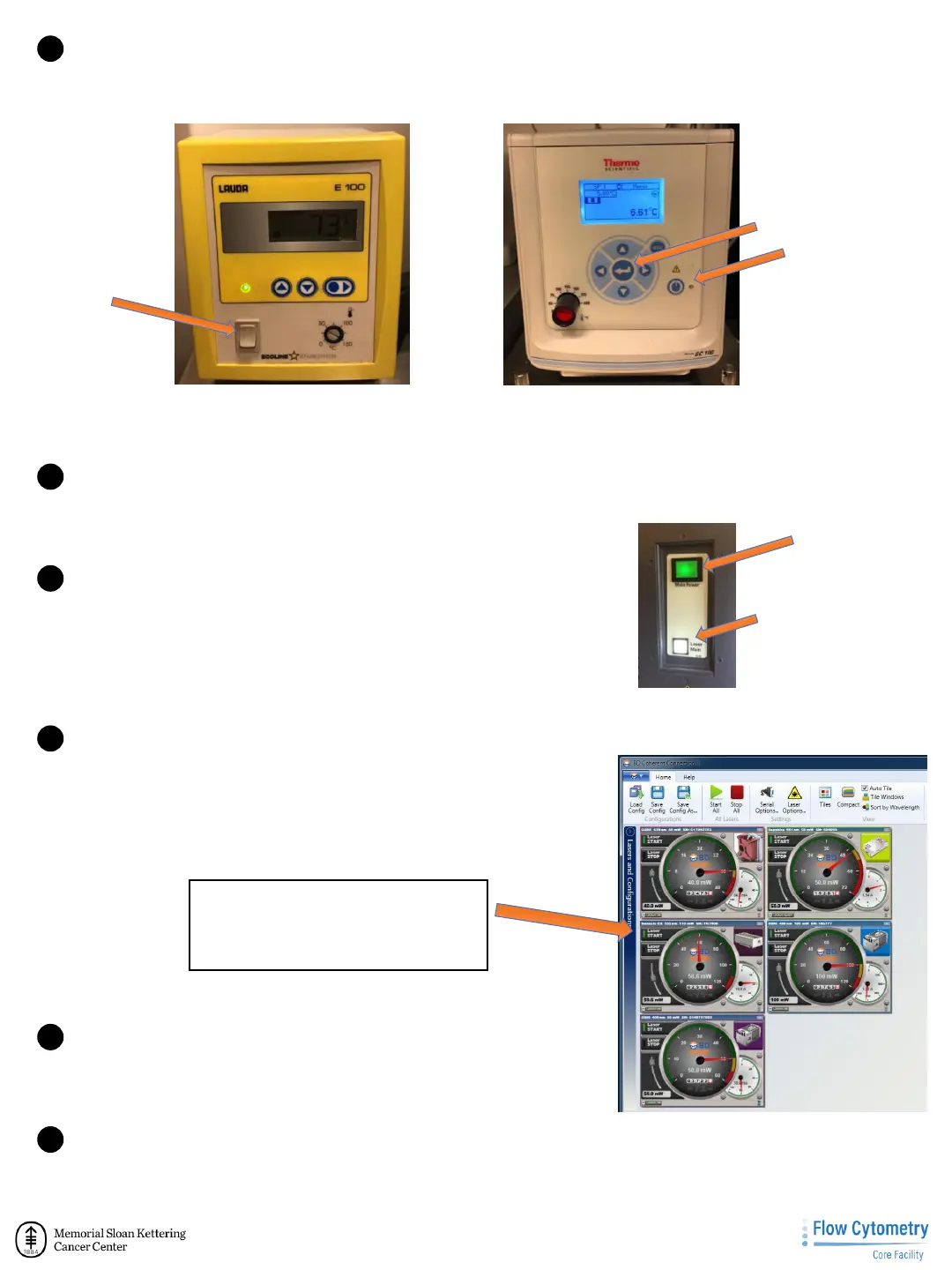
1 Turn ON water bath.
Lauda E100: turn the power switch to on.
Thermo: Press the power button followed by the “enter” button.
3
Lauda E100 water bath
Thermo water bath
power button 1
st
.
enter
on/off
1 Restart computer and Login
Username: Administrator or Admin
Password: BDIS
4
1 Turn ON FACSAria™ sorter.
Once computer is fully on - press the two buttons on the left side
of the FACSAria™. Make sure to turn ON the Main Power first and
then the Laser Switch button.
5
Main Power
Laser Switch
1 Launch OBIS/Coherent Connection Software
2 Aria-2: Coherent Connection. UV Laser typically does not start.
Set to 5 mW and press start. Once started, set to 60 mW
Aria-4: Does not have Laser connection software.
Aria-7: Does not have Laser connection software.
6
Coherent Connection on Aria-2.
Look for 355 nm laser and
power to 60 mW.
Check OBIS/Coherent Connection SOP
1 Launch Diva Software.
Login name: YourName
Password: ID#
1 Wait for connection.
Choose “Use CST settings” in the dialog box that comes up.
7
8



 To Next Page