S2528-B Hardware Installation Manual
- 11 -
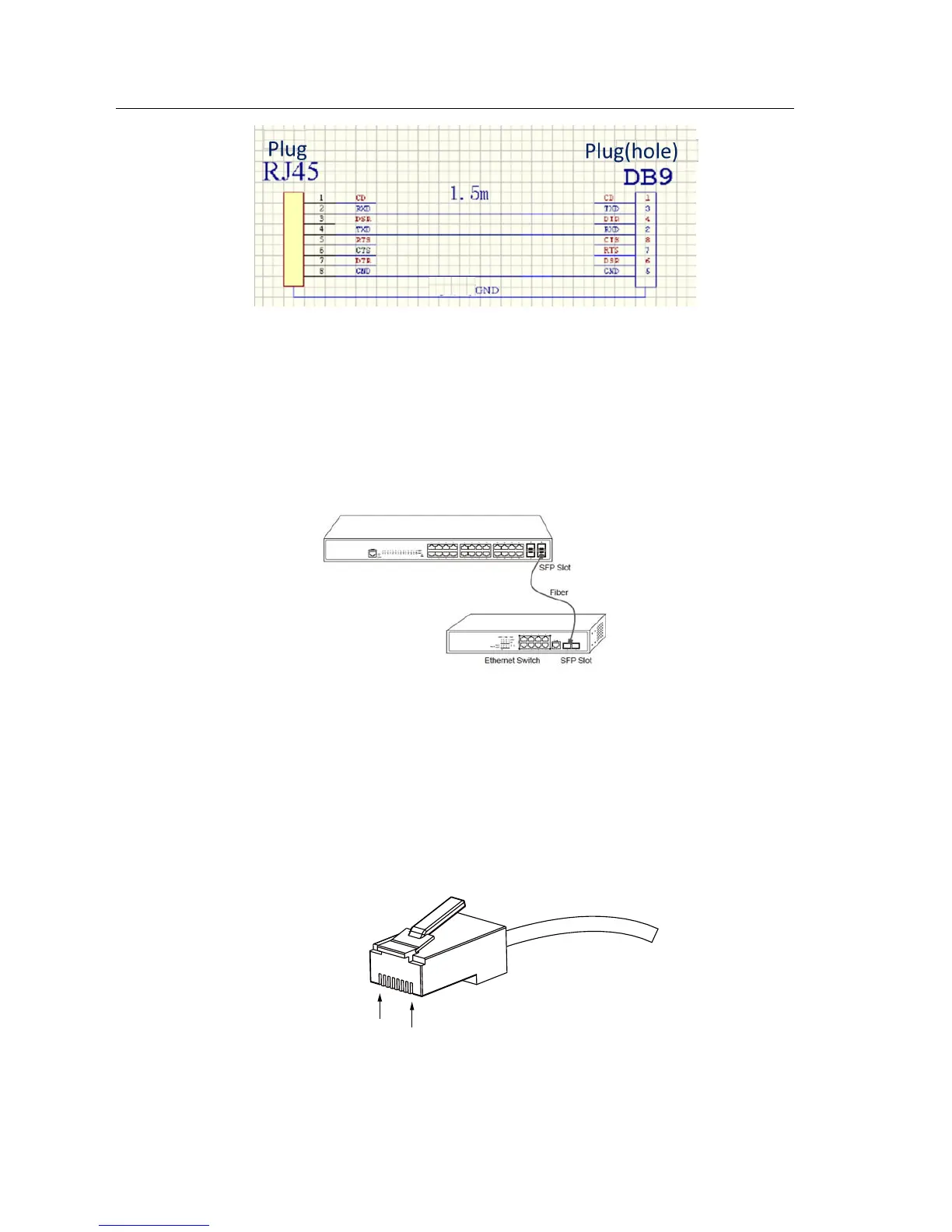
Figure 3- 5 Cable connection at the console port
3.3.2 Connecting Gigabit Ethernet SFP Ports
The S2528-B switch has 4 gigabit SFP ports. Each port has a corresponding
indicator for showing their LINK/ACT state. If the indicator is always on, the port is
normally linked; if the indicator flickers, the data is forwarded through the port. In
use the SFP optical module can be connected to the SFP optical module and
connected to other Ethernet terminal devices through the optical cable.
Figure 3-6 Gigabit SFP ports connect to other Ethernet terminal devices
3.3.3 Connecting 1000M Ethernet Base-T ports
S2528-B provides 24 10/100/1000MRJ45 ports. Each port corresponds to one
LINK/ACT indicator. In use, the ports can connect other UT terminal devices
through the UTP port and the direct-through or cross network cable. The numbering
order of the pins in the UTP port is the same as the console port. See the following
figure:
Figure3-7 RJ-45 Connector of the console port



 To Next Page