18 | BDIUSA.COM CORRIDOR L-DESK 6531
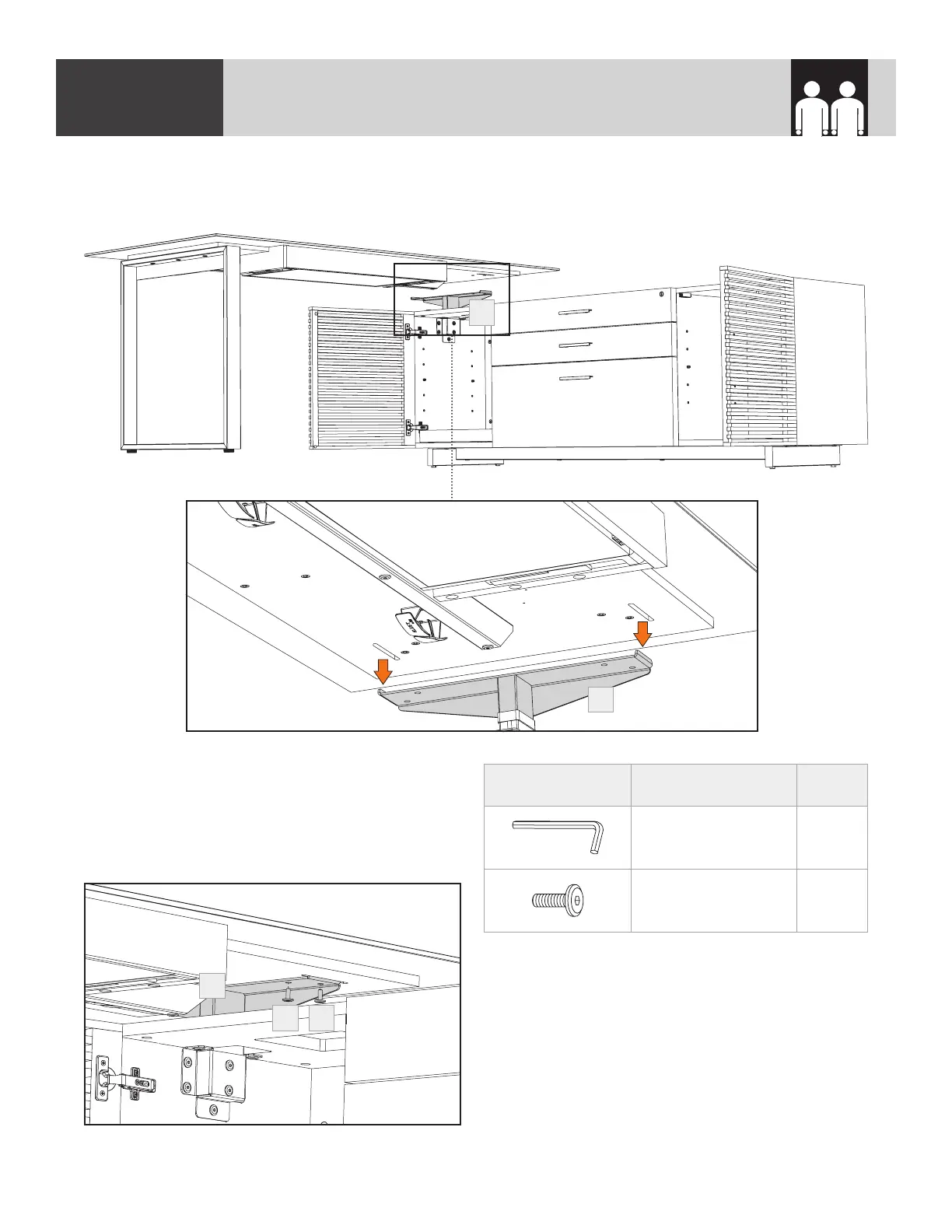
Using 4 (H3) Screws, fasten the desktop to
the (C9) “T” Bracket. To gain easier access to
these screws, open the cabinet door and reach
through the top panel. Tighten the using
(T2) Hex Wrench.
PART/DESCRIPTION QTY
T2-HEX WRENCH 1
H3-SCREW 4
With the help of another person, carefully flip the desktop over and rest it on the (C9) “T” Bracket.
The (C9) “T” Bracket should rest in grooves in the underside of the desktop.
STEP 11. ATTACH DESKTOP TO CABINETASSEMBLY
2 PERSON TASK
C9
C9
H3H3
C9


 To Next Page