USER
HINTS
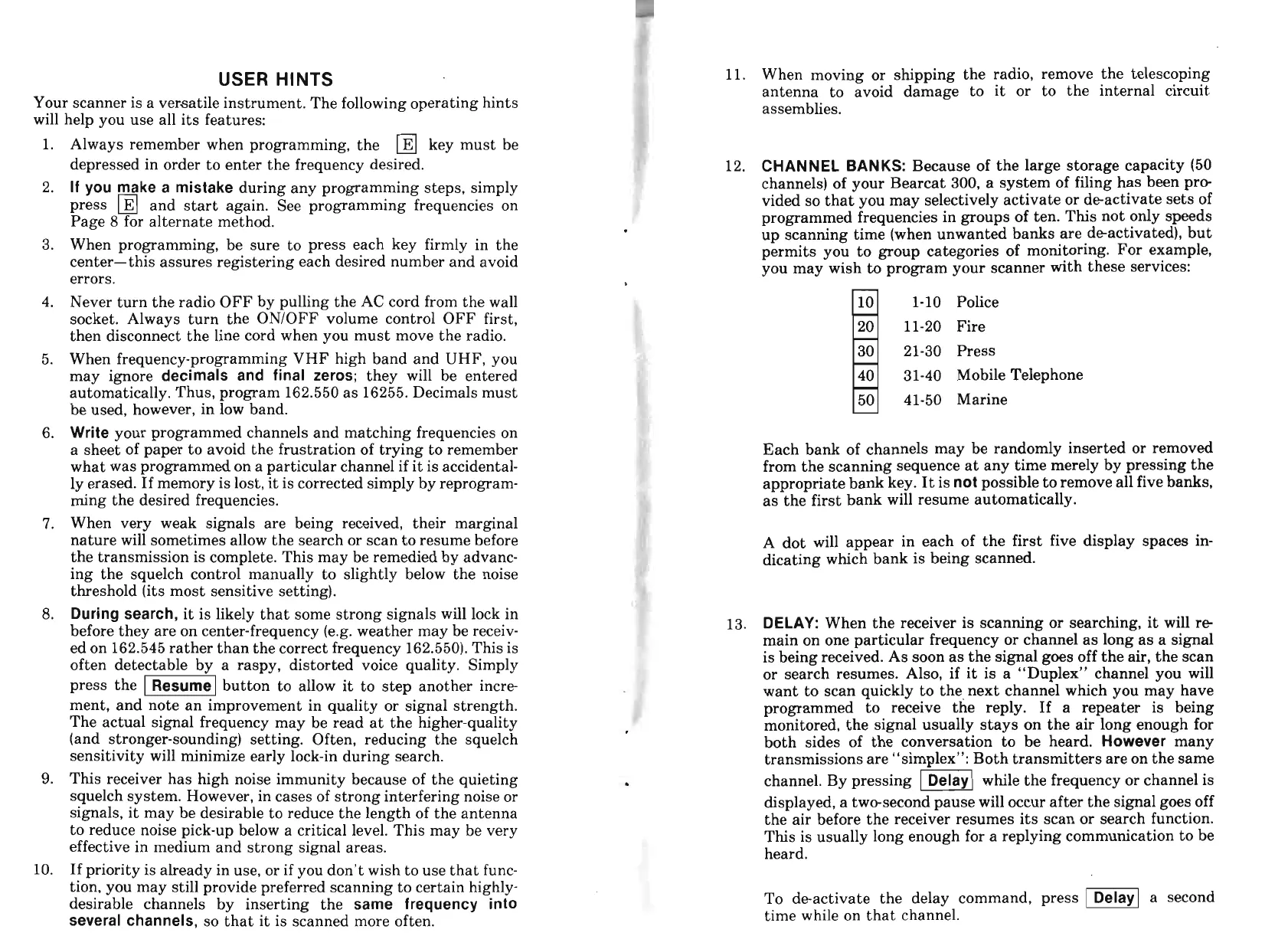
Your scanner is a versatile instrument. The following operating hints
will help you use all its features:
1.
Always remember when programming, the key must be
depressed in order to enter the frequency desired.
2.
If you make a mistake
during any programming steps, simply
press and start again. See programming frequencies on
Page
8
for alternate method.
3. When programming, be sure to press each key firmly in the
center-this assures registering each desired number and avoid
errors.
4.
Never turn the radio OFF by pulling the AC cord from the wall
socket. Always turn the ONlOFF volume control OFF first,
then disconnect the line cord when you must move the radio.
5. When frequency-programming VHF high band and UHF, you
may ignore
decimals and final zeros;
they will be entered
automatically. Thus, program 162.550 as 16255. Decimals must
be used, however, in low band.
6.
Write
your programmed channels and matching frequencies on
a sheet of paper to avoid the frustration of trying to remember
what was programmed on a particular channel if it is accidental-
ly erased. If memory is lost, it is corrected simply by reprogram-
ming the desired frequencies.
7.
When very weak signals are being received, their marginal
nature will sometimes allow the search or scan to resume before
the transmission is complete. This may be remedied by advanc-
ing the squelch control manually to slightly below the noise
threshold (its most sensitive setting).
8.
During search,
it is likely that some strong signals will lock in
before they are on center-frequency (e.g. weather may be receiv-
ed on 162.545 rather than the correct frequency 162.550). This is
often detectable by a raspy, distorted voice quality. Simply
press the button to allow it to ste~ another incre
I
J
ment, and note an improvement in quality or signal strength.
The actual signal frequency may be read at the higher-quality
(and stronger-sounding) setting. Often, reducing the squelch
sensitivity will minimize early lock-in during search.
9.
This receiver has high noise immunity because of the quieting
squelch system. However, in cases of strong interfering noise or
signals, it may be desirable to reduce the length of the antenna
to reduce noise pick-up below a critical level. This may be very
effective in medium and strong signal areas.
10.
If priority is already in use, or if you don't wish to use that func-
tion, you may still provide preferred scanning to certain highly-
desirable channels by inserting the
same frequency into
several channels,
so that it is scanned more often.
11.
When moving or shipping the radio, remove the telescoping
antenna to avoid damage to it or to the internal circuit
assemblies.
12.
CHANNEL BANKS:
Because of the large storage capacity (50
channels) of your Bearcat 300, a system of filing has been pro-
vided so that you may selectively activate or deactivate sets of
programmed frequencies in groups of ten. This not only speeds
up scanning time (when unwanted banks are deactivated), but
permits you to group categories of monitoring. For example,
you may wish to program your scanner with these services:
1-10 Police
11-20 Fire
21-30 Press
3 1-40 Mobile Telephone
41-50 Marine
Each bank of channels may be randomly inserted or removed
from the scanning sequence at any time merely by pressing the
appropriate bank key. It is
not
possible to remove all five banks,
as the first bank will resume automatically.
A dot will appear in each of the first five display spaces in-
dicating which bank is being scanned.
13.
DELAY:
When the receiver is scanning or searching, it will re
main on one particular frequency or channel as long as a signal
is being received. As soon as the signal goes off the air, the scan
or search resumes. Also, if it is a "Duplex" channel you will
want to scan quickly to the. next channel which you may have
programmed to receive the reply.
If a repeater is being
monitored, the signal usually stays on the air long enough for
both sides of the conversation to be heard.
However
many
transmissions are "simplex": Both transmitters are on the same
channel. By pressing
-1
while the frequency or channel is
displayed, a two-second pause will occur after the signal goes off
the air before the receiver resumes its scan or search function.
This is usually long enough for a replying communication to be
heard.
To deactivate the delay command, press
-1
a second
time while on that channel.


 To Next Page
 Loading...