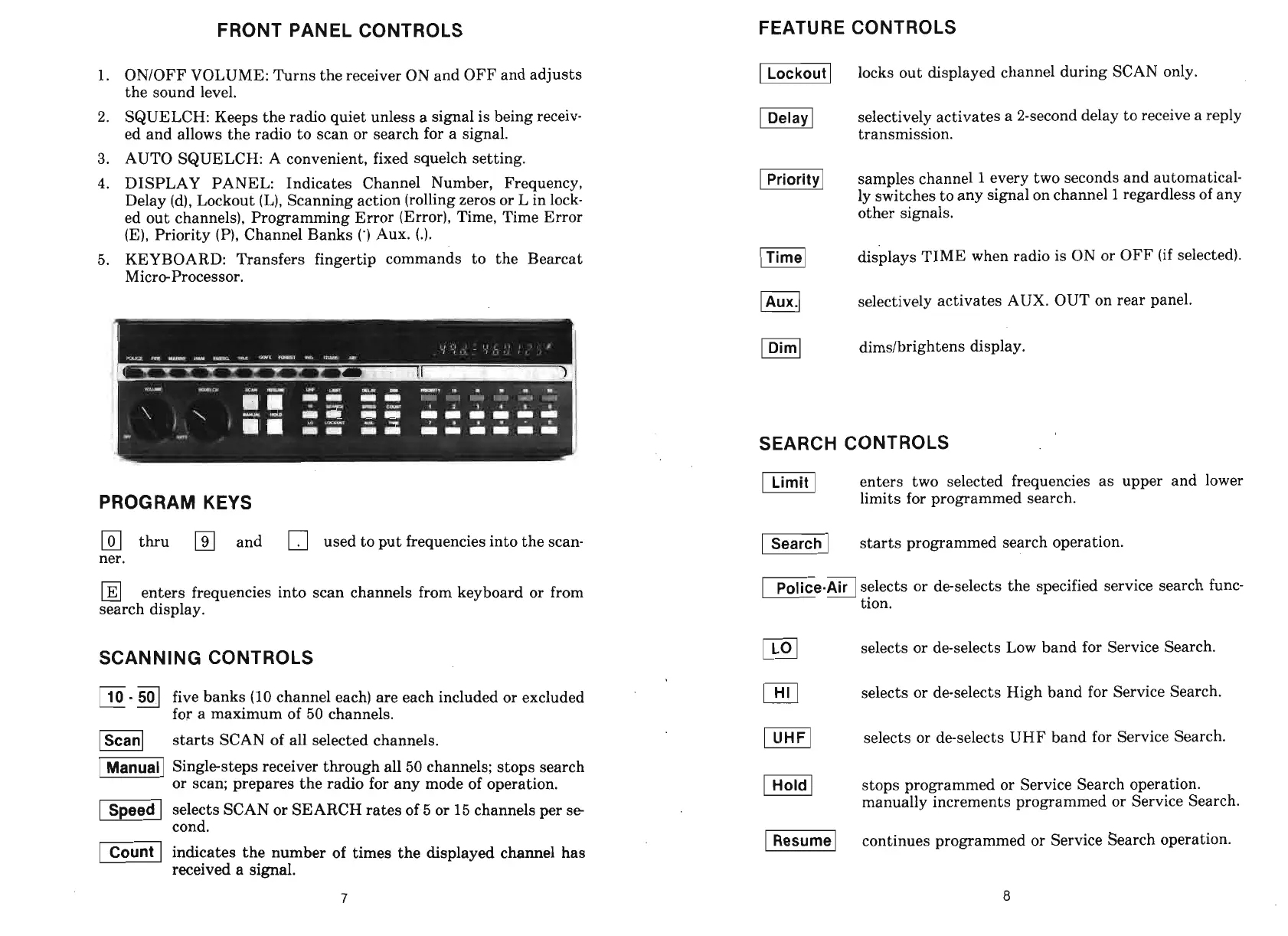
FRONT PANEL CONTROLS
1.
ONlOFF VOLUME: Turns the receiver ON and OFF and adjusts
the sound level.
2.
SQUELCH: Keeps the radio quiet unless a signal is being receiv-
ed and allows the radio to scan or search for a signal.
3.
AUTO SQUELCH: A convenient, fixed squelch setting.
4.
DISPLAY PANEL: Indicates Channel Number, Frequency,
Delay (d), Lockout (L), Scanning action (rolling zeros or L in lock-
ed out channels), Programming Error (Error), Time, Time Error
(E), Priority
(P),
Channel Banks
(')
Aux.
(.).
5. KEYBOARD: Transfers fingertip commands to the Bearcat
Micro-Processor.
PROGRAM KEYS
thru and used to put frequencies into the scan-
ner.
enters frequencies into scan channels from keyboard or from
search display.
SCANNING CONTROLS
-
3
five banks (10 channel each) are each included or excluded
for a maximum of 50 channels.
starts SCAN of all selected channels.
-1
Singlesteps receiver through all 50 channels; stops search
or scan; prepares the radio for any mode of operation.
(
selects SCAN or SEARCH rates of
5
or 15 channels Der se
I.
cond.
indicates the number of times the displayed channel has
received a
signal.
FEATURE CONTROLS
I
locks out displayed channel during SCAN only.
selectively activates a 2-second delay to receive a reply
transmission.
-1
samples channel
1
every two seconds and automatical-
ly switches to any signal on channel
1
regardless of any
other signals.
Fl
displays TIME when radio is ON or OFF (if selected).
PI
selectively activates AUX. OUT on rear panel.
m]
dimslbrightens display.
SEARCH CONTROLS
I]
enters two selected frequencies as upper and lower
limits for programmed search.
starts programmed search operation.
Ve-AirI
selects or deselects the specified service search func-
tion.
@I
selects or deselects Low band for Service Search.
Pa
selects or deselects High band for Service Search.
l-izFl
selects or de-selects UHF band for Service Search.
vl
stops programmed or Service Search operation.
manually increments programmed or Service Search.
-1
continues programmed or Service Search operation.


 To Next Page