Status LED off*
Status LED
flashing purple
Status LED purple
Status LED
flashing red
Large socket points
to nose of the heli
Status LED red
Status LED
flashing blue
Status LED blue
Status LED flashing
red/blue
Large socket points
to tail of the heli
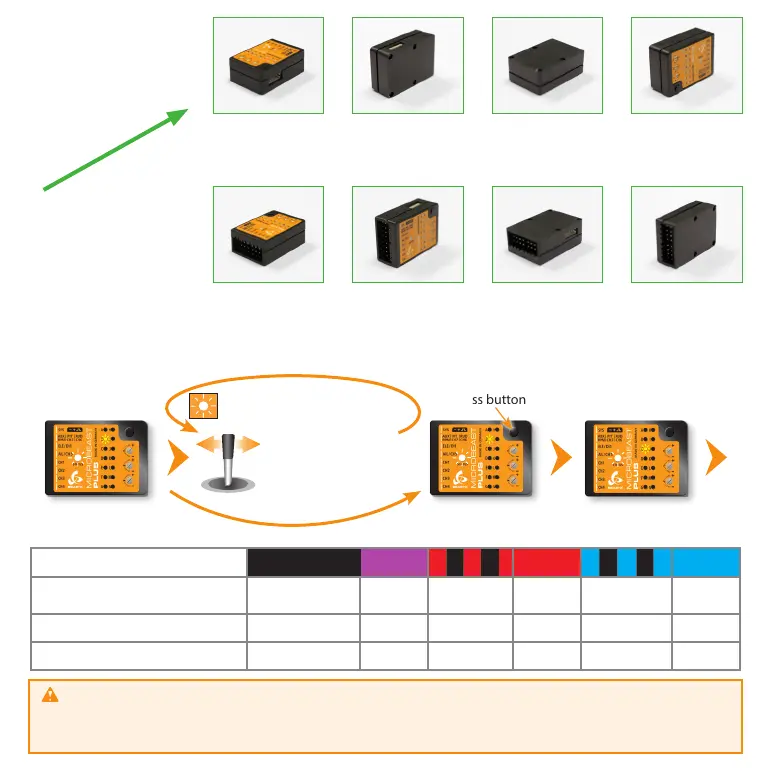
Setup menu points B, C and D
The currently selected swashplate servo update rate (B), rudder servo update rate (D) and rudder servo center pulse (C) are
indicated by the color and state of the Status LED at each menu point. By moving the rudder stick to one or another direction
you can change between the available options (if necessary). Briefly pressing the button will save the selected option and
move to the next menu point.
Status LED shows current
swashplate servo frame rate
Setup menu
point C
Press button briefly
Status LED shows current
swashplate servo frame rate
Status LED o purple ashing red red ashing blue blue
B
Swashplate servo
update rate
User dened 50 Hz* 65 Hz 120 Hz 120 Hz 200 Hz
C
Rudder servo center pulse User dened 960 µs - 760 µs - 1520 µs*
D
Rudder servo update rate User dened 50 Hz* 120 Hz 270 Hz 333 Hz 560 Hz
If you don‘t know what the maximum update rate that is tolerated by your servos never use more than 50Hz.
The higher the update rate the better it is for the flight performance of MICROBEAST PLUS but you must check the servo
specifications before increasing the update rate. Otherwise the servos may get damaged! See WIKI.BEASTX.COM
for a list with parameter examples for most servo types commonly used in flybarless helicopters.
...
Move rudder stick
left or right
Status LED changes color/state
(Changing swash servo frame rate)
F
l
i
g
h
t
d
i
r
e
c
t
i
o
n



 To Next Page