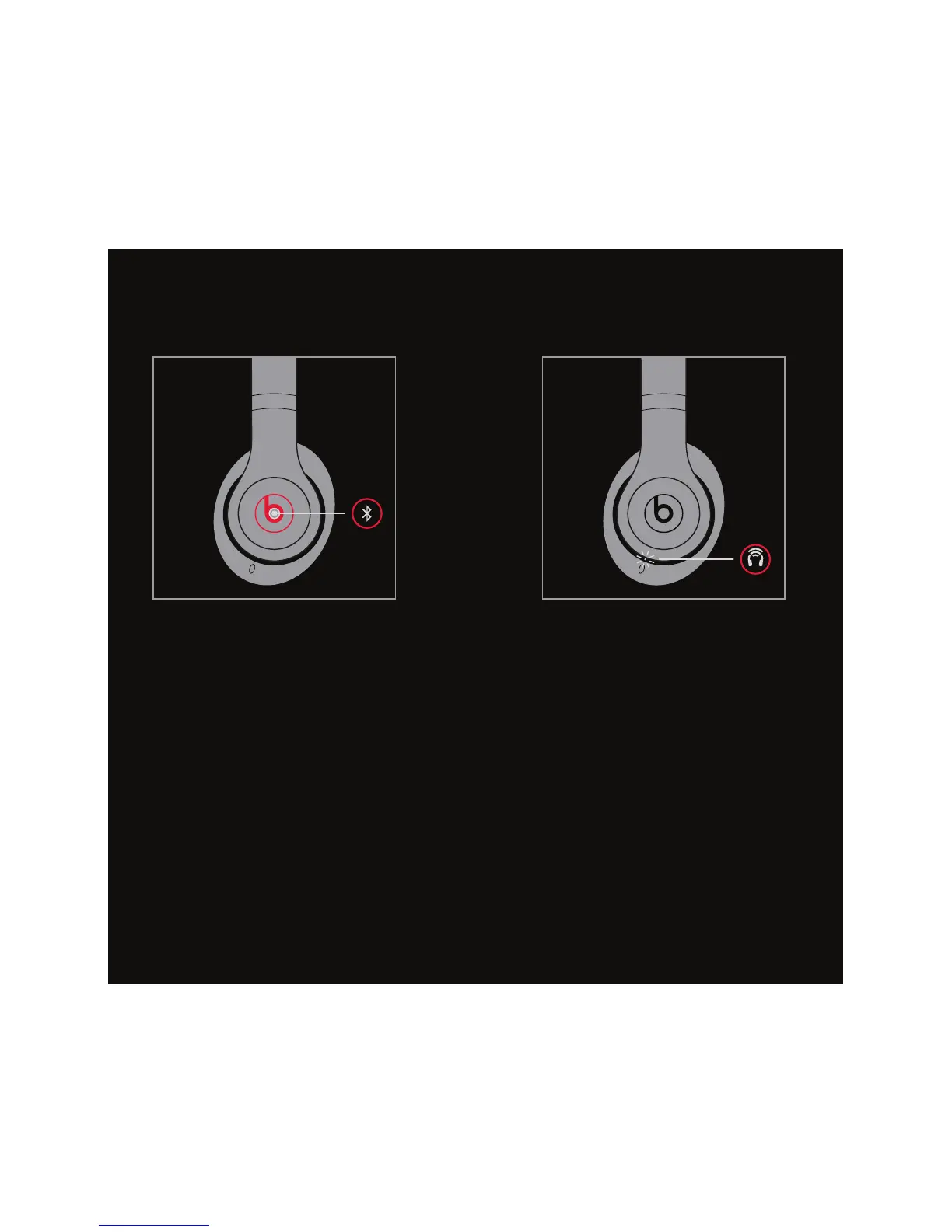
EN Pair with device when Bluetooth
®
indicator is blinking.
FR Appariez avec l’appareil lorsque
l’indicateur Bluetooth
MD
clignote.
ES Conectar con el dispositivo
cuando el indicador de Bluetooth
®
esté parpadeando.
PT Emparelhe com o dispositivo
quando o indicador Bluetooth
®
estiver piscando.
EN Press and hold “b” button for
2 seconds for pair device.
FR Appuyez sur le bouton “b” et
maintenez-le enfoncé pendant
2 secondes pour apparier l’appareil.
ES Presione y mantenga presionado
el botón “b” por 2 segundos para
conectar el dispositivo.
PT Pressione e segure o botão “b”
durante dois segundos para
emparelhar dispositivos.
WIRELESS PAIRING


 To Next Page